


Package Name:com.aidevtoolbox.app
SHA-256:4d3a77711c08e488cbea88b14861dbb3b1fe3dc1c8de2e0970583fce5cb8c2fb
Show More

The ultimate TOML file reader, code editor, offline auto-repair engine, syntax validator, and converter for Android. Open, edit, format, fix, and manage Cargo.toml, pyproject.toml, Hugo, and application configuration files with zero lag!
Whether you are writing Rust, configuring Python environments (Poetry, Flit), building static sites with Hugo, or tweaking server setups, TOML Reader & Editor provides a desktop-grade developer workspace right in your pocket.
🚀 POWERFUL DEVELOPER FEATURES:
🔧 Smart Offline TOML Auto-Repair Engine
• One-Tap Syntax Repair: Instantly auto-fix broken, corrupted, or malformed TOML files without needing an internet connection.
• Fix Common Syntax Errors: Automatically resolves unquoted strings, missing quotes in URLs/paths, accidental semicolons, trailing commas, and misplaced key-values.
• Malformed Table Header Recovery: Fixes trailing junk and invalid headers without losing any configuration data.
• Zero Data Loss: Safe AST & token-level correction ensures your existing settings remain intact.
✍️ Pro TOML Code Editor & Formatter
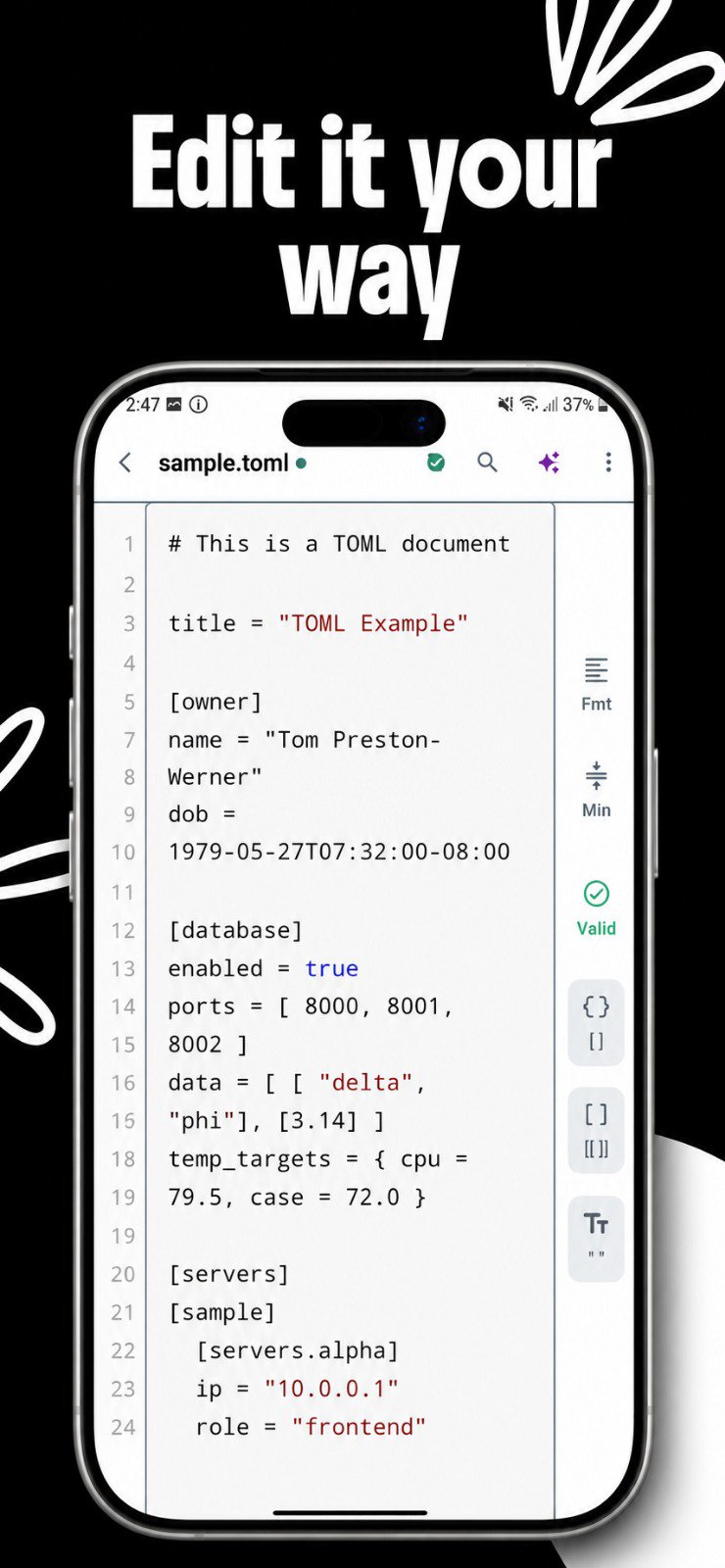
• Syntax Highlighting: Color-coded highlighting for tables, keys, strings, booleans, numbers, datetimes, and arrays.
• Real-Time Syntax Validation: Instant linting catches syntax errors, unclosed brackets, and typos as you type.
• Auto-Beautifier & Formatter: Keep indentation, line breaks, and table hierarchies cleanly formatted.
• Full Editor Controls: Undo/Redo history, line numbers, word wrap, and quick-save shortcuts.
📂 High-Performance TOML Viewer & Reader
• Instant File Opener: Smooth, lag-free viewing for massive configuration files and dependencies.
• Clean Reading Mode: Distraction-free interface optimized for quick inspection and review.
• Structure Inspector: Easily navigate complex tables, sub-tables, arrays of tables, and nested keys.
🔄 Export & Convert to JSON
• One-Tap Conversion: Convert your TOML configuration files into clean, valid JSON format.
• Quick Share & Export: Send your edited configs directly to Slack, WhatsApp, GitHub, or email.
🤖 AI-Powered Assistant (Pro Feature)
• Smart Generator: Generate complete TOML configurations for Rust Cargo, Python Pyproject, or Hugo using natural language prompts.
• Schema Explainer: Ask AI to explain complex configs, parameters, and dependency trees in plain language.
• Powered by leading AI models (Gemini, OpenAI, Claude, DeepSeek & more).
🔍 Advanced Search & Navigation
• Find & Replace: Search through massive configuration files with instant match counter and jumping.
• Quick Table Jumper: Instantly jump between nested tables in large config files.
☁️ Cloud Sync & Seamless File Access
• Google Drive Integration: Open, edit, and backup configurations directly to/from Google Drive.
• Local Storage & SD Card: Full access to Internal Storage, Downloads, and external drives.
• Recent Files Manager: Fast access to your recently opened and edited files.
🎨 Premium Themes & Customization
• Sleek Developer Themes: Dark, Midnight, and Glassmorphic themes tailored for low eye strain.
• Adjustable Typography: Customize font sizes and editor line spacing for your screen.
🔒 100% Offline & Privacy First
• Built for Offline Use: Read, edit, auto-repair, format, and convert files completely offline.
• Private & Secure: Your files never leave your device. Zero telemetry, zero file tracking.
🎯 PERFECT FOR:
• Rust Developers (Cargo.toml, Rust toolchain configs)
• Python Programmers (pyproject.toml, Poetry, Black, Ruff configurations)
• Static Site Builders (Hugo, Zola config.toml)
• DevOps & SysAdmins (Server configs, CI/CD pipelines, Docker & Kubernetes settings)
• Anyone dealing with .toml config files!
Stop struggling with basic text editors that break your TOML syntax. Download TOML Reader & Editor now to view, edit, and auto-repair configuration files like a pro!
Latest Version
1.0.14Uploaded by
Tiến Việt
Requires Android
Android 7.0+
Category
Free Productivity AppContent Rating
Everyone
Security Report
Check Now
Report
Flag as inappropriateLast updated on Oct 12, 2026
🎉 Welcome to TOML Reader & Editor v1.0.14!
🔧 Offline Auto-Repair Engine: 1-tap fix for broken syntax, unquoted paths & missing quotes
🚀 Full TOML Viewer & Editor: Cargo.toml, pyproject.toml & Hugo files
🎨 Pro Syntax Highlighting: Color-coded tables, keys & types
✅ Real-Time Validator: Instant error checking & beautifier
🔄 Export to JSON: Seamless one-tap file conversion
🤖 AI Assistant: Explain & generate configs (Gemini, Claude, GPT)
💎 Polished App Icon & Smooth UI





APKPure - A multi-platform app store primarily focused on Android, providing extensive app-related content. Discover the app you want easier, faster, and safer, with quick and efficient downloads and installations.







