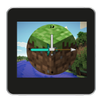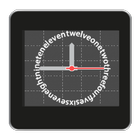
Wear a Tion (Text instead of number) watch face on your Sony SmartWatch 2.
To set it as your watch face:
- In the Smart Connect app on your phone, tap SmartWatch 2
- Tap Edit Settings
- Tap Watch faces
- Tap + at the top of the screen
- Tap Clocks and select the watch face
Rate the watch face and write a review. Because your feedback is important to me.
Please mail me if you find any bugs or need help.
Smart extension for SmartWatch 2 clock
Smart Connect extension for SmartWatch 2 clock
LiveWare extension for SmartWatch
Latest Version
1.1Uploaded by
Dawid Babinski
Requires Android
Android 2.2+
Category
Free Tools AppContent Rating
Everyone
Report
Flag as inappropriateLast updated on Aug 5, 2016
- It's now free! :D
- Updated the tutorial on how to set this as your watch face.



APKPure - A multi-platform app store primarily focused on Android, providing extensive app-related content. Discover the app you want easier, faster, and safer, with quick and efficient downloads and installations.