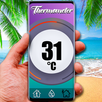
Room Temperature Thermometer helps when you want a quick view of the air around you and the weather outside before making daily plans. It brings indoor temperature checking and local weather information into one place, so you do not need to switch between separate tools for a basic room reading and forecast details. In addition, Room Temperature Thermometer latest version supports common temperature units and weather data that many users check during home, office, or travel routines.
Indoor room temperature readings
Room Temperature Thermometer shows room temperature on your Android device and lets you view the value in Celsius, Fahrenheit, or Kelvin. This is useful if you follow a thermostat at home in Fahrenheit but need Celsius for other situations. Since phone sensors and device heat can affect readings, the app also gives users a way to adjust accuracy through calibration.
Outdoor temperature from local weather data
Room Temperature Thermometer also works as a weather companion by showing outdoor temperature based on your location. The app uses local weather data to give a reading for the area around you, which helps when indoor comfort and outdoor conditions both matter. For example, you can compare a warm room with colder outdoor air before opening windows or planning a short trip.
Humidity and weather condition details
You can check more than temperature because the app includes humidity, air pressure, wind speed, visibility, and feels like temperature. These details help explain why the air may feel warmer, colder, dry, or heavy even when the temperature number looks normal. As a result, Room Temperature Thermometer can support simple decisions such as adjusting ventilation, using a fan, or preparing for outdoor weather.
Forecasts for short and longer plans
Room Temperature Thermometer provides hourly, daily, weekly, and 30 day weather forecasts. The hourly view can help with same day plans, while longer forecasts give a broader look at upcoming conditions. Forecasts can change because they depend on weather data, so users should treat them as planning information rather than fixed results.
Home screen widget access
You can use the thermometer widget to check temperature information from the home screen. This reduces the need to open the app each time you only want a quick reading. For better widget accuracy, keep the app settings and calibration aligned with the way you measure indoor temperature inside the app.
Room Temperature Thermometer can be more useful when users understand how phone conditions affect indoor readings. A phone that is charging, running many apps, or sitting in a warm case may report a higher temperature than the actual room air. Before measuring, it helps to remove the phone case, let the device cool down, and close background apps that may heat the device.
Calibration is also important for indoor temperature checks. If you have a trusted wall thermostat or room thermometer, you can compare the app reading with that device and adjust the value in settings. Auto calibration may help across different phones, but a manual check against a trusted source can give a more consistent result for your own room.
Room Temperature Thermometer supports Fahrenheit display, so users who prefer that unit can choose it instead of Celsius or Kelvin. Notification control may depend on the app settings and your Android notification settings, so it is worth checking both places if alerts become distracting. For weather information, reliability depends on location access and available weather data for your area.
The app is better understood as both a room thermometer and a weather assistant. Indoor readings depend partly on device behavior, while outdoor information comes from weather sources. Because of this, the app can help with everyday checks, but it should not replace professional instruments when exact measurement is required.
After installing the Room Temperature Thermometer APK, open the app in a stable room environment and let the phone rest for a short time. This helps reduce heat from recent phone use before you check the indoor reading.
Room Temperature Thermometer gives Android users indoor temperature readings, local outdoor conditions, humidity details, and forecasts in one app. If you need a simple temperature checker with weather information, you can download Room Temperature Thermometer from APKPure and review the latest available app details before installing.
Official information for Room Temperature Thermometer is available through the following channels:
Latest Version
38.22.0Uploaded by
Bonifacio Jordan
Requires Android
Category
Free Weather AppContent Rating
Everyone
Report
Flag as inappropriateLast updated on Aug 31, 2026
Improved indoor temperature accuracy — the new estimation formula is now live.



APKPure - A multi-platform app store primarily focused on Android, providing extensive app-related content. Discover the app you want easier, faster, and safer, with quick and efficient downloads and installations.