
Gesture Lock Screen
✔✔ Gesture Lock Screen where you back up your mobile with their signature or a gesture ✔✔
Tired of the old patterns and Password Lock to lock your mobile?
Gesture Lock Screen is an amazing & secure lock screen app, it allows you to unlock your phone with a variety of gestures: shapes, signatures, letters, numbers, symbols and contextual gesture.
Signature Lock Screen you get more security because no body can use your phone without your signature.
Now lock your phone with Gesture Lock Screen & Draw your signature to unlock your phone. Also you can unlock with passcode lock with your own choice of digit number.
★★ Top features ★★
✦ GESTURE LOCK SCREEN
+ Set your own signature by drawing any shape, number.
+ Change your signature draw color of your own choice or that suits of your wallpaper.
+ Hide your gesture draw by stealth mode feature
+ Set your difficulty level of Gesture matching accuracy (unique feature)
✦ SECURITY
+ You can also set your recovery passcode to unlock if you forgot your signature
+ Set from 4 or 5 or 6 digit passcode
+ Random keyboard lock for more hard to guess by prying eyes
+ Invisible keyboard button to hide on lock screen (tap on bottom right to show keyboard)
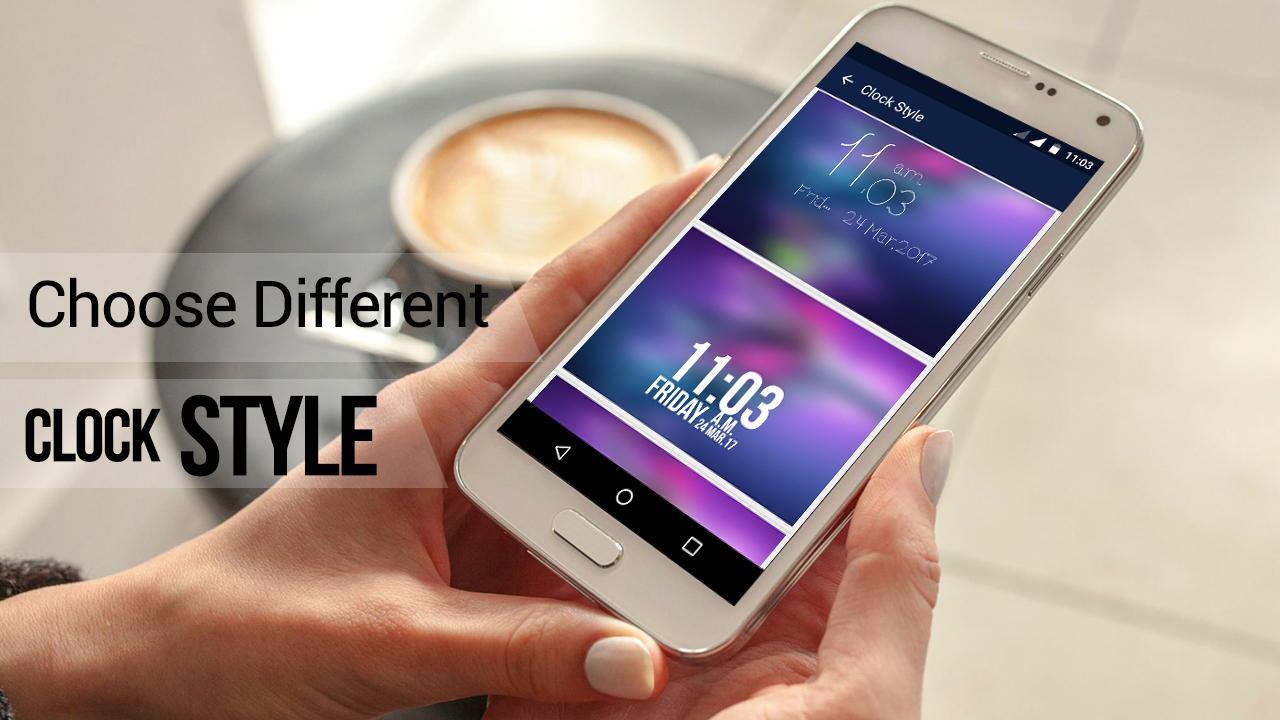
✦ CLOCK STYLES
+ Choose from collection of different clock style for Lock Screen
✦ HD WALLPAPERS
+ Set LockScreen background from variety of HD Wallpapers
+ You can also set your photo from Gallery as Lock Screen Wallpaper
+ Live Wallpaper support- Use your system wallpaper as Gesture lock screen Wallpaper
✦ NOTIFICATION (Android 4.3 & up)
+ Show app notifications on lock screen: unread messages, missed calls, music player, alarm ,chat
✦✦ How to use Gesture Lock Screen ✦✦
+ Create your first gesture (signatures, letters or anything…) to unlock the phone
+ Create your passcode (4 to 6 digit PIN) as recovery passcode
+ Enable Gesture Lock screen & That’s it :)
Please download gesture lock screen and draw to unlock your phone.
เวอร์ชันล่าสุด
1.5อัปโหลดโดย
Kittikorn Parana
ต้องใช้ Android
Android 3.0+
Category
ฟรี การกำหนดค่าส่วนบุคคล แอปการจัดประเภทเนื้อหา
Everyone
รายงาน
ปักธงว่าไม่เหมาะสมLast updated on Oct 30, 2019
เวอร์ชันนี้มีการแก้ไขข้อบกพร่องเล็กน้อยและการปรับปรุงทั่วไป อัปเดตเป็นเวอร์ชันล่าสุดเพื่อประสบการณ์ที่ดีที่สุด




APKPure - ร้านค้าแอปพลิเคชันแบบมัลติแพลตฟอร์มที่มุ่งเน้นระบบ Android เป็นหลัก พร้อมให้บริการเนื้อหาที่เกี่ยวกับแอปอย่างครบครัน ค้นพบแอปที่คุณต้องการได้ง่าย รวดเร็ว และปลอดภัยยิ่งขึ้น พร้อมการดาวน์โหลดและติดตั้งที่รวดเร็วและมีประสิทธิภาพ