Package Name:com.xinyitools.wordpopper
SHA-256:c3fcfb6cdf32237363efe5f5be547d91f7b5c0e25623a3e0165e4504df2f6d65
Show More

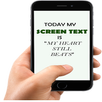
Floating Text: WordPopper turns words you type into movable floating text above other apps.
Type a note, choose a font and style, then place it on screen. Move it with one finger, or use two fingers to move, resize, and rotate it. Keep reminders, study terms, quotes, reading prompts, or presentation cues in sight while using other apps.
Save your floating text
WordPopper automatically saves your floating text on your device and restores it when you reopen the app, including its style, visibility, and layer order.
Portrait and landscape layouts
Choose Auto-adapt to adjust text positions as the screen rotates, or Separate portrait/landscape layouts to arrange each orientation independently. In separate layout mode, WordPopper automatically remembers each item's position, size, and angle for each orientation when you finish adjusting it. When you rotate to an orientation without a saved layout, WordPopper adapts your existing arrangement as a starting point.
Moving, resizing, or rotating text in Auto-adapt does not overwrite your saved separate layouts. Switching back to separate layouts restores the saved layout for the current orientation, if one exists. Text content, color, opacity, visibility, and layer order stay shared between orientations. Positions may adjust when the available screen area or display settings change.
Style your words
- Choose from built-in fonts and visual text styles
- Long-press styles to mark them for easy recognition
- Save up to 6 colors to reuse
- Adjust color, opacity, letter spacing, line spacing, and alignment
- Choose horizontal or vertical text direction
- Keep characters per line automatic or set them manually; manual line breaks are preserved
- Create text items with up to 2000 characters each
Arrange and manage
- Tap visible, unobstructed text to select it and bring it to the front
- Move, resize, and rotate text without changing layer order
- Use Floating Text Manager to control each item's visibility, layer order, and on-screen opacity, or to export or delete it
- Temporarily hide all text without changing each item's saved visibility
- Drag text into the movable trash bin to delete it
- Double-tap the trash bin to undo up to 5 recent deletions
Export your arrangement
Export one text item, all floating text as separate transparent PNG files, or the current canvas with its positions, sizes, and angles. Choose Original opacity to use each item's opacity from when it was created, including 100% if selected, or Display opacity to use its current on-screen opacity setting.
Free and Pro
- Free: up to 2 floating text items at the same time
- Pro: up to 30 items, plus custom TTF and OTF font import
- Both screen layout modes are available in the free version
- Pro is a one-time unlock with no subscription
Some devices allow fewer floating windows. Very large rendered text is scaled down for safe display, and extremely narrow text shapes are limited.
Opacity and Ghost Mode
Android 12 and later apply touch-security rules to floating windows, with a default opacity threshold of 80%. WordPopper limits each text item to 79% on-screen opacity, leaving a 1 percentage point margin.
Ghost Mode makes floating text ignore touches; the trash bin remains interactive. On Android 12 and later, overlapping floating windows can still block touches to the app underneath. Overlap checks use the whole rectangle enclosing each text item after rotation, with sides parallel to the screen edges and transparent space included.
Permission
Display over other apps permission is required to show floating text above other apps.
Latest Version
1.0.33Uploaded by
ရွင္း ညီ ခန္႔
Requires Android
Android 8.0+
Category
Free Tools AppContent Rating
Everyone
Security Report
Check Now
Report
Flag as inappropriateLast updated on Sep 23, 2026
Floating text is now saved automatically and restored when you reopen WordPopper, with visibility settings preserved.
Choose Auto-adapt or separate portrait/landscape layouts that remember each item's position, size, and angle.
Improved deletion, undo, and layout restoration.
Added Malay, Portuguese (Brazil), and Portuguese (Portugal), and updated the language menu.
Clarified layout labels and opacity explanations.



APKPure - A multi-platform app store primarily focused on Android, providing extensive app-related content. Discover the app you want easier, faster, and safer, with quick and efficient downloads and installations.