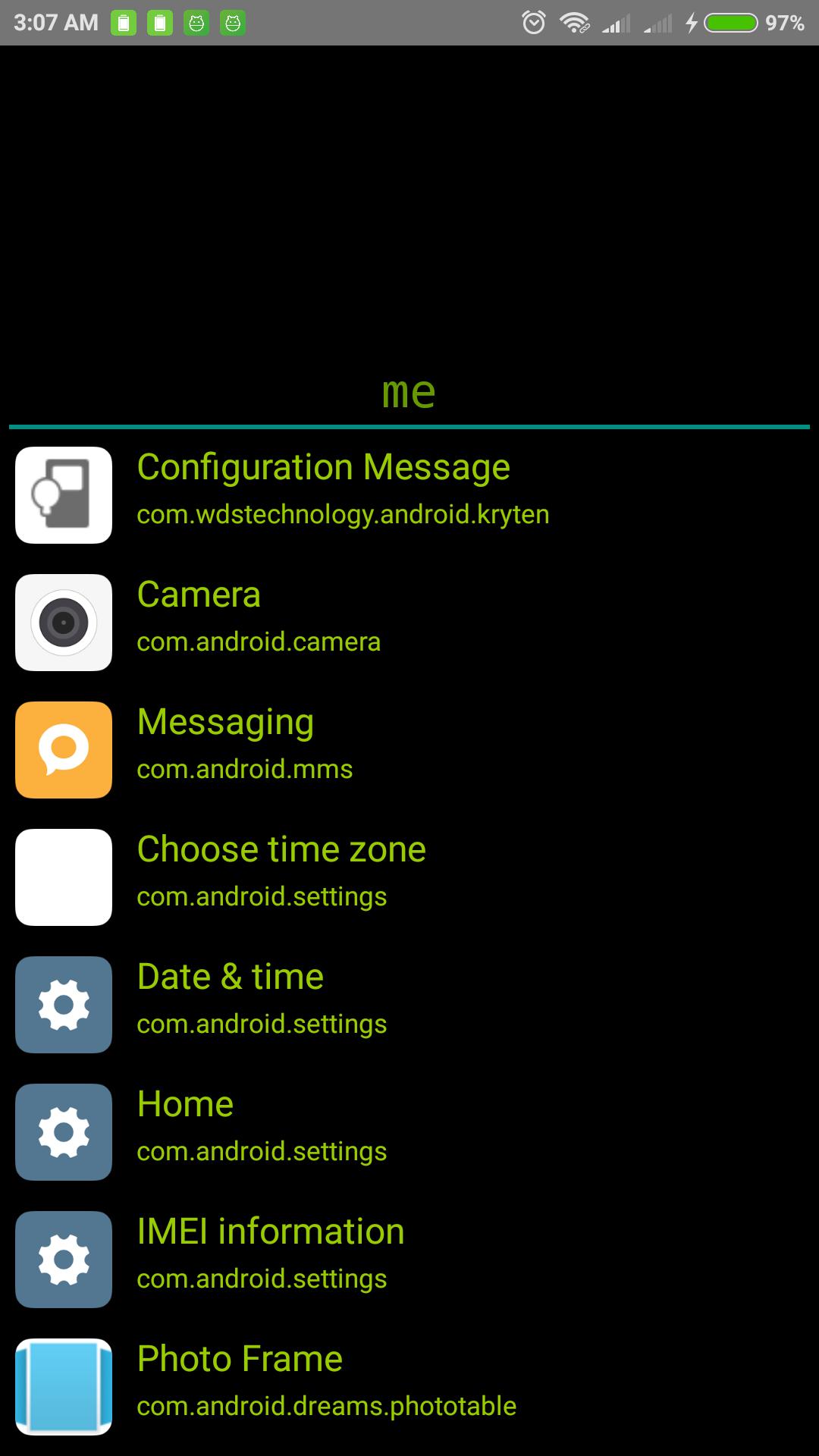
Super Simple Launcher a.k.a CMD Launcher is designed for you who like classic style and saturated look at the list of applications that are too many.
[Discover interesting experience]
- super simple launcher
- Classic style (command / terminal style )
- Super Light
- No Wallpaper
- No Option
- Just type and launch
- Does not use a lot of storage
- Does not deplete CPU performance
- Does not use a lot of RAM
- Launch hidden System Applications.
[SPECIAL COMMANDS]
All Commands start with a dot (.)
".reboot" -> reboot device for rooted app only
".cleardef" -> reset default launcher
".refresh" -> reload app list (after install new apps)
".wifion" -> Turn Wifi ON
".wifioff" -> Turn Wifi OFF
".airplane" -> Airplane mode (Jellybean above)
".all" -> Show All Apps
".wpon" -> Show Wallpaper Mode
".wpoff" -> Black Screen Mode (default)
".killall" -> Kill background Apps, keep device running smooth
".version" -> Show app version
POST A COMMENT TO REQUEST FEATURE
เวอร์ชันล่าสุด
1.0.3อัปโหลดโดย
အမည္မသိ
ต้องใช้ Android
Android 4.0+
Category
ฟรี การกำหนดค่าส่วนบุคคล แอปการจัดประเภทเนื้อหา
Everyone
รายงาน
ปักธงว่าไม่เหมาะสมLast updated on May 2, 2018
Fix Launching Hidden Activity / Apps
Added "Special Command" - see description
Added "Show all apps"
Added Wallpaper Mode, etc



APKPure - ร้านค้าแอปพลิเคชันแบบมัลติแพลตฟอร์มที่มุ่งเน้นระบบ Android เป็นหลัก พร้อมให้บริการเนื้อหาที่เกี่ยวกับแอปอย่างครบครัน ค้นพบแอปที่คุณต้องการได้ง่าย รวดเร็ว และปลอดภัยยิ่งขึ้น พร้อมการดาวน์โหลดและติดตั้งที่รวดเร็วและมีประสิทธิภาพ