Across different apps, screens, and context on a smartphone, there are snippets of information that a user wants to make use of
However, there are many apps where you just aren’t able to select or copy anything because it’s blocked by the app. Even in the apps where you can, pressing and holding an area then to drag two ends of the grabbers require much precision. It’s just not as easy as it should be.
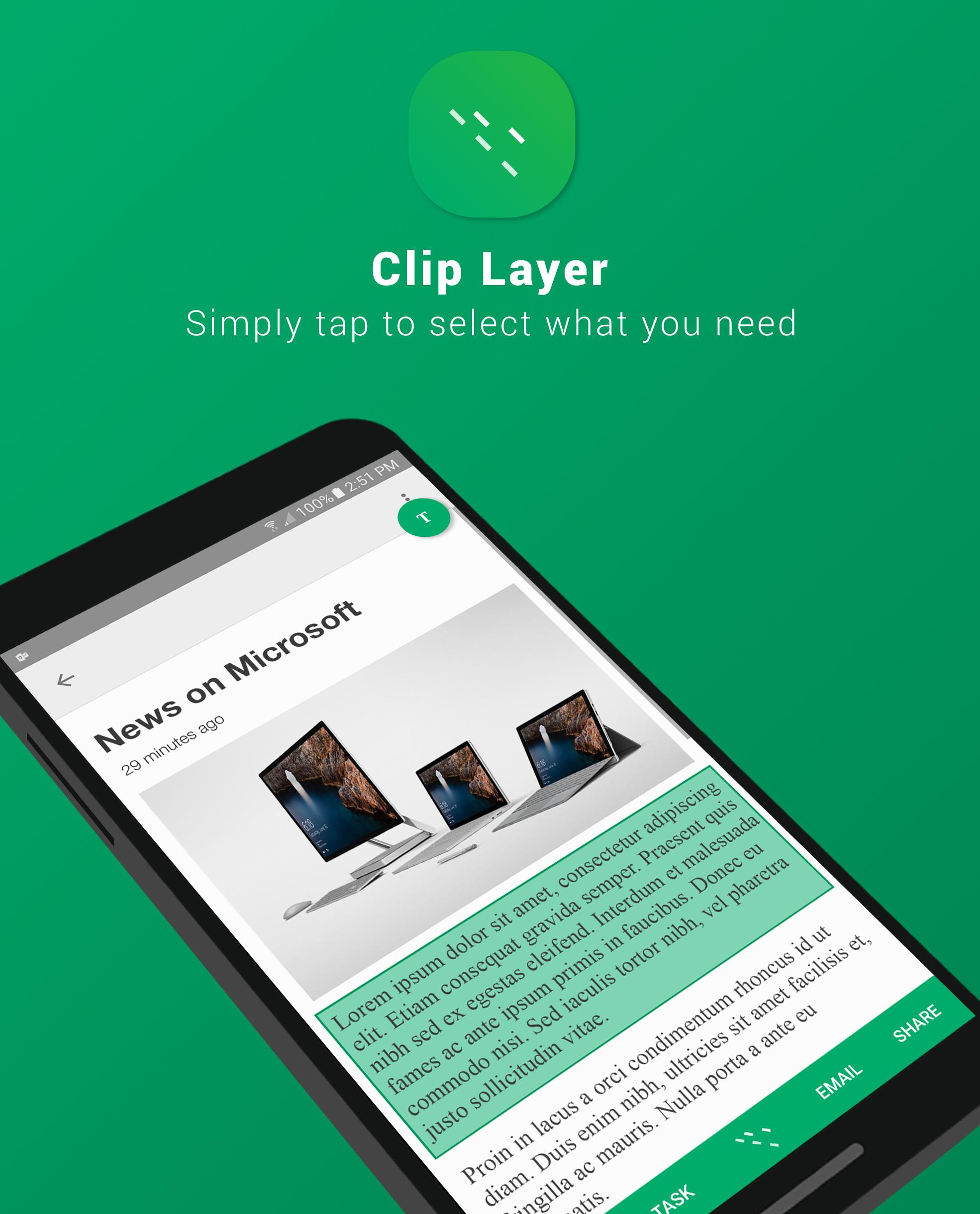
Clip Layer, a Microsoft Garage Project, can be launched over any screen so you can select, copy, and act on snippets you care about in simple series of taps.
After selecting a snippet, copy it to clipboard, add it to Wunderlist to have it accessible across different devices, email it, or share it to any other app installed on your phone.
We would love to hear your feedback here!
http://aka.ms/tapselectfeedback
Story:
http://blogs.microsoft.com/firehose/2016/11/29/new-microsoft-garage-mobile-app-clip-layer-provides-easy-sharing-of-information-across-android-apps/
The Microsoft Garage is an outlet for experimental projects for you to try. Learn more at http://garage.microsoft.com.
เวอร์ชันล่าสุด
1.0อัปโหลดโดย
Quốc Cường
ต้องใช้ Android
Android 6.0+
Category
ฟรี ประสิทธิภาพการทำงาน แอปการจัดประเภทเนื้อหา
Everyone
รายงาน
ปักธงว่าไม่เหมาะสมLast updated on Jan 11, 2017
เวอร์ชันนี้มีการแก้ไขข้อบกพร่องเล็กน้อยและการปรับปรุงทั่วไป อัปเดตเป็นเวอร์ชันล่าสุดเพื่อประสบการณ์ที่ดีที่สุด



APKPure - ร้านค้าแอปพลิเคชันแบบมัลติแพลตฟอร์มที่มุ่งเน้นระบบ Android เป็นหลัก พร้อมให้บริการเนื้อหาที่เกี่ยวกับแอปอย่างครบครัน ค้นพบแอปที่คุณต้องการได้ง่าย รวดเร็ว และปลอดภัยยิ่งขึ้น พร้อมการดาวน์โหลดและติดตั้งที่รวดเร็วและมีประสิทธิภาพ