


Scan Date:Dec 6, 2025
Show More
Write on photos like a PRO! Adding text in a photo has never been this easy. Add Text To Photo - Text Art is an amazing photo text editor that allows you to add text to photos fast and easily! Just upload your photo and add text over the photo by writing your text. It’s that easy.
💕 Words and pictures are the two factors that help convey the emotions and messages most easily to people. For this reason, Text on Photo was developed to help you write down the same emotions in everyday life and spread it to everyone around you.
From your simple photos or from the images provided by text on photo - photo editor, you can easily create personal photos based on text on photo. Generate stylish text on photos by using different font text, color text, add more photo, add more text and decorate it with available background. Sticker in this app has many style, shape and very beautiful and all free. With this app you can write your children name and decorate it with lovely sticker.
🔥 Things that make you love our Add Text To Photo - Text Art (photo editor text, write on photos, photo text app, text over photo, text on pictures) app:
⭐ Professional Design Interface with Ease of use to add text to photos.
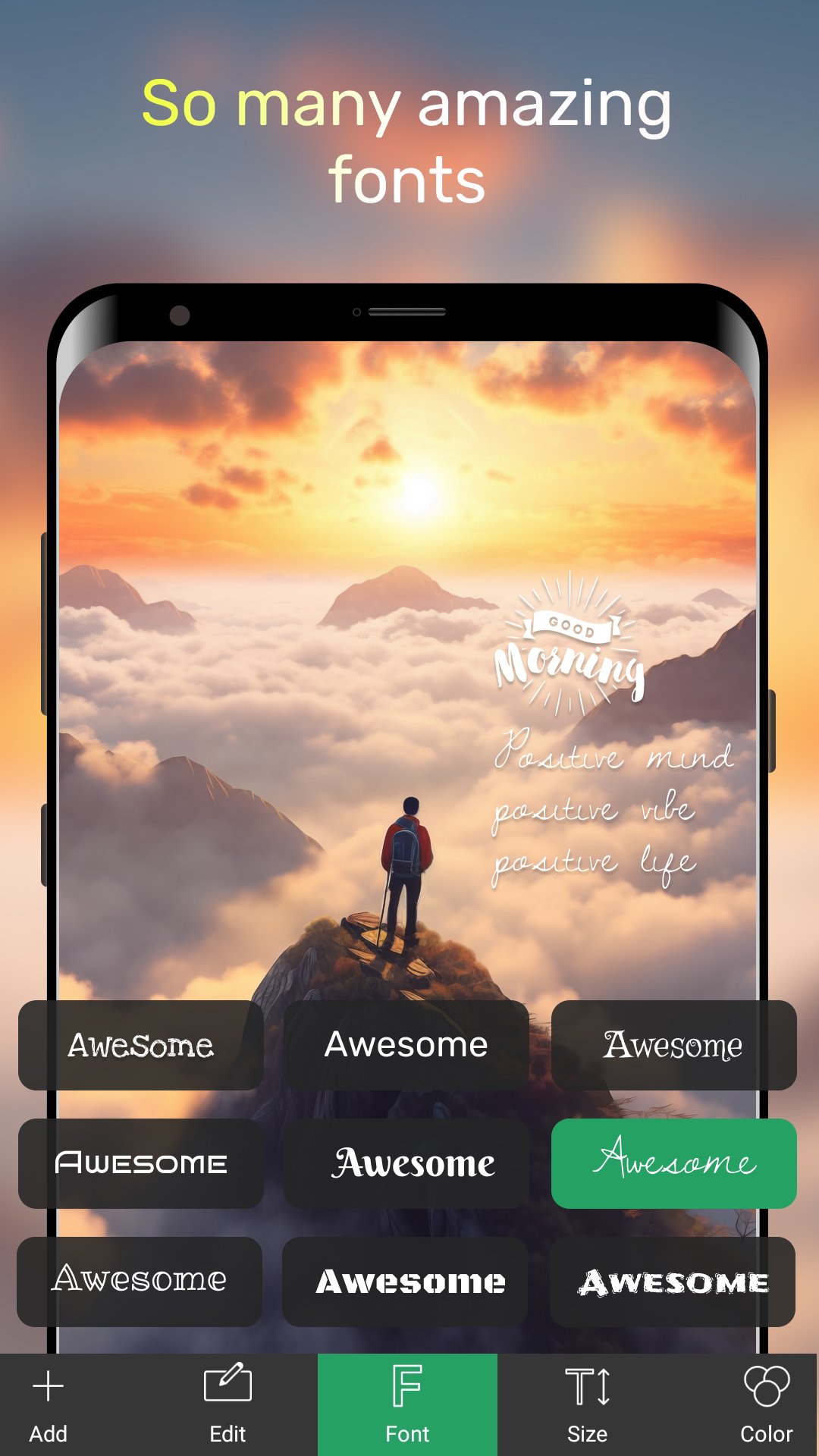
⭐ Write on photos with various text effects, fonts & sample quotes
⭐ Write text on photos - easily insert text on photos.
⭐ Add layers: texts, photos, shapes, stickers and saved text styles
⭐ Tools for background: Effects, Crop, Resize, Flip/Rotate, Square Fit
⭐ Change text size, wrapping and scale to get any type of text layout
⭐ Help you share to social media easily with just one click with photo editor with text
⭐ More than 200 diverse fonts
⭐ Dark mode to reduce eye strain and save battery life
⭐ Constantly maintained according to our users' feedback
Add Text To Photo - Text Art has the following features:
✔️ Add multiple texts (and overlays) on photo, edit each one without losing final preview
✔️ Move, scale, rotate, edit, copy, delete (for overlays) and wrap the text by text-box handles
✔️ Font and Format tools: change font, alignment, text size, with bold, italic, underlined & strikethrough options
✔️ Change text color & opacity: can be applied on each word/letter separately
✔️ Add Stroke (Outline) to text with colors and stroke width
✔️ Highlight the whole text or separate parts with different colors & opacity
✔️ Letter & Line spacing
✔️ Positioning grid with snapping option, flip overlay horizontally and/or vertically
✔️ Shadow with colors, opacity, blur and positioning
✔️ Texture by adding any photo and make any type of transformation with it
✔️ Add Stickers/Emojis, hundreds of them arranged in 6 categories
✔️ Add Artworks, hundreds of them arranged in 9 categories
✔️ Add any photo from your phone as an overlay
✔️ Many photo filter amazing
✔️ Tools for other overlays: Opacity, Position, Perspective, Crop, Shape color, stroke & width
✔️ Change the background without starting your work from scratch
✔️ Pan mode: move canvas with one finger & pinch to zoom without worrying to accidentally touch overlays
✔️ Fast sharing: showing recent apps you shared your work to
With the Add Text To Photo - Text Art app, you get a powerful tool that will work as a:
- Text on Photo Editor
- Photo text editor
- Add Text to Photos App
- Text on Pictures
Add Text To Photo - Text Art is still in the development period, so we always look forward to receiving your feedback.
Thank you for reading. Hope you have a nice day! 🔥🔥🔥
Latest Version
3.4.7Uploaded by
Vũ Quất
Requires Android
Android 6.0+
Category
Free Photography AppContent Rating
Everyone
Security Report
Report
Flag as inappropriateLast updated on Oct 31, 2025
- Add text to photos easily with unique fonts, styles, and creative tools
- Fixbugs





APKPure - A multi-platform app store primarily focused on Android, providing extensive app-related content. Discover the app you want easier, faster, and safer, with quick and efficient downloads and installations.













