telegram web - Dual telegram web - Account on 1 device
Run 2 telegram web - accounts in 1 device!
телеграмм
telegram messenger
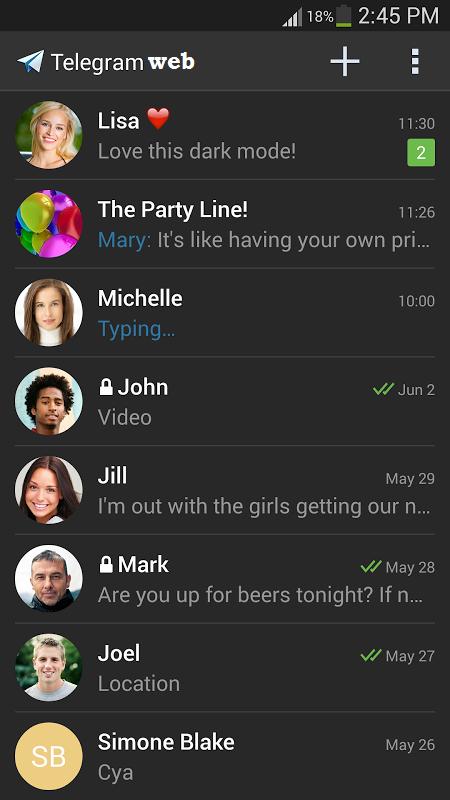
Multi telegram web -: Multiple TeLegram account in one phone.
Sync your TeLegram account to your mobile or tablet
With whatsweb, you can:
1. Open the same TeLegram account on multiple devices
- WhatsWeb. Finally! You can run TeLegram Web on your phone & tablet!
- Scan the QR code to sync your account to whatsweb.
- Dual TeLegram . Use your TeLegram Account on dual devices. on your phone, tablet or multiple devices simultaneously.
- Multi TeLegram. Run multiple TeLegram accounts on a single device. You can have 2 TeLegram in 1 device.
- While at home, sync from your phone to tablet, so you can chat and reply from your tablet. Tablet for TeLegram.
- OGTeLegram Clone. You can clone your work account to your personal phone/tablet or vice versa.
2. Full access:
- Have all your contacts, chats list, chat history, messages, photos and files on multiple devices.
4. Easy-to-use, Easy-to-setup.
5. Works on ALL devices!
Whatsweb for TeLegram allows you to run two TeLegram accounts in a single device OR You can also run the same TeLegram account on multiple devices. It is entirely up to you!
- Double TeLegram, double the fun!
- You can have dual TeLegram in 1 device!
- You can have your TeLegram account on dual devices!
----------
HOW TO USE
----------
1. Install and Open Whatsweb on device (Phone/Tablet) you want to sync/clone your TeLegram to
2. Open TeLegram on your main phone (the account you want to clone)
- On Android: Scroll to the Chats screen -> Menu -> TeLegram Web.
- On iPhone: Click Settings -> TeLegram Web.
- On Nokia S60 and Windows Phone: Go to Menu -> TeLegram Web.
- On Nokia S40: Swipe up from bottom of screen -> TeLegram Web.
- On BlackBerry: Go to Chats -> Menu -> TeLegram Web.
- On BlackBerry 10: Swipe down from top of the screen -> TeLegram Web.
3. After clicking "TeLegram web", you should see a camera QR scanning screen.
4. Now scan the QR code displayed on whatsweb
5. Done! Sync complete! Now you can access the same TeLegram account on both devices!
6. Enjoy 2 TeLegram in 1 device!
For more info, see the video above.
Latest Version
1.0Requires Android
2.3 and up
Category
Free Communication AppContent Rating
Teen
Report
Flag as inappropriateLast updated on Dec 11, 2016
Minor bug fixes and improvements. Install or update to the newest version to check it out!






APKPure - A multi-platform app store primarily focused on Android, providing extensive app-related content. Discover the app you want easier, faster, and safer, with quick and efficient downloads and installations.