Package Name:com.avan.tasia.swipepadpro
SHA-256:3adb4da12d33c10ae509e966d9c4bf4855d11bf46d70361e637db4cb8ef60450
Show More

🚀 A New Paradigm in Smartphone Usage: SwipePad+
Skip going back to the home screen – jump straight to your desired app! Access any app instantly with just one swipe from the screen edge.
✨ Why Choose SwipePad+?
📱 App Switching in Under a Second
- Launch other apps without closing your current one
- Eliminate the tedious process of: Home screen → Find app → Launch
- Check messages instantly while gaming or watching videos
🎯 Intuitive One-Touch Operation
- Start swiping from any screen edge
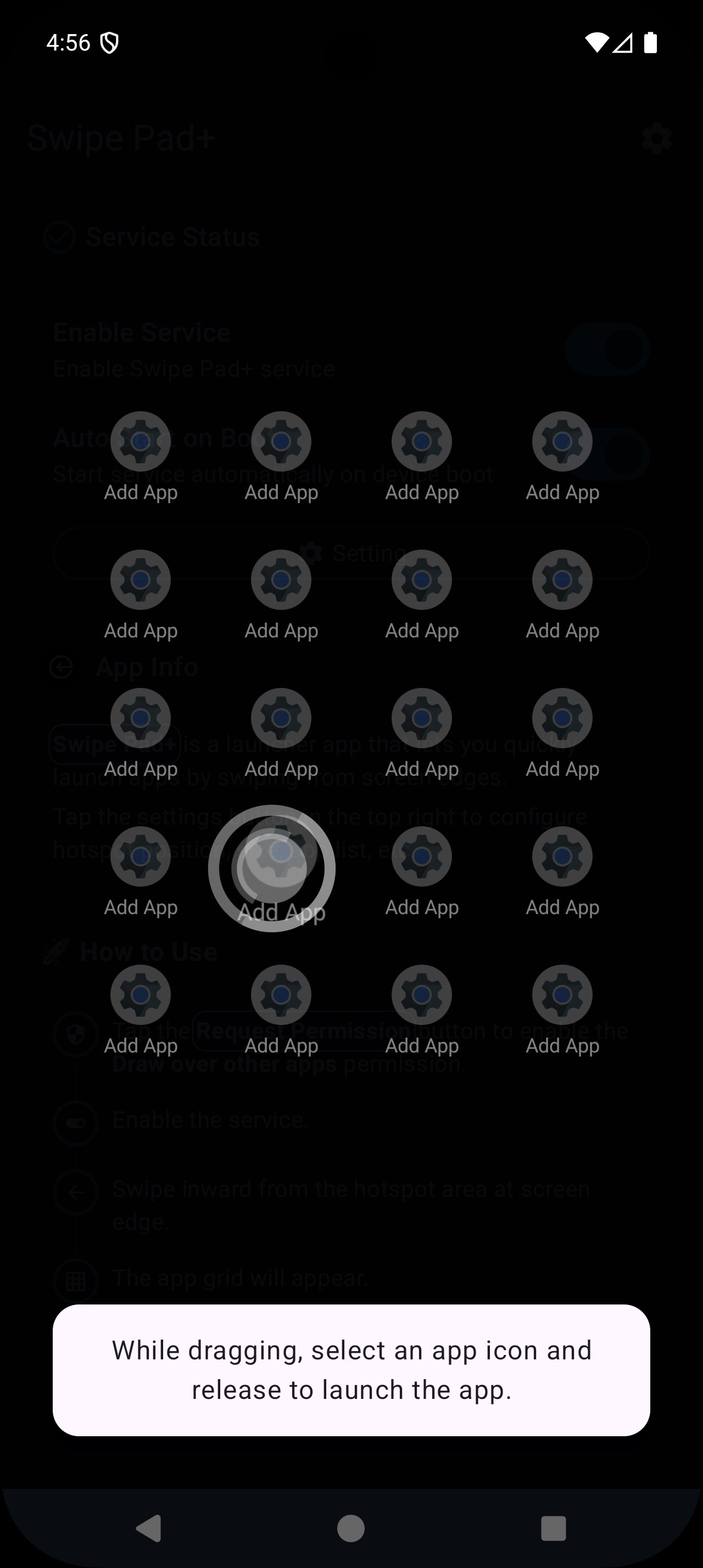
- Simply lift your finger over the desired app icon to launch
- Complete in one fluid motion without complex menus or multiple steps
⚡ Advanced Features for Power Users
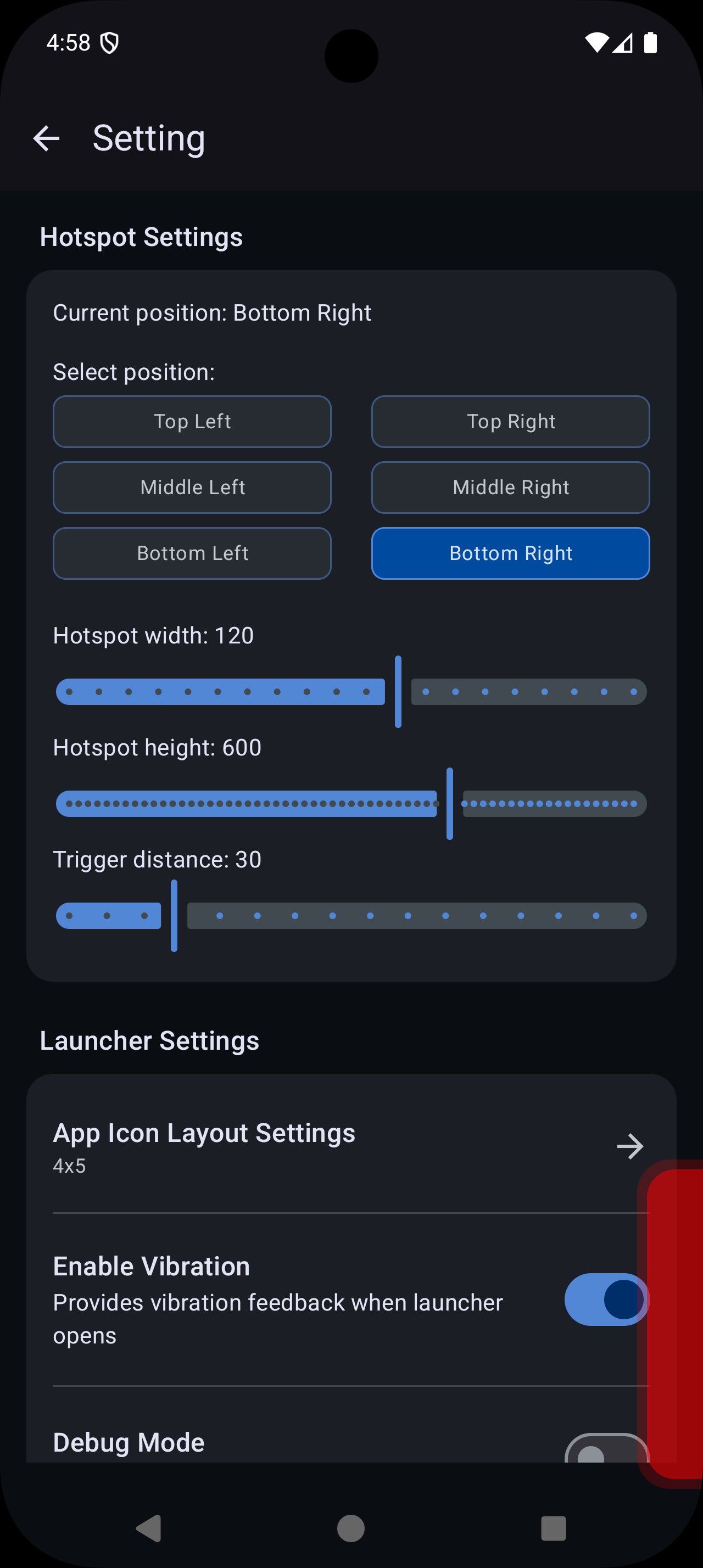
- 6 customizable hotspot positions (left/right, top/middle/bottom)
- Full grid layout customization from 4×4 to 6×7
- Fine-tune launcher size, position, and transparency
- Connect different app groups to each hotspot
🔧 Create Your Personal Launcher
- Curate and arrange only your most-used apps
- Personalize launcher design and animation effects
- Freely adjust hotspot area colors and sizes
- Real-time settings changes with instant application
🛡️ Stability and Convenience
- Always ready in the background with battery optimization
- Auto-start on boot – set it once and forget it
- Debug mode for visual hotspot area confirmation
- Multi-language support: Korean and English
📊 Especially Recommended For:
👨💼 Business Power Users
- Need rapid switching between work apps
- Maximize multitasking efficiency
🎮 Gamers & Media Consumers
- Check messages without interrupting games or videos
- Use other apps while streaming
📚 Students & Researchers
- Quick access to study apps, translators, note-taking tools
- Instant reference material lookup
🏠 Home Screen Minimalists
- Keep home screen clean and organized
- No need to organize cluttered app icons
⭐ User Reviews
- "Truly revolutionary! Now even pressing the home button feels tedious"
- "Can multitasking really be this easy? My work efficiency doubled!"
🔥 Start Right Now!
- Free download, ready to use immediately
- 1-minute setup for lifetime convenience
- Friendly guide for first-time users
⚠️ Required Permissions & Privacy Notice
- Display over other apps: Required to show the overlay launcher on top of any screen.
- Installed app information: Required to load the list of apps that can be added to the launcher.
- Accessibility Service API (Accessibility Service): SwipePad+ uses the Accessibility Service permission only to perform system actions triggered by user-configured gestures (Home, Back, Recent Apps, Power menu, Notifications, Screen lock, Screenshot). We do not collect, store, or share any personal data through this service.
💡 SwipePad+ = Smarter Smartphone Usage
SwipePad+ will completely transform your smartphone usage patterns. Download now and experience a new dimension of app switching!
A powerful launcher app that enhances productivity through efficient app switching and multitasking.
Experience quick app launches with intuitive swipe gestures for improved workflow efficiency.
Latest Version
1.1.5.1Uploaded by
Loan Le
Requires Android
Android 7.0+
Category
Free Productivity AppContent Rating
Everyone
Security Report
Check Now
Report
Flag as inappropriateLast updated on Apr 18, 2026
New Updates






APKPure - A multi-platform app store primarily focused on Android, providing extensive app-related content. Discover the app you want easier, faster, and safer, with quick and efficient downloads and installations.