Scan Date:Dec 12, 2023
Show More
“அகர முதல எழுத்தெல்லாம் ஆதி பகவன் முதற்றே உலகு” If your device can display this sentence in Tamil perfectly, then your device supports Tamil and Swarachakra should also work well. If you do not see any text, or if some of the words are incorrect, Swarachakra may not work well.
Swarachakra Tamil (ஸ்வரச்சக்ரா தமிழ்) is a touch-screen keyboard for inputting text in Tamil. (Swarachakra is also available in Telugu, Malayalam, Kannada, Hindi, Marathi, Gujarati, Odia, Punjabi, Bengali and Konkani.) Swarachakra uses a logically ordered design based on the structure of Tamil script. Swarachakra displays the consonants sequenced according to the logical structure of Tamil script, phonetically grouped and arranged in a grid similar to those found in most school textbooks.
Typing with Swarachakra
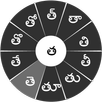
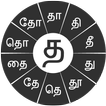
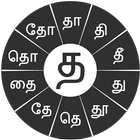
In Tamil, we frequently need to type a combination of a consonant (க) and a matra (ி) like க + ி = கி. When you touch a consonant, a chakra with combination of consonants and 10 frequent matras pops up (கா, கி, கீ, கு, கூ, கெ, கே, கை...). The chakra gives a preview of the possible character combinations. To select a combination, you slide the stylus or finger towards it.
Complete vowels (அ, ஆ, இ, ஈ, உ, ஊ, எ, ஏ, ஐ...) appear in a separate chakra on the bottom right. The less used vowels and matras are next to it (ஔ, ௌ, ஃ). Numerals, symbols and rarely used characters appear on a shift. You could also switch to the QWERTY keypad temporarily to input English characters.
Installing Swarachakra
First, install Swarachakra Tamil by clicking the “Install” button above.
Next, you need to “enable” the keyboard. To enable, open “Settings”, select “Language and Input” and check the box in front of ஸ்வரச்சக்ரா தமிழ் (Swarachakra Tamil) in the “Keyboard and input methods” section.
Finally, click on the “Default” option in the “Keyboard and input methods” section, and select ஸ்வரச்சக்ரா தமிழ் (Swarachakra Tamil) as the default keyboard. (Sorry, but that’s how Android works)
Latest Version
2.01Uploaded by
Nu Zar Wai
Requires Android
Android 4.0+
Category
Free Communication AppContent Rating
Everyone
Security Report
Report
Flag as inappropriateLast updated on Aug 12, 2015
Replaced anusvara with pulli.



APKPure - A multi-platform app store primarily focused on Android, providing extensive app-related content. Discover the app you want easier, faster, and safer, with quick and efficient downloads and installations.