
Stop Motion Studio Pro is made for users who want to turn photos into animated clips on an Android phone. It fits simple home projects, classroom stories, LEGO scenes, clay models, time lapse clips, and short creative films. Instead of recording a normal video, you build a scene one photo at a time, then play the frames as a movie. For users checking the Stop Motion Studio Pro APK, the app focuses on clear editing, controlled capture, and flexible output.
Frame by frame editing
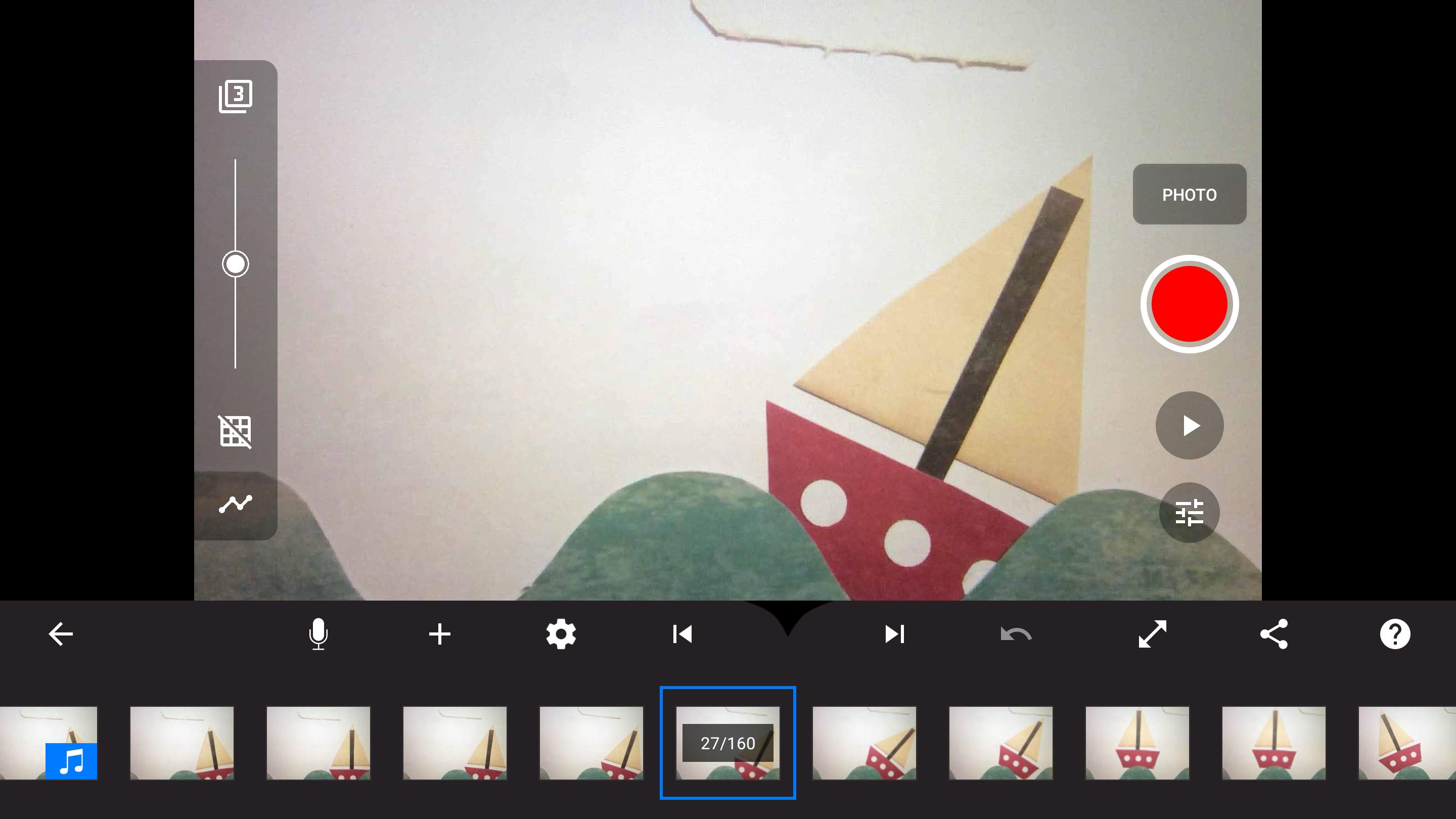
Stop Motion Studio Pro gives you a timeline where each photo becomes part of the animation. You can zoom into the project view, move through frames, and organize long scenes without losing the order of the story. As the project grows, you can copy, paste, cut, insert, reverse, or rearrange frames to fix timing and movement.
Camera controls for animation capture
You can use capture tools that help keep each shot consistent from one frame to the next. The app includes interval shooting, onion skin overlay, animation guides, and manual settings for focus, exposure, white balance, ISO, and shutter speed. In addition, remote camera support can help when the phone needs to stay still while the scene changes.
Movie editing and scene styling
Stop Motion Studio Pro includes tools for shaping the finished movie after the main photos are captured. You can add titles, credits, text cards, filters, fade effects, foregrounds, backgrounds, and different aspect ratios. These options are useful when a short animation needs a clear opening, simple scene changes, or a format that fits a specific sharing platform.
Creative visual effects
You can use green screen, rotoscoping, masking, drawing tools, paint layers, and image touch up options when a scene needs extra visual work. For LEGO projects, the app also supports facial expression options that help characters show simple reactions. These tools let users correct small problems or add details without leaving the project.
Audio and export options
Stop Motion Studio Pro supports music, sound effects, voice over recording, narration, trimming, fading, volume control, and voice effects. After editing, you can export videos in 4K or 1080p, create animated GIFs, save raw images, or share the finished work to video and social platforms. Projects can also be transferred through Dropbox or Google Drive when users need to continue work elsewhere.
Stop Motion Studio Pro is designed for both new users and people who already understand animation basics. Beginners can start with short scenes and simple object movement, while more advanced creators can use manual camera settings, visual effects, and detailed editing tools for longer LEGO, claymation, school, or creative film projects.
The Pro version includes all available features and uses a one time purchase model with no subscription or monthly cost. This is useful for users who prefer to pay once before starting regular projects, especially in family, classroom, or hobby settings.
Stop Motion Studio Pro can support classroom storytelling, project based learning, teamwork, and animation activities for children or students. A group can plan a short story, build a scene, capture frames, record narration, and discuss timing as part of one project. Built in tutorials, a manual, and animation tips also help users learn the basic stop motion process from the beginning.
Stop Motion Studio Pro works best when the scene is planned before capturing the first frame. If you want to download Stop Motion Studio Pro for Android projects, the basic workflow is to set up a scene, take photos, edit the timeline, add sound, and export the finished movie.
Stop Motion Studio Pro gives Android users tools for capturing, editing, adding effects, recording audio, and exporting frame by frame animations. Users who need the Stop Motion Studio Pro latest version can use it for simple practice clips, classroom work, LEGO shorts, claymation scenes, and more structured animation projects.
Latest Version
25.12.8582Requires Android
7.0
Category
Photography AppContent Rating
Everyone
Report
Flag as inappropriateLast updated on Dec 30, 2025
This release includes minor bug fixes and general improvements. Update to the latest version for the best experience.





APKPure - A multi-platform app store primarily focused on Android, providing extensive app-related content. Discover the app you want easier, faster, and safer, with quick and efficient downloads and installations.