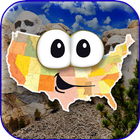

Stack the States® helps players practice U.S. geography when simple memorization feels difficult or boring. It turns state facts into short play sessions where answers lead into movement on the screen, so learning feels connected to action. Instead of only reading names on a map, players work with state characters and build toward goals. For users checking the Stack the States® latest version, the game focuses on state knowledge, repeated practice, and progress tracking in a format suited for Android play.
Question Based State Learning
Stack the States® asks questions about the 50 U.S. states and connects each correct answer to the next part of play. You may see questions about capitals, flags, locations, abbreviations, nicknames, shapes, and bordering states. Because the questions cover several kinds of state facts, players can build a wider understanding instead of practicing only one topic.
Animated States You Can Move
Stack the States® uses colorful state characters that can be touched, moved, dropped, and stacked. After answering a question, you place the state on the screen and try to build a stable stack. The realistic physics make each placement matter, so players need to think about shape, balance, and timing while they continue learning.
Practice Tools for Repeated Review
You can use the interactive U.S. map and 50 state flash cards to review information outside the main stacking challenge. These tools support repeated learning because players can return to state facts without starting a full round. As a result, the Stack the States® app can work for quick review sessions as well as longer play.
Collection and Progress Tracking
Stack the States® lets players collect all 50 states as they continue playing. Progress appears on a personalized United States map, which gives a clear view of what has already been collected. This structure can help children, students, and adults see their progress without needing a separate worksheet or tracker.
Several Game Modes in One App
You can play different modes, including Stack the States, Map It, Pile Up, Puzzler, and Capital Drop. Each mode uses state knowledge in a different way, so the game does not rely on one repeated activity. In addition, support for up to six player profiles makes it easier for more than one person in a household or class setting to keep separate progress.
Stack the States® is a practical choice for families, students, homeschool lessons, and adults who want to refresh U.S. state knowledge. Its short rounds can fit into casual practice at home, while the question variety can support review before a quiz or geography lesson. Since the game includes sound effects, music, friendly state avatars, and U.S. landmark images, users should expect an animated learning game rather than a plain map study tool.
The game may also suit players who usually prefer challenge based apps over flash card only study. Reviews often point out that the stacking, collecting, and bonus modes keep players returning, including users beyond young children. Even so, the main purpose stays educational, so the best fit is a player who wants game style practice around U.S. state facts.
After installing the Stack the States® APK, open the game and choose or create a player profile. From there, you can begin with the main mode or explore the available modes based on the kind of practice you want.
Stack the States® combines geography questions, state collection, map review, and stacking play in one Android game. If you want a state learning game with short rounds and several practice modes, you can download Stack the States® and start building state knowledge through play.
Official contact information is available for users who need support or have app related questions.
Latest Version
3.2Requires Android
5.1
Category
Education AppContent Rating
Everyone
Report
Flag as inappropriateLast updated on Oct 28, 2025
This release includes minor bug fixes and general improvements. Update to the latest version for the best experience.



APKPure - A multi-platform app store primarily focused on Android, providing extensive app-related content. Discover the app you want easier, faster, and safer, with quick and efficient downloads and installations.