To use this skin, you must installed "Me Clock Widget".
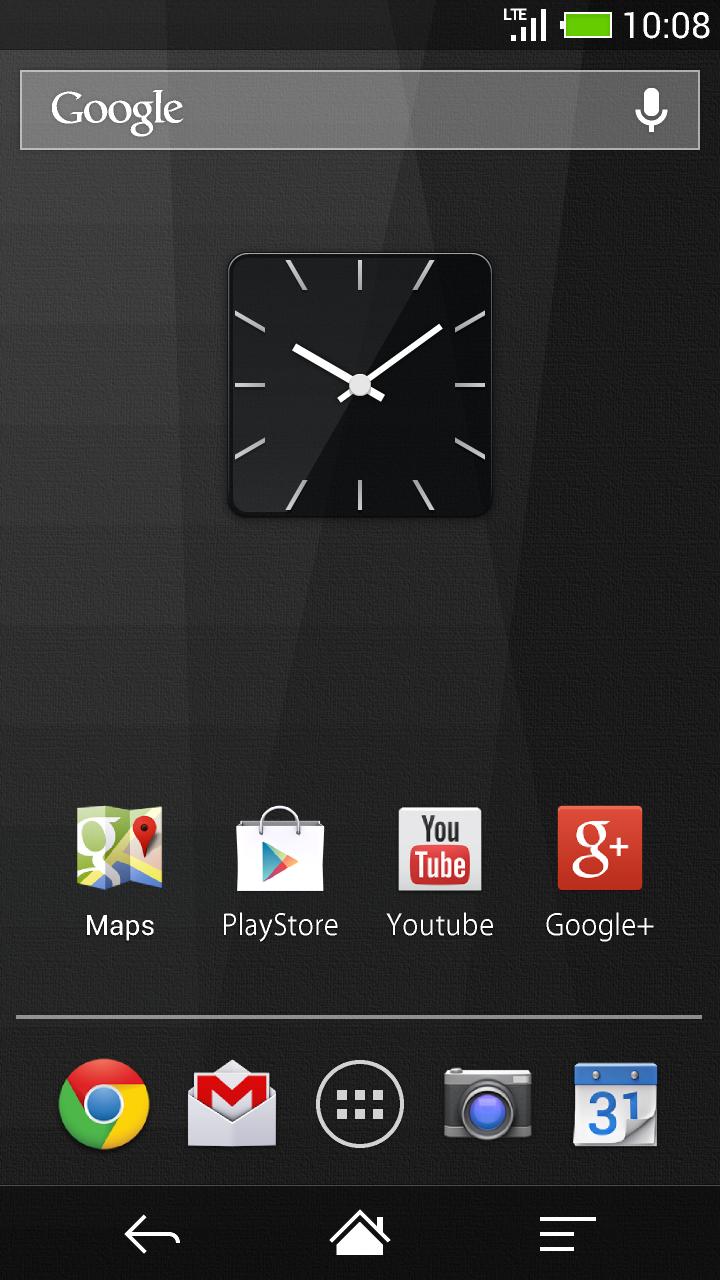
Cool design , Black glass transparent square design digital clock widget.
Free and no ads.
How to use:
1)Download "Me Clock Widget" before using this skin .
https://play.google.com/store/apps/details?id=jp.androidmedia.meclockwidget
2) Hold down your finger on the home screen.
3) Add "Me Clock Widget" from your widget list.
4) Pick this skin from the list.
5)The widget will appear in your homescreen.
What's "Me Clock Widget":
- Design skins many themes.(Analog clock, Digital clock, Simple, Cool, and Elegant)
- 24-hour format supported.(Digital clock)
- Date format supported.(Digital clock)
- Support scaling widget(Android4.0+)
- Lock screen widget(Android4.2+)
- Launch Application by tapping the clock widget.(Alarm, Calendar,any other)
- Free and no ads.
Thank you.
Latest Version
2.0Uploaded by
Tun Lin Aung
Requires Android
Android 2.2+
Category
Free Personalization AppContent Rating
Unrated · Warning – content has not yet been rated. Unrated apps may potentially contain content appropriate for mature audiences only.
Report
Flag as inappropriateLast updated on Aug 20, 2015
Matching to Me Clock Widget 3.0 Ver.UP


APKPure - A multi-platform app store primarily focused on Android, providing extensive app-related content. Discover the app you want easier, faster, and safer, with quick and efficient downloads and installations.