

Scan Date:Nov 21, 2025
Show More
SQ-MixPad allows control of an SQ console over a wired or wireless network.
It can be used simultaneously and independently of the SQ surface, so it can provide supplementary local control as well as giving the engineer the freedom to move around and mix from different listening positions.
Three devices running SQ-MixPad can be connected and used at the same time as using the SQ surface, giving four separate points for control of all mixes.
An ‘Offline’ mode allows for SQ show files to be edited and managed without connection to a console.
V1.6.0 -
This version works with SQ consoles running firmware V1.6.x
It provides the following:
Level and Routing Control -
Send levels, panning, assignments, pre/post settings and mutes from all channels to all mixes
Master send levels for all mixes
Send and Return levels for FX
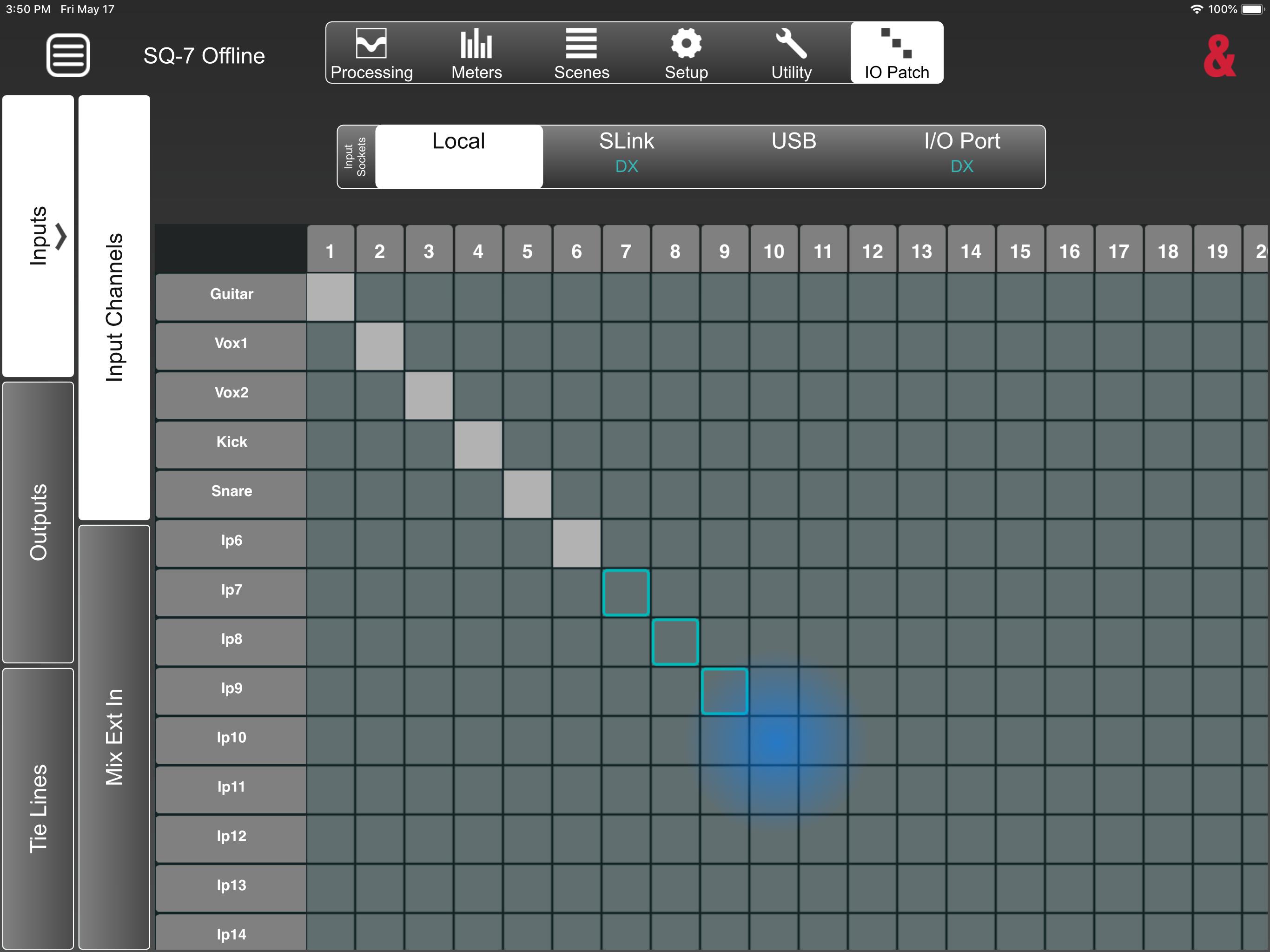
Routing screen with overview and full control
DCA and Mute Group control, including assignments
Processing Control -
Input channel Preamp/DEEP Preamp Model/HPF/Gate/Insert/PEQ/Compressor
Mix channel Ext In/Insert/GEQ/PEQ/Compressor
DEEP compressors and GEQ’s
FX Parameters and FX Return PEQ
Access to all Libraries
Patching –
Full patching matrix for all Inputs/Outputs and Tie Lines
‘1-to-1’ diagonal block patching
Offline Mode –
Edit and manage shows, scenes and libraries without a console connection
Transfer entire shows between MixPad and an SQ
Share/store shows to cloud or email (when available on the device)
Other features include –
Scene Management
Global filters, scene filters and channel safe control
Works with SQ User Permissions
Copy/Paste and Reset functionality
Ganging setup
AMM control and setup
SQ-Drive Control (Online)
Full control of Signal Generator and assignments
6 custom layers with the ability to copy or use/follow desk layers
All input/output/processing metering
Meters and Channel RTA view and control
Mixer config and role setup including ‘Listen Level’
PAFL setup and selection
Channel naming/colour
SoftKey and MIDI strips setup and use
Follow mixer Channel/Mix Select option
Latest Version
1.6.1Uploaded by
Laura Biri
Requires Android
Android 6.0+
Category
Free Music & Audio AppContent Rating
Everyone
Security Report
Report
Flag as inappropriateLast updated on Sep 30, 2025
Minor bug fixes and improvements. Install or update to the newest version to check it out!



APKPure - A multi-platform app store primarily focused on Android, providing extensive app-related content. Discover the app you want easier, faster, and safer, with quick and efficient downloads and installations.