Scan Date:Apr 18, 2026
Show More


SpotEQ31 helps when music does not sound right on your headphones or one ear needs different tuning. It gives you control to shape the sound to your preference, and it can also compensate for uneven output between left and right. Setup is simple, yet correct steps matter. Before installing SpotEQ31 APK, read the guidance and disable other equalizer apps to avoid conflicts, so your changes stay active while you listen.
Detailed band control
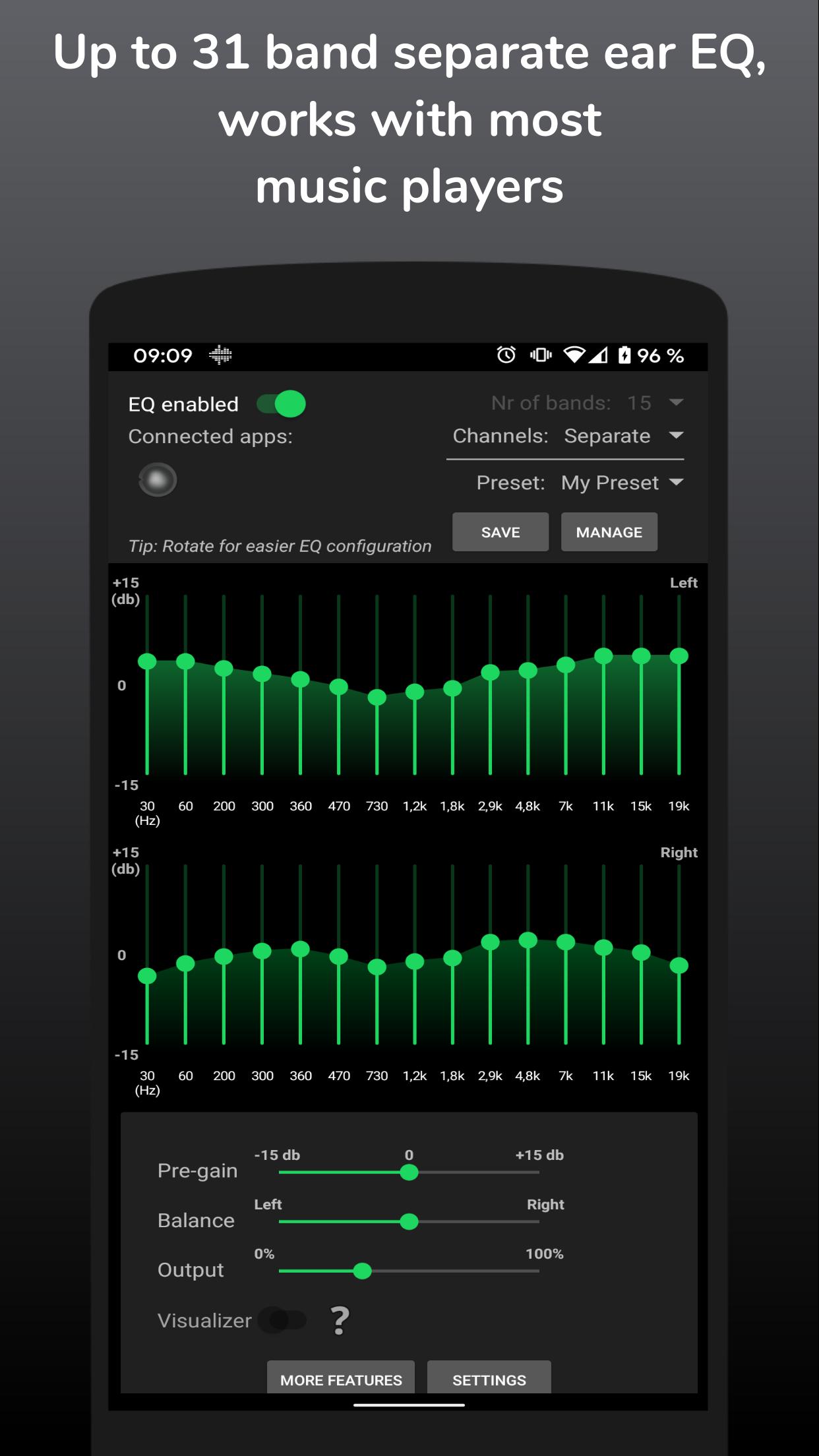
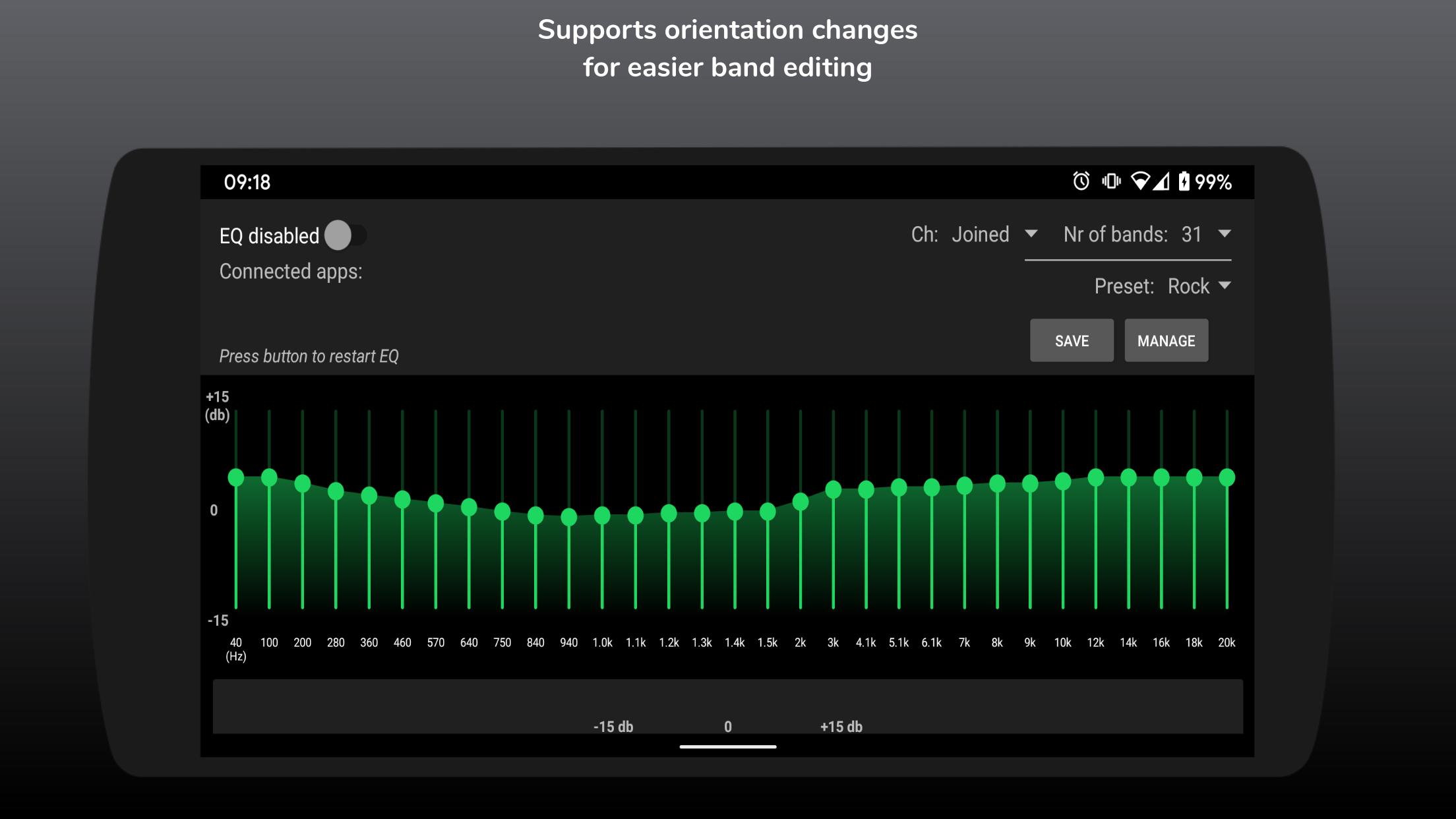
SpotEQ31 lets you choose 7, 11, 15, 21, or 31 bands. You can keep both sides joined or set separate left and right adjustments. If one ear needs different correction, target specific frequency areas for that side to balance your sound.
Presets and profile management
Saving custom presets can be unlocked with a one time fee, and a premium subscription is available.
Built in player and background use
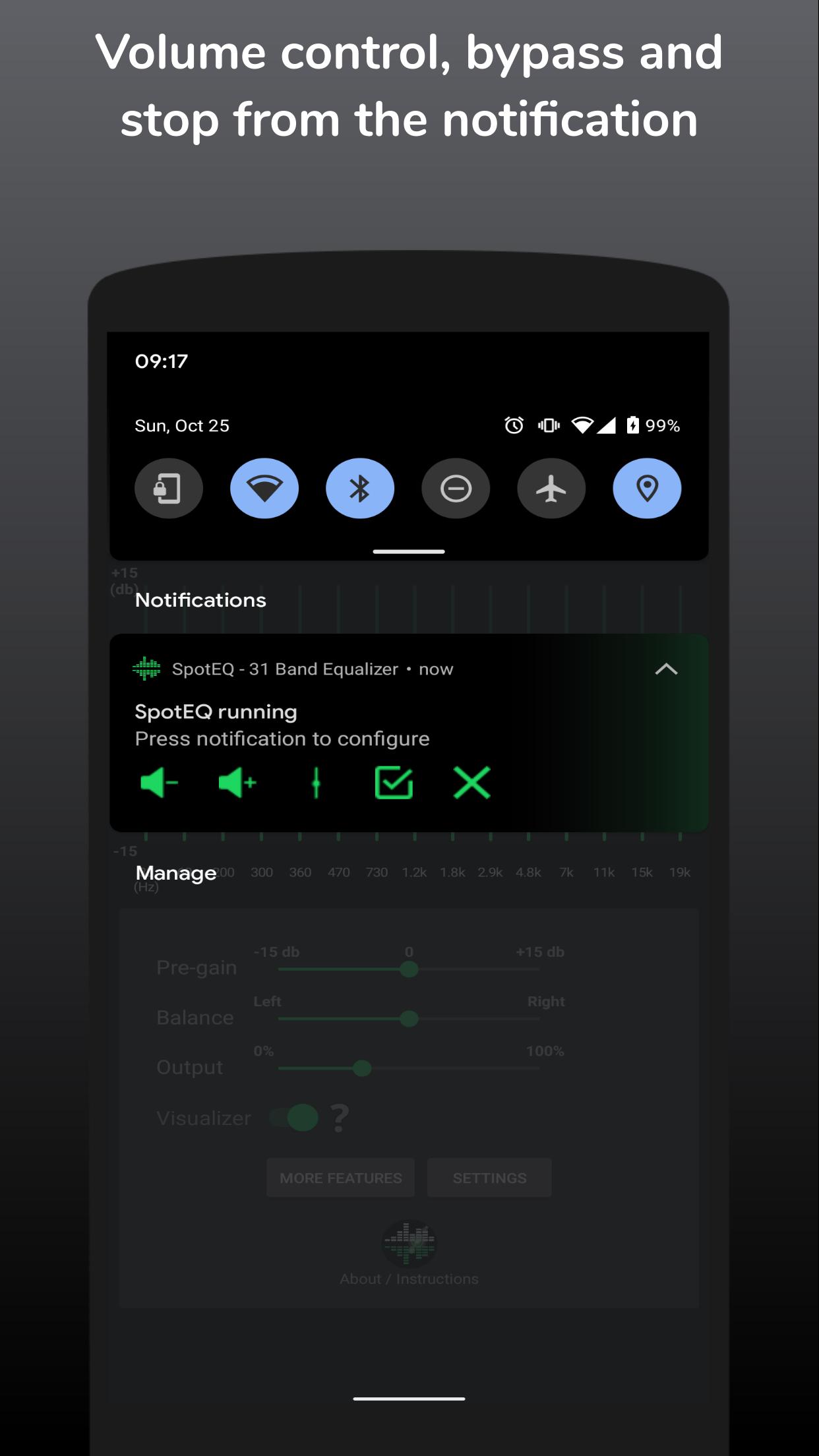
From version 2.0, SpotEQ31 includes a simple media and podcast player. It runs in the background during long running sessions, supports volume control from the notification, and provides a visualizer.
Sound tools, setup, and compatibility
You get a limiter, stereo expansion, and pre gain volume for extra control. For best results, enable the service in the app, then restart your music player so changes apply to new playback. SpotEQ31 works on Android 9 and newer and has been tested with several music apps. Listen at safe volume levels.
SpotEQ31 helps you tailor music to your headphones and ears with clear controls and dependable background operation. Follow the setup tips, pick a preset, and adjust until it fits your listening. For new tools and fixes, get the SpotEQ31 latest version when available. Review safety notes before extended sessions.
Latest Version
3.2Uploaded by
Marah Kahila
Requires Android
Android 9.0+
Category
Free Music & Audio AppContent Rating
Everyone
Security Report
Report
Flag as inappropriateLast updated on Apr 18, 2026
* Visualizer now uses 300 ms average window.
* Subscribers can set 100-1600 ms visualizer window.
* Click a band dB value to also fine tune Hz, if using a custom EQ config.
* Faster and improved UI.
* Fixed issue with auto starting app on reboot.
* Bug fixes.





APKPure - A multi-platform app store primarily focused on Android, providing extensive app-related content. Discover the app you want easier, faster, and safer, with quick and efficient downloads and installations.