SpeechTexter is a speech-to-text app designed to help users convert spoken words into text quickly and easily. It is a highly useful tool for individuals who are always on the go, such as journalists, students, and business people, who need to take notes quickly and efficiently.
The app has a simple and intuitive interface. Once you open the app, select your language, press the microphone button and start speaking. The app will then transcribe your speech into text in real-time, allowing you to see your words appear on the screen as you speak.
In addition to its speech-to-text capabilities, SpeechTexter also includes a number of other useful features. For example, you can edit your transcribed text using a built-in text editor, which allows you to make corrections, add punctuation, and format your text as needed. You can also share your transcribed text directly from the app, either as a text file or via email or social media.
Features:
- creation of text notes by voice;
- custom word replacement (e.g. spoken word "question mark" can be converted into written "?", "new paragraph" into "new line" (Enter key), etc;
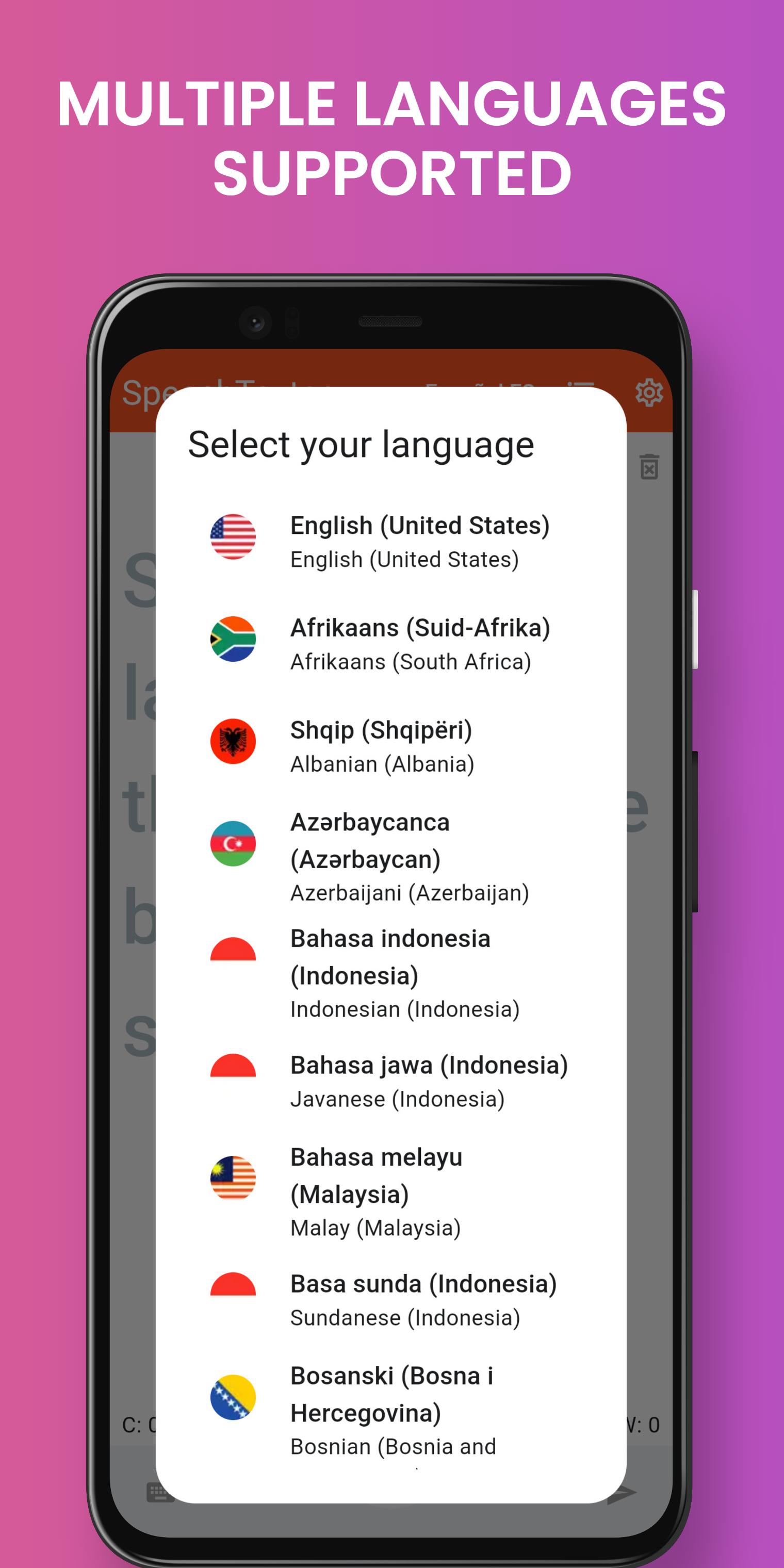
- more than 70 languages supported.
>> System requirements: <<
1) Google app installed on your device (can be found here: https://play.google.com/store/apps/details?id=com.google.android.googlequicksearchbox).
2) Google speech recognition enabled as the default speech recognizer.
3) Internet connectivity.
If the speech recognition accuracy is low make sure you are connected to the internet and there is no background noise, you speak loudly and clearly.
For results with higher accuracy you can try SpeechTexter’s web version by visiting the website at https://www.speechtexter.com using Chrome browser for desktop (not mobile). Other browsers are not supported.
List of supported languages:
Afrikaans, Albanian, Amharic, Arabic, Armenian, Azerbaijani, Basque, Bengali, Bosnian, Bulgarian, Burmese, Catalan, Chinese, Croatian, Czech, Danish, Dutch, English, Estonian, Filipino, Finnish, French, Galician, Georgian, German, Greek, Gujarati, Hebrew, Hindi, Hungarian, Icelandic, Indonesian, Italian, Japanese, Javanese, Kannada, Kazakh, Khmer, Korean, Lao, Latvian, Lithuanian, Macedonian, Malay, Malayalam, Marathi, Mongolian, Nepali, Norwegian, Persian, Polish, Portuguese, Punjabi, Gurmukhi, Romanian, Russian, Serbian, Sinhala, Slovak, Slovenian, Spanish, Sundanese, Swahili, Swedish, Tamil, Telugu, Thai, Turkish, Ukrainian, Urdu, Uzbek, Vietnamese, Zulu.
Privacy policy:
SpeechTexter doesn’t store any text you dictate on its servers. All speech is processed at Google’s servers, it has its own privacy policy.
https://www.speechtexter.com/privacy
Latest Version
2.2.5Uploaded by
Tran Han DU
Requires Android
Android 8.0+
Category
Free Productivity AppContent Rating
Everyone
Report
Flag as inappropriateLast updated on Apr 14, 2025
Minor bug fixes and improvements. Install or update to the newest version to check it out!



APKPure - A multi-platform app store primarily focused on Android, providing extensive app-related content. Discover the app you want easier, faster, and safer, with quick and efficient downloads and installations.