Scan Date:Mar 18, 2026
Show More
Application "Sound Meter HQ PRO: dB Level" uses built-in microphone to calculate sound level (noise level) of surrounding. Result of the measurements is displayed in decibels on the screen of you phone.
DISCLAIMER:
Don't treat this utility app as a professional device to measure decibels. This tool uses built-in microphone, which was designed to capture human's voice. Such microphone is not able to capture sounds above ~90 - 100 dB (Maximum value differs depending on kind of microphone you have). In addition, some devices are equipped with AGC (Automatic Gain Control). This system can also disturb correct sound pressure level measurement.
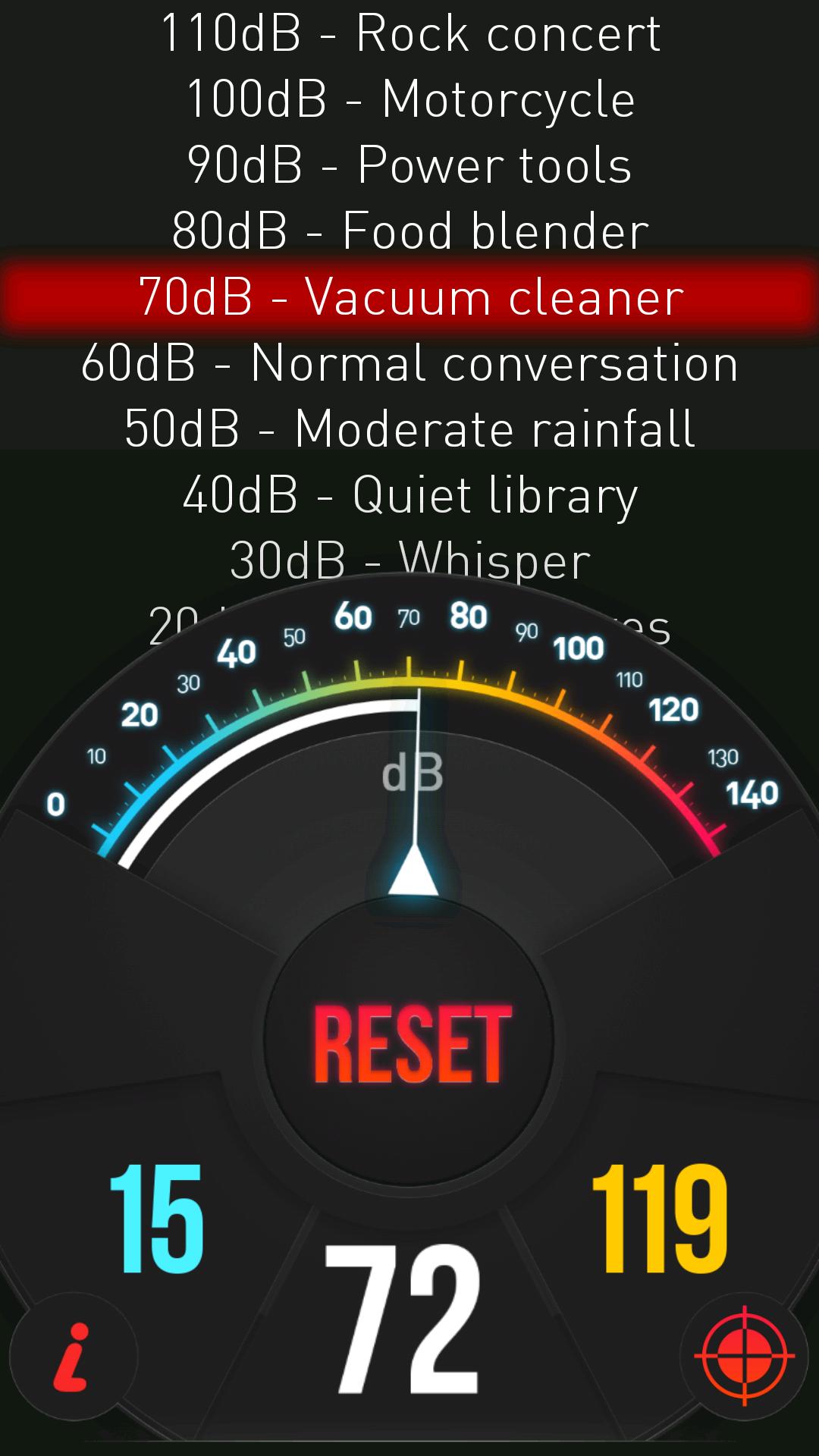
Measured noise level is presented with the help of indicator on the gauge. Loudness level varies between 0 and 140 dB. Besides live noise measurement the application displays also minimum and maximum registered level of the sound. You can clear it any time by using "Reset" button.
Moreover our tool displays noise power in descriptive way. Available descriptive sound measure thresholds:
10 dB - Breathing
20 dB - Rustling leaves
30 dB – Whisper
40 dB – Quiet library
50 dB – Moderate rainfall
60 dB – Normal conversation
70 dB – Vacuum cleaner
80 dB – Food blender
90 dB – Power tools
100 dB – Motorcycle
110 dB – Rock concert
120 dB – Chain saw
130 dB – Jet takeoff (100m away)
140 dB – Shotgun
Decibel meter calibration:
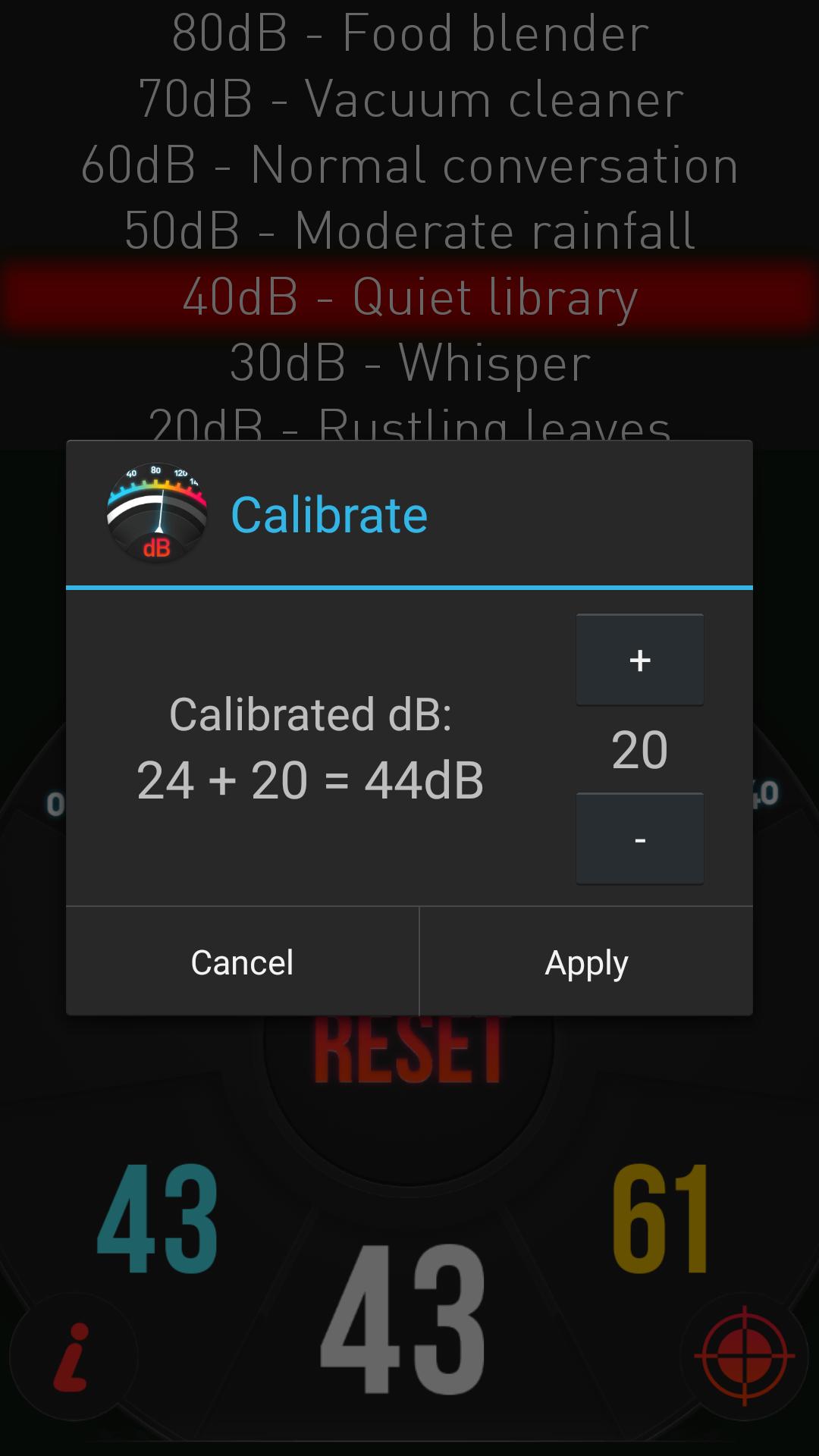
If you have access or you possess professional sound pressure level measurements device (SPL meter) you can use it to calibrate our app. Firstly, check current decibel reading on scientific measurement device. Next open our calibration menu (calibration icon under MAX value) i our app and set the same value using +,- buttons.
Features of application:
🔈 quick reaction to sound level change
🔉 decibel level presented on the gauge and in the descriptive way
🔊 minimum and maximum measurements levels.
🔊 possibility of calibration the result according to professional device.
Latest Version
1.6Uploaded by
Thitaphron Sriphen
Requires Android
Android 5.0+
Category
Free Tools AppContent Rating
Everyone
Security Report
Report
Flag as inappropriateLast updated on Mar 18, 2026
🔊 Improved sound level detection accuracy
🚫 Ads removed – enjoy an ad-free experience
⚙️ Updated code for Android 16






APKPure - A multi-platform app store primarily focused on Android, providing extensive app-related content. Discover the app you want easier, faster, and safer, with quick and efficient downloads and installations.