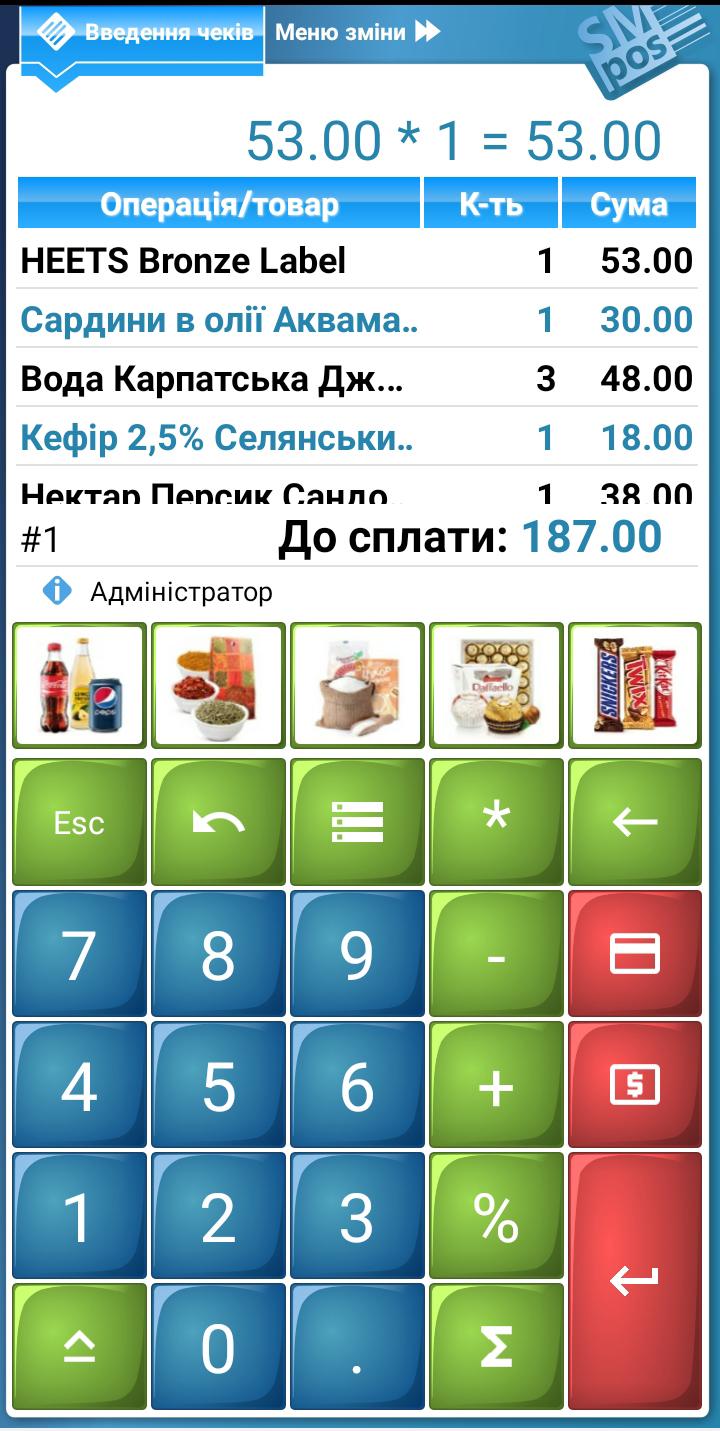
SM POS for Android – is a professional Android application that provides automated cashier’s workplace by using tablets, smartphones or other similar devices.
SM POS registers the sales of products/services, input, editing and processing of company accounting documents, provides write-off of goods and stocktaking.
A distinctive feature of the SM POS for Android is the ability to communicate a wide range of POS equipment – scanners, printers, scales, MSR, etc.
Modes of operation
SM POS can work both independently and in data exchange mode - with commercial accounting system (back-office).
In the case of the autonomous use - all operations, performed in the sales mode or input documents, immediately change the state of an internal database. Standalone use does not imply the presence of any additional back-office programs.
In the data exchange mode all databases like products and loyalty cards generated by the accounting system, transfer to the cashiers workplace via the POS Server (free TFPK software). In turn, logs (records) of operations performed in the sales or input mode, also arrive to POS Server, and then are read by accounting system.
Interface
SM POS interface is designed specifically for devices with a small display size and touchscreen input of information. Despite this, if necessary, SM POS operations can be carried out with the help of USB-keyboards - both full-size and NUMPAD.
SM POS supports multi-language interface, and 2 color themes.
Ease of setup
SM POS supports auto-detection of connected Cash Registers. In most cases, the choice comes down to setting mode, the establishment of a list of cashiers and installation of their access/rights, as well as the installation settings for connecting the server.
More fine-tuning can be performed if necessary to use all of the product features.
To use a full-featured SM POS for Android is necessary to purchase an activation code (license), which is tied to the serial number of specific Cash Register or Docking Station. Without activation the application is running in reduced functionality mode, in which the communication to POS is blocked.