Scan Date:May 19, 2026
Show More
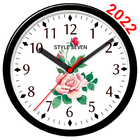
Select a dial from twenty beautiful designs.
Use the analog clock as Live Wallpaper: set the clock size and position on the Home screen.
Use the analog clock as topmost or overlay clock. The clock will be set above all windows. You can change position of the clock by drag and drop method and size of the clock.
Use the analog clock as an app widget: clock shows the second hand for Android 12 or high.
Use the analog clock as app in full screen mode with "keep screen on" option.
Use the analog clock as screensaver while a device is charging.
Analog clock can tell you the current time by voice by double tap on the app window or Live Wallpaper and perioddically, for example by 30 minutes.
Select an image from the Gallery for the back.
Select color for: background, second hand and other hands (for Android 12 or high).
So this app is: skin analog clock, analog clock Live Wallpaper, analog clock widget, clock widget with second hand, talking clock.
Latest Version
5.31Uploaded by
Egor King
Requires Android
Android 5.0+
Category
Free Tools AppContent Rating
Everyone
Security Report
Report
Flag as inappropriateLast updated on May 19, 2026
Minor changes.



APKPure - A multi-platform app store primarily focused on Android, providing extensive app-related content. Discover the app you want easier, faster, and safer, with quick and efficient downloads and installations.