Scan Date:May 5, 2026
Show More

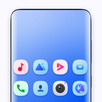
Simple Launcher suits users who prefer a tidy home screen, quick navigation, and fewer distractions. It replaces a busy default setup with a straightforward layout so you can reach apps and notifications with less effort. Because it focuses on stability and ease of use, it works smoothly on both new and older phones. If you want a lightweight home app with consistent behavior and no background noise, consider trying the Simple Launcher APK for a focused experience.
Fast, smooth performance
Simple Launcher keeps animations light and actions quick so apps open without delay. The lightweight design helps reduce battery use during daily navigation. You get a responsive home screen that does not slow down as you add shortcuts or widgets.
Privacy-first operation
The launcher runs offline and does not collect personal data. It shows no ads and avoids unnecessary permissions, which reduces background activity and interruptions. As a result, you can use your phone without tracking concerns while keeping control of what the launcher can access.
Flexible look and layout
You can personalize colors and themes to match your preference, including a dark theme for low-light use. Layout choices let you place icons and folders where they make the most sense for you. The material design approach keeps visuals consistent across screens for a clean, readable look.
Widget support that fits your day
Simple Launcher supports adding and resizing home screen widgets for essentials like weather and calendar. You can arrange widgets alongside app shortcuts to keep important info at a glance. Resizable areas help you balance quick access with uncluttered space.
Gestures and organized access
You can swipe up for your app list and swipe down for notifications to move around quickly. Customizable gestures and deep shortcuts help you jump to frequent actions in fewer taps. Smart folders, categories, quick search, and easy uninstallation options keep apps organized and accessible.
Setting Simple Launcher as the default home app changes what appears when you press the Home button. Your previous launcher’s layout will not carry over, so plan a few minutes to place your most-used apps and widgets again. If you want to switch back later, you can change the default home app in your Android settings at any time.
Core features work without an internet connection, which keeps background data use low. Some widgets, such as weather, may need network access or location permission to update content. Notification access or similar system permissions may be requested to show alerts and badges. You can review, grant, or revoke permissions in system settings whenever needed for better control.
This quick guide helps you get started with a clean layout and gesture controls on Android. For the best experience, install the Simple Launcher latest version so new options and fixes are available. The steps below show how to set it as your home app, organize icons, and add widgets.
Simple Launcher focuses on speed, privacy, and easy control for everyday use. It offers a tidy home screen with quick gestures and practical widget support. When ready, download Simple Launcher to set up a straightforward layout that matches how you use your phone.
For official information or support, use the resources below.
Latest Version
3.1.9Uploaded by
Koon Puk
Requires Android
Android 7.0+
Category
Free Personalization AppContent Rating
Everyone
Security Report
Report
Flag as inappropriateLast updated on May 5, 2026
Simple Launcher is better than "Launcher iOS 26 Liquid Glass" Made by LuuTinh Developer version 3.1.9
+ iOS Launcher 26.5 Release
+ Weather Widget & Temperature Unit
+ Apple Music Widget
+ Icon Liquid Glass iOS 26
+ iPhone Launcher
+ iPhone 17 Pro Max Launcher Update
+ Launcher iOS 26 Upgrade effect
+ Quick Option better than iPhone
+ Page manager (Modern, Classic, Minimalist) with iOS gesture bottom
-----Next----
+ iOS 26 Library




APKPure - A multi-platform app store primarily focused on Android, providing extensive app-related content. Discover the app you want easier, faster, and safer, with quick and efficient downloads and installations.