- How to use it (for new users to do more)?
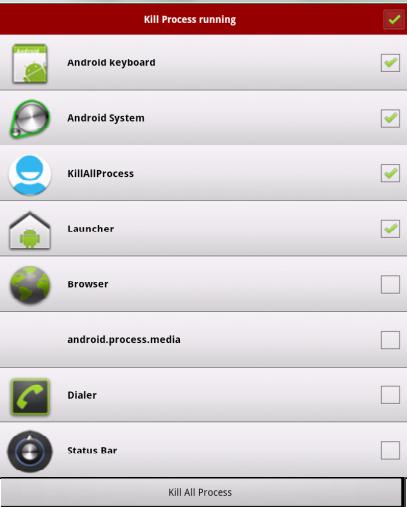
If you don't want to kill any app, you can tap it on the running applications list. Then it's checking box will turn to gray.
- Why there are app running that I haven't used or even opened?
Some app will start up once you turn on your phone or be invoked by some events.
- What is ignore list/ignore?
Latest Version
1.2Uploaded by
Love Safely
Requires Android
Android 3.0+
Category
Free Productivity AppContent Rating
Everyone
Report
Flag as inappropriateLast updated on Aug 24, 2015
Minor bug fixes and improvements. Install or update to the newest version to check it out!







APKPure - A multi-platform app store primarily focused on Android, providing extensive app-related content. Discover the app you want easier, faster, and safer, with quick and efficient downloads and installations.