Package Name:com.sm.note_prompt
SHA-256:2912def70a130308cad7362b6c5a555f07c7312bf88459ad5c31bf708844dbc4
Show More
Notification checklist and sticky notes app: pin your to-do list in the notification bar and tick tasks off without opening the app.
Your to-do list, always one swipe away.
Turn any note or checklist into a pinned notification that waits in your status bar. Pull down the shade and your notes are right there: shopping list, daily tasks, a phone number, a Wi-Fi code. No hunting for the app, no digging through lists. It is the fastest way to keep notes in your notification bar.
✔ TICK OFF TASKS FROM THE NOTIFICATION
Every unchecked item in your checklist notification gets its own "Done" button. Tap it and the task is checked off right there, even when the app is closed. A progress bar and a live (done/total) count show how far along you are. When the last item is done, the notification tells you everything is complete. A real to-do list in your notification bar, not just text.
📌 PIN NOTE TO NOTIFICATION, KEEP IT IN SIGHT
• Turn on "sticky" for a persistent notification that stays pinned until you dismiss it
• Swipe it away by accident and it comes straight back
• Dismiss it with one tap when you are finished. Your note is kept, and the next tap of the bell pins it again
• Pin as many notes as you like, with no limit
• Long checklists show the first items plus a "+N more" line, so the notification stays tidy
🔔 YOU CHOOSE WHEN IT APPEARS
Nothing is posted behind your back. A notification appears only when you tap the bell on a note, and the bell removes it again. Edit a note and its notification refreshes in place, with no duplicates.
WHAT PEOPLE USE IT FOR
• Shopping list and grocery checklist: tick items off in the store without unlocking an app
• Top 3 tasks for the day: keep your focus list always visible
• Packing list, travel checklist, errands and chores
• Habit and routine checklists you repeat every day
• Study and work to-do list with a progress bar
• Quick notes you keep needing: address, door code, booking reference, Wi-Fi password
• A visual reminder you can see every time you check your phone
NOTES AND CHECKLISTS THAT STAY SIMPLE
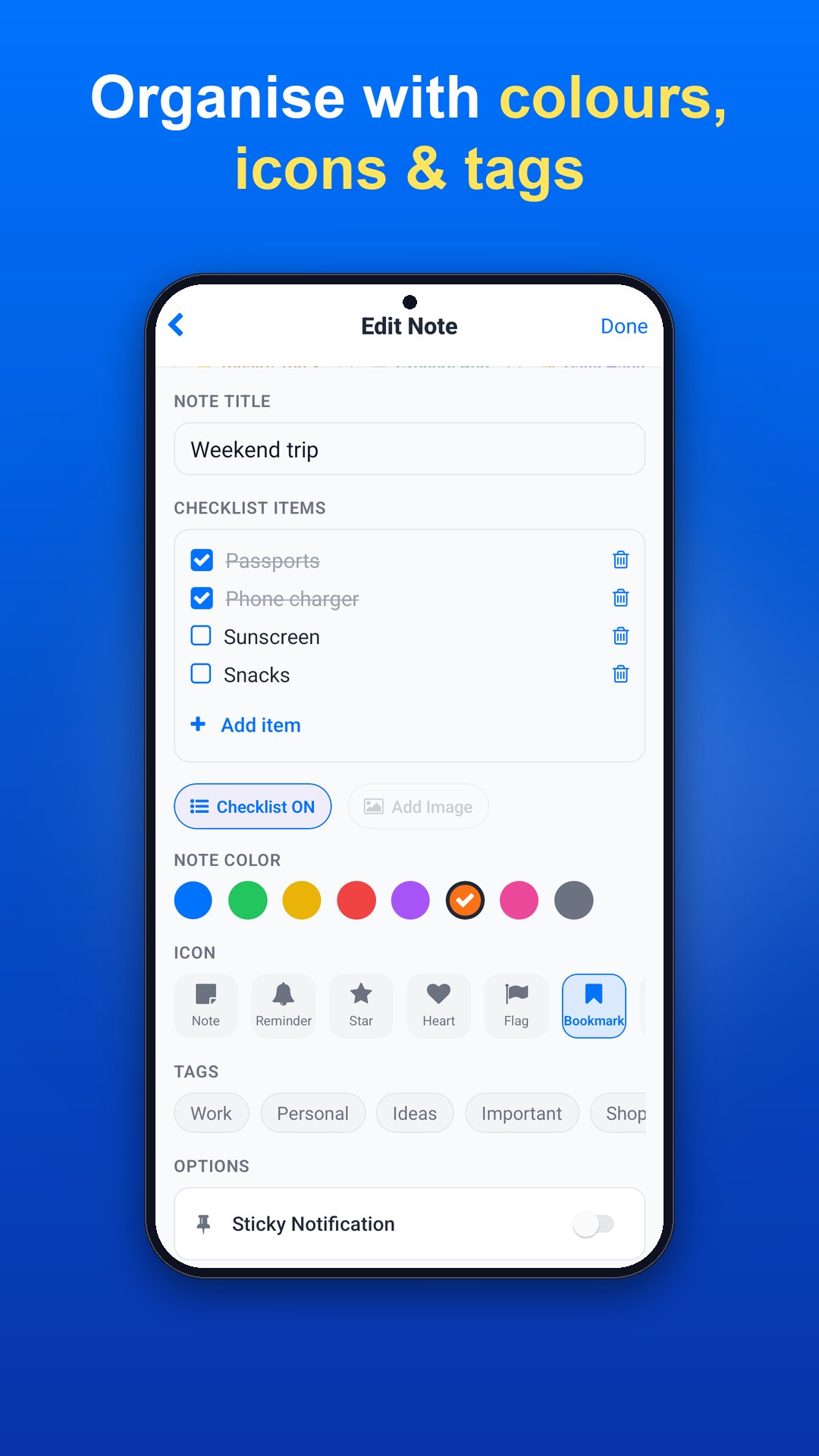
• Write plain notes or checklists, with a title and tags
• Add images to a note
• Archive notes you are done with and restore them any time
• Share any note with other apps
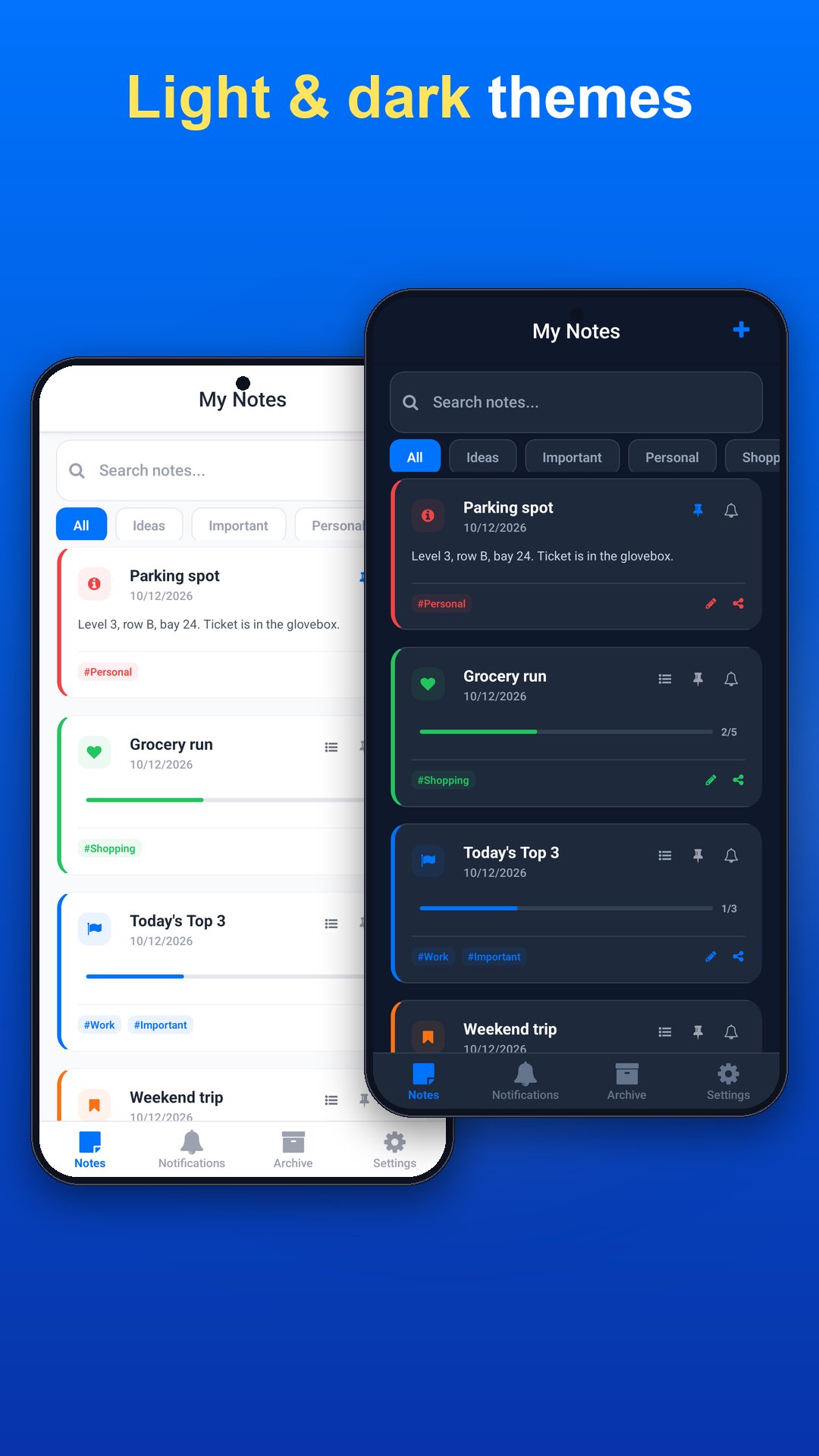
• Clean design with light and dark theme
• Works offline: your notes are saved on your device. No account, no sign-up, no cloud
• Available in 10 languages: English, Español, Deutsch, Français, Português, 日本語, العربية, हिन्दी, 中文, Русский
WHY A NOTIFICATION NOTEPAD?
Most note apps hide your lists behind icons and menus, so you forget to open them. A status bar note is different. It sits where you already look many times a day. Sticky notes on your notification shade, a checklist you can finish with one tap, and a progress bar that shows what is left: that is what a notification notepad should do.
PRIVATE AND FREE
Free to use and supported by ads. There is no account and no cloud sync, so your notes stay on your device. Ad personalization follows your consent choice, and you can change it in the app at any time.
GET STARTED IN SECONDS
1. Create a note or checklist
2. Tap the bell to pin it to your notification bar
3. Turn on sticky if you want it to stay until you dismiss it
4. Tick items off straight from the notification
Download the free notification checklist and note pin app, and keep your to-do list where you will always see it.
Latest Version
1.0.6Uploaded by
James Aron
Requires Android
Android 7.0+
Category
Free Productivity AppContent Rating
Everyone
Security Report
Check Now
Report
Flag as inappropriateLast updated on Nov 21, 2026
This release includes minor bug fixes and general improvements. Update to the latest version for the best experience.





APKPure - A multi-platform app store primarily focused on Android, providing extensive app-related content. Discover the app you want easier, faster, and safer, with quick and efficient downloads and installations.