Package Name:com.cleannotify.widget
SHA-256:984e4db214572fce5767895736a79810fcd1e118c485e95bcaa308f2a563595b
Show More
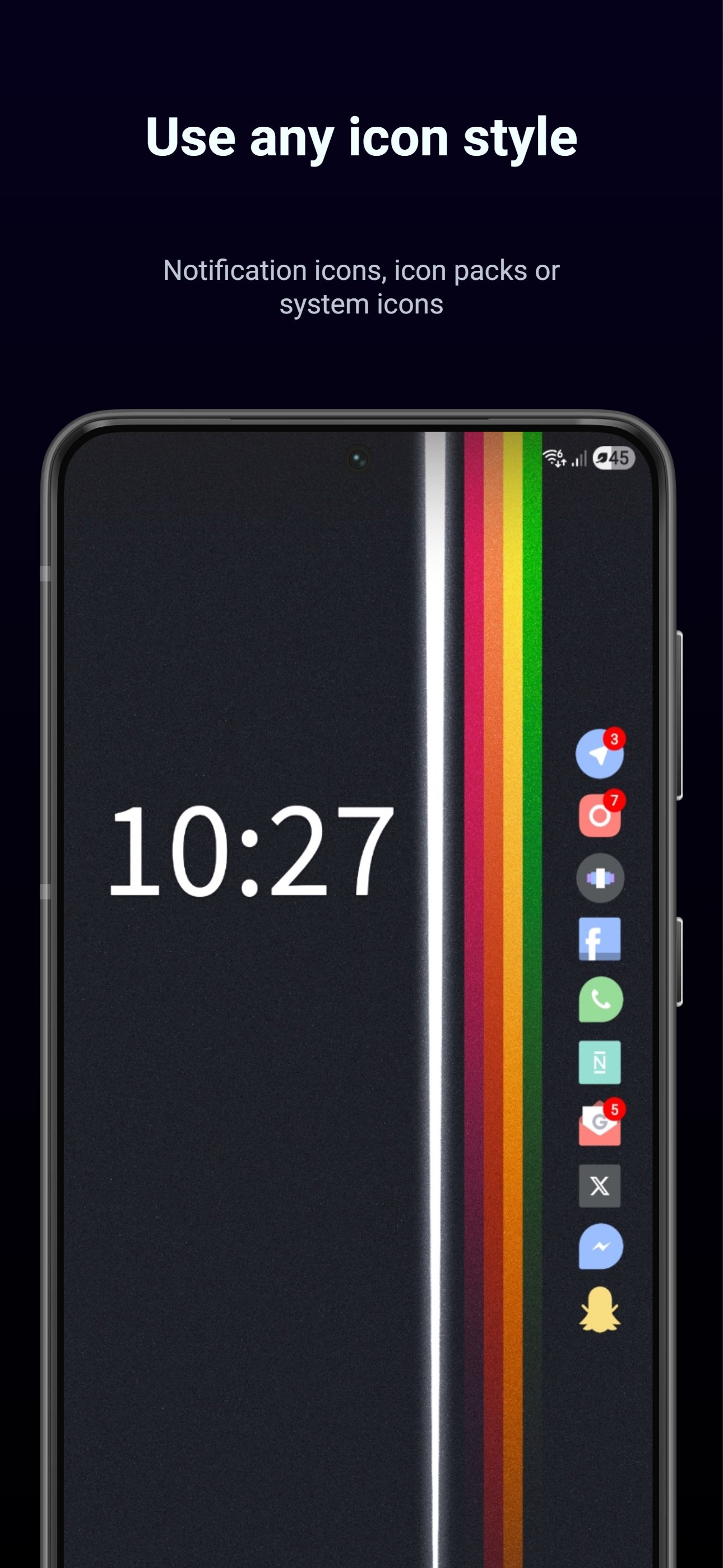
Notification Icons Widget is a simple notification widget that shows your active notification icons directly on your Android home screen.
No pulling down the notification shade.
No feeds, no message previews, no text clutter.
Just a quick glance at the apps that currently have notifications.
It works like a clean, always-visible notification icon dock for your home screen.
🧩 Simple and focused
- Home screen notification widget
- Clean row or column of active notification icons
- No notification text or message content shown
- No distracting feed or notification center
- Lightweight and battery-friendly
🎨 Customize your widget
- Horizontal or vertical layout
- Adjust icon size and spacing
- Control alignment and fill direction
- Choose how many notification icons are shown
- Optional widget background and shape styling
🔔 Choose how icons are shown
- Use original Android notification icons
- Switch to app icons if you prefer
- Optional icon pack support
- Generated icon fixes for apps with broken or unclear notification icons
⚙️ Control what appears
- Hide notifications from specific apps
- Pin important apps to appear first
- Choose overflow indicator style when there are more notifications than slots
🔒 Private by design
- No accounts
- No tracking
- No internet permission
- No ads
- Your notifications stay on your device
⭐ Premium unlock
Unlock additional customization:
- More widget slots, up to 12
- Icon pack support
- Pin and hide apps
- Custom colors and icon tint
- Background and shape options
- Notification overflow indicator settings
- Advanced per-app icon options
👀 What this solves
Some Android devices, launchers, and system versions make notification icons harder to see at a glance. This widget gives you a simple home screen notification overview, so you can quickly see which apps need your attention.
It can also help users who miss having clear notification icons visible without opening the notification shade.
⚠️ Notes
Very large icon sizes, spacing, high slot counts, or some launcher layouts may affect how the widget fits.
Latest Version
1.0Uploaded by
รออยู่ ตรงนี้
Requires Android
Android 8.0+
Category
Free Productivity AppContent Rating
Everyone
Security Report
Check Now
Report
Flag as inappropriateLast updated on Oct 8, 2026
New in this update:
- Added “Always show pinned apps” so selected apps can stay visible even without active notifications.
- Improved pinned app behavior, icon fallback, and max-slot handling.
- Added badge count start option.
- Added app resource picker inside Icon fixes (Beta).
- Improved background padding visibility and UI polish.
- Stability and bug fixes.





APKPure - A multi-platform app store primarily focused on Android, providing extensive app-related content. Discover the app you want easier, faster, and safer, with quick and efficient downloads and installations.