*Read what you actually want to read — and learn every word in it.**
Most vocabulary apps hand you someone else's word list. AnyWord starts from
the thing in front of you: the PDF you were sent, the chapter you photographed,
the article you saved. Open it, tap a word, and its meaning is there. One more
tap and it is a flashcard, with the sentence you met it in already on the back.
**Documents exactly as they were written**
A PDF opens as its printed pages — the columns, the figures, the tables, the
typography. A Word document keeps its headings, its lists, its tables and its
pictures. A spreadsheet stays a grid, with its own column letters. Nothing is
flattened into a wall of grey text. When a page is too dense for a phone, one
tap reflows it to plain text you can size to your eyes.
**Tap a word. Any word.**
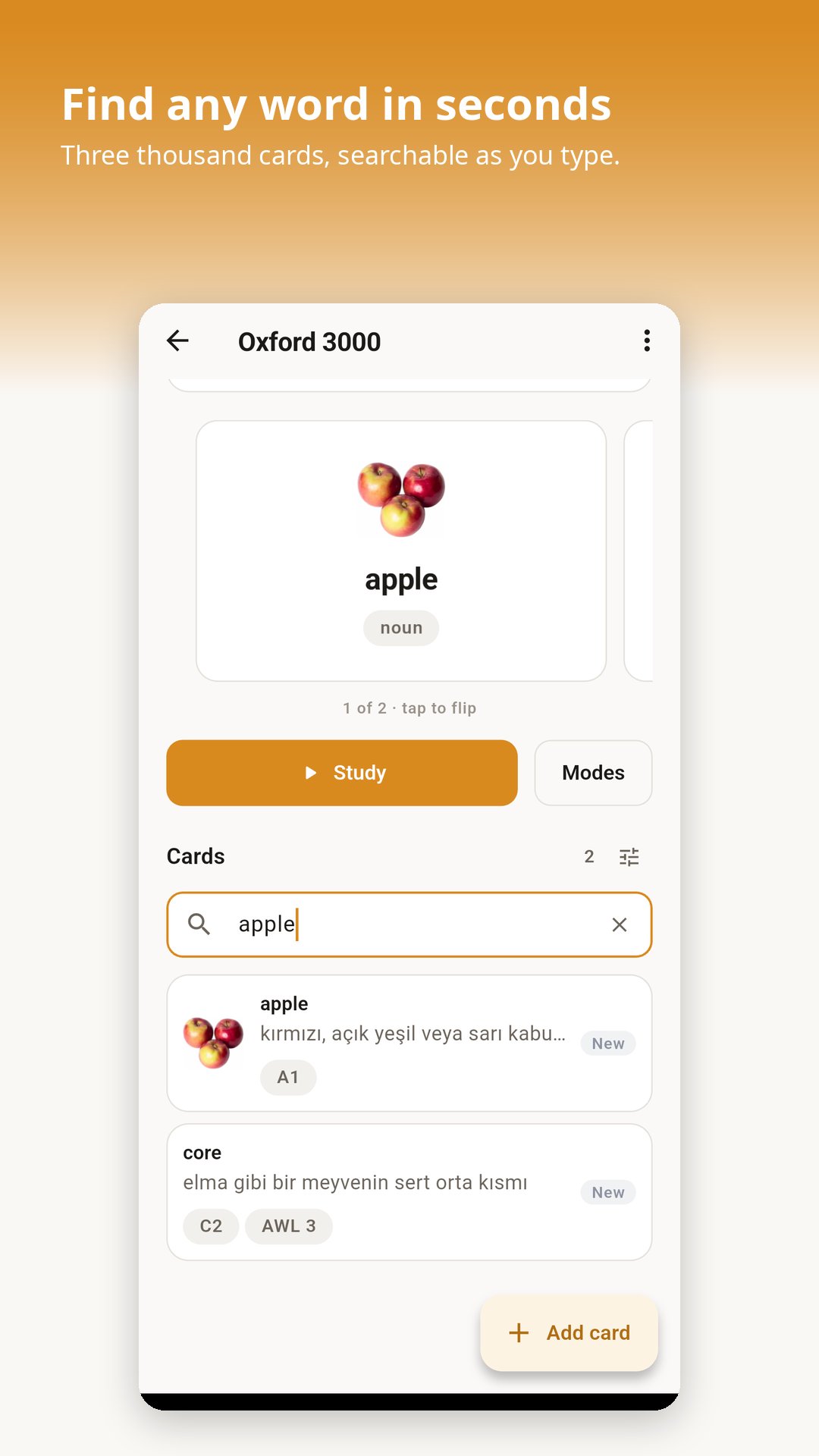
Every word on the page is live. Tap one for its meaning; hold and drag across
several for a phrase. What the reader answers with comes in this order:
- your own cards first — instant, and it works with the network off
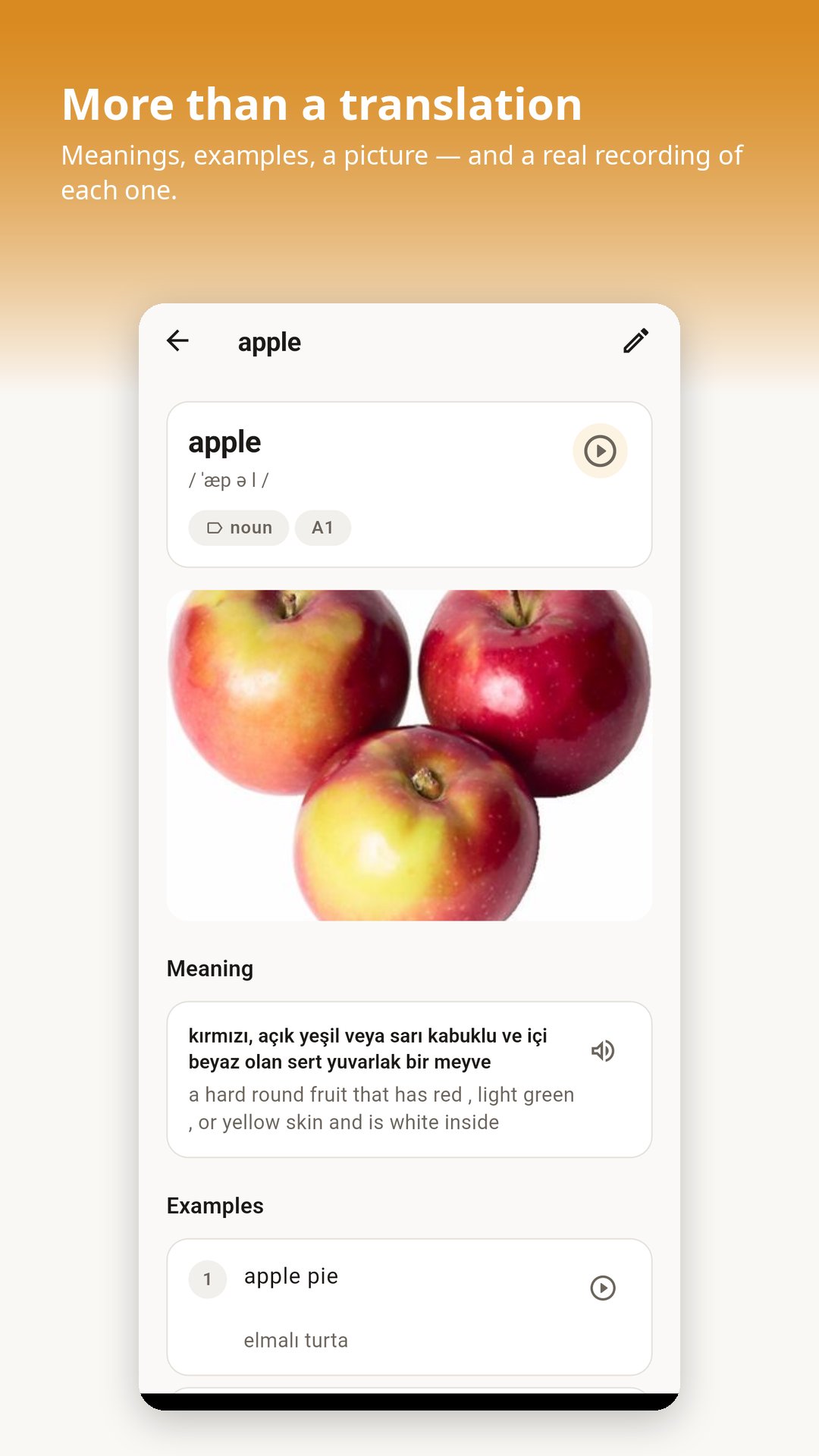
- then the Longman Dictionary of Contemporary English: definitions, examples,
phonetic spelling, recordings, and for many words a picture
- and if you would rather read it in Turkish, the translation, with the
English definition kept underneath it
Inflected words are handled: tap "running" and you get "run".
**Scanned pages work too**
Half the PDFs worth reading are photographs of paper — a scanned textbook, a
receipt, a chapter someone copied. AnyWord reads the words off the page itself
and makes them tappable, without moving a thing on it. That reading happens on
your phone, not on a server, and works with no connection at all.
**Every word you save arrives complete**
A card made from a document carries the sentence you actually read it in — far
more use later than any invented example. The dictionary's own example, its
recording, its picture and its phonetic spelling come along too.
**Or bring the words you already have**
Import an Excel sheet, a CSV, a Word file or a text file. AnyWord works out
which column is which, shows you exactly what it found, and lets you fix
anything before a single card is added. Any language pair: English to Turkish,
German to Spanish, Russian to English, whatever you need.
**Five ways to study**
- Flashcards — flip a card and rate how well you knew it
- Learn — guided practice that adapts as a word becomes familiar
- Quiz — pick the right translation out of four
- Writing — type the word from memory
- Matching — pair words against the clock
**Reviews timed for how memory actually works**
Every card is scheduled on its own. Words you find hard come back soon; words
you know well drift further apart, so your time goes where it counts. Every
figure on the progress screen comes from reviews you really did — nothing is
estimated.
**Hear it read by a person, not a robot**
Word lists can link real recordings, and a card plays them at a tap. Anything
without one falls back to your device's own voice, which needs no connection.
**Yours, on your device**
No account. No sign-up. No advertising, and no analytics of any kind. Your
sets, your cards, your progress and the documents you read stay on your phone.
Studying, importing, exporting, reading a document and reading a scanned page
all work with the network switched off.
The network is used for three things, each only when you ask: looking a word up
in the dictionary, translating a selection when you have chosen Turkish, and
downloading a recording or picture a word list links to.
Latest Version
Varies with deviceRequires Android
Category
Free Education AppContent Rating
Everyone
Report
Flag as inappropriateLast updated on Sep 29, 2026
This release includes minor bug fixes and general improvements. Update to the latest version for the best experience.




APKPure - A multi-platform app store primarily focused on Android, providing extensive app-related content. Discover the app you want easier, faster, and safer, with quick and efficient downloads and installations.