


Scan Date:Mar 26, 2026
Show More
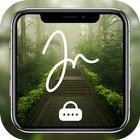
Signature Lock Screen – Draw to Unlock, Gesture Lock & Secure Screen Lock App
Upgrade your phone security with a unique and stylish signature lock screen app that lets you unlock your device by simply drawing your signature or gesture. This advanced gesture lock screen transforms the traditional lock system into a creative and secure experience using your personal signature, shapes, numbers, or patterns.
With this powerful signature lock app, you can draw anything as your password—letters, numbers, symbols, or your real signature—without lifting your finger. It combines gesture lock, pattern lock, and screen lock security into one smart solution, giving you both convenience and personalization.
KEY FEATURES:
Draw Signature to Unlock
Set your own signature, symbol, or gesture as a lock screen password and unlock your phone with a simple draw.
Gesture Lock Screen Security
Use custom gestures, letters, or patterns as your unlock method for a secure and modern locking system.
PIN Lock Backup Security
Add an extra layer of protection with a PIN lock in case your signature doesn’t work or touch issues occur.
Security Questions Recovery
Set security questions to recover access if you forget your signature password.
Customize Signature Style
Adjust signature stroke thickness, color, and design for a personalized lock screen experience.
Wallpaper Customization
Set your favorite wallpaper as the lock screen background and make your device look unique.
Clock Style Options
Choose from multiple clock styles to enhance your lock screen design.
Easy Password Change
Quickly update or change your signature lock anytime with your current password.
WHY CHOOSE THIS SIGNATURE LOCK APP?
Unique draw to unlock screen lock app
Advanced gesture lock & signature security
Combines pattern lock, PIN lock & signature lock
Easy-to-use and lightweight lock screen app
Stylish and customizable lock screen themes
Ideal for privacy protection and personalization
USE CASES:
Secure your phone with a signature lock screen
Use your personal signature as password
Customize your lock screen design and style
Replace traditional PIN or pattern lock
Protect your privacy with a unique unlock method
signature lock screen, gesture lock screen, draw to unlock app, screen lock app, signature unlock, pattern lock alternative, secure lock screen, gesture password app, lock screen security app, draw pattern lock, custom lock screen app, pin lock backup, lock screen wallpaper app, mobile security app, android lock screen free
IMPORTANT NOTE:
Signature lock provides a creative way to unlock your device, but for maximum security, always enable backup PIN protection as an additional safeguard.
Download now and experience the smartest signature lock screen & gesture unlock app to secure your phone with style, creativity, and advanced customization!
Latest Version
1.10Uploaded by
Benjamin Sebastian Torres
Requires Android
Android 6.0+
Category
Free Tools AppContent Rating
Everyone
Security Report
Report
Flag as inappropriateLast updated on Mar 26, 2026
Bugs Fixed & Performance Improved...



APKPure - A multi-platform app store primarily focused on Android, providing extensive app-related content. Discover the app you want easier, faster, and safer, with quick and efficient downloads and installations.










