
Video Compressor - ShrinkIt helps you reduce video size and
free up space on your Android device. Compress video files
efficiently while maintaining good quality.
KEY FEATURES
Smart Video Compress
Reduce video size by up to 90% depending on original quality.
The ideal video resizer for managing device storage.
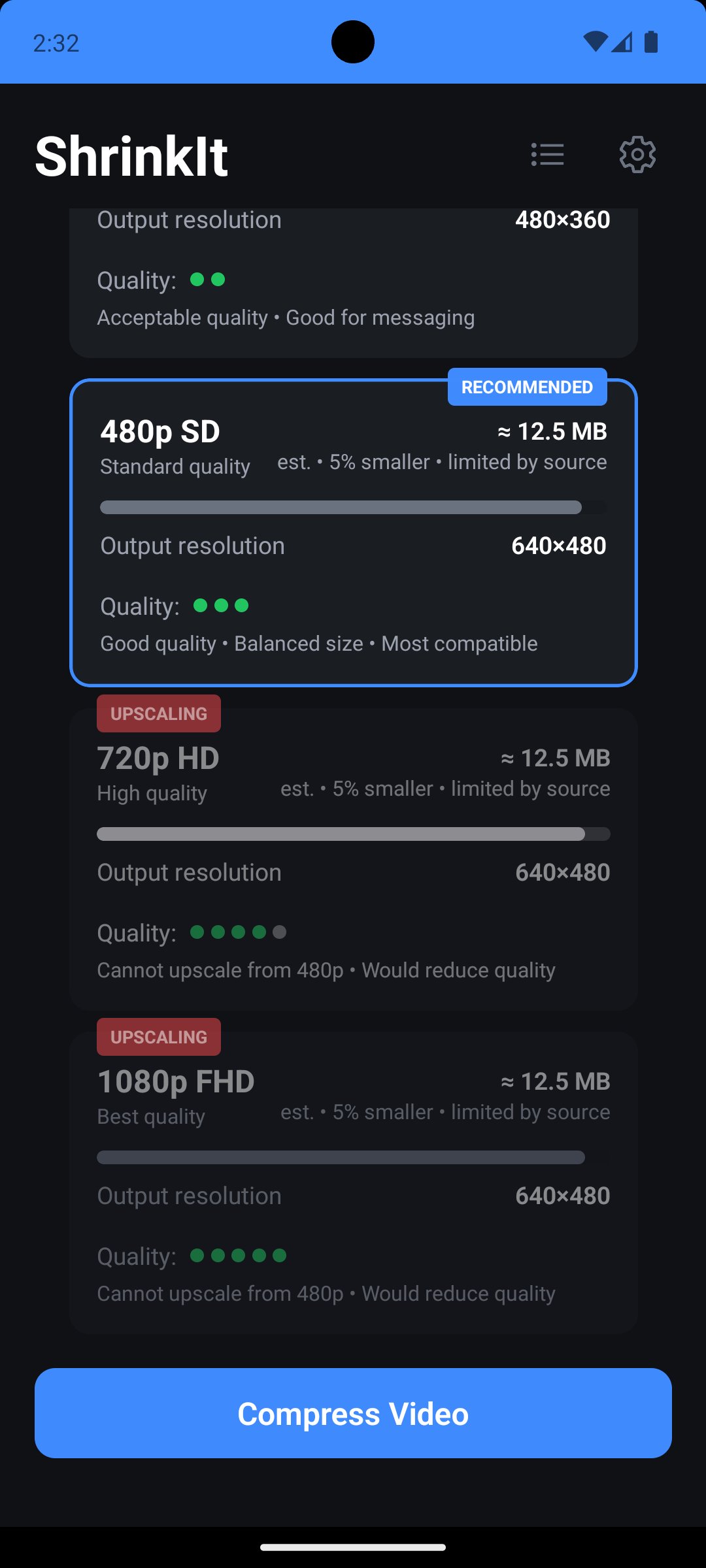
Five Quality Presets
- Ultra (144p) - Maximum compression
- Low (360p) - Messaging apps
- Standard (480p) - Balanced quality
- HD (720p) - Preserve quality
- Full HD (1080p) - Minimal compression
Target Size Control
Set exact file sizes in MB. Our video compressor calculates
optimal settings to achieve your target while maintaining
quality.
Batch Processing
Add multiple videos to queue and compress video files one
after another. Process your entire library while app runs in
background.
Video Preview
Watch compressed videos before saving. Check quality with
built-in player controls.
WHY CHOOSE SHRINKIT?
Real Stats
See exact sizes before/after compression. View compression
ratio and time. Know how much space you'll save.
Queue Management
Add, remove, pause, retry videos in queue. Clear completed
items with one tap. Monitor progress for each video compress
operation.
No Internet Required
All video compress operations happen on device. No uploads,
no cloud processing. Complete privacy with offline video
resizer.
PERFECT FOR
Messaging & Social Media
Compress video for WhatsApp, Telegram, Instagram, Facebook.
Reduce video size to fit limits.
Email & Storage
Make videos small enough for email. Clear storage by
compressing old videos. Free up space without deleting
memories.
HOW TO USE
1. Select videos from gallery
2. Choose preset or set target size
3. Add to queue or compress now
4. View real-time progress
5. Save compressed video
Options
- 5 quality presets
- Or set target size in MB
- Originals remain untouched
- Compressed saved separately
TECHNICAL DETAILS
Formats: MP4, MOV, common video types
Processing: Uses device hardware for fast compression
Permissions: Storage access to read/save videos
QUEUE FEATURES
- Sequential processing
- Pause/resume anytime
- Retry failed items
- Clear completed
- Persistent queue
SETTINGS
- Default quality preset
- Compression history stats
- Clear cache
- Light/dark theme
NOTES
Performance varies by device. Larger videos take more time.
Compression ratio depends on original quality.
Battery: Video compression uses processing power. Compress
while charging for best results.
Quality vs Size: Lower quality = smaller files. Target size
mode balances automatically.
Download Video Compressor - ShrinkIt to:
- Compress video quickly
- Free up space
- Clear storage
- Reduce video size for sharing
The practical video compress solution for Android. Start
saving space with our efficient video resizer.
Note: Storage permission required.
Latest Version
Varies with deviceRequires Android
Category
Video Players & Editors AppContent Rating
Everyone
Report
Flag as inappropriateLast updated on Oct 16, 2025
Minor bug fixes and improvements. Install or update to the newest version to check it out!





APKPure - A multi-platform app store primarily focused on Android, providing extensive app-related content. Discover the app you want easier, faster, and safer, with quick and efficient downloads and installations.