
Shell Card GO. The easy way to manage your business fuel needs is now even more convenient with ability to pay for fuel from the comfort of your vehicle. No more searching in the glove box or wallet for your physical card.
Benefits and features of the Shell Card GO app add up:
• Get back on the road quicker with contactless payment - no lining up at the checkout
• Ability to load multiple Shell Cards if switching between vehicles
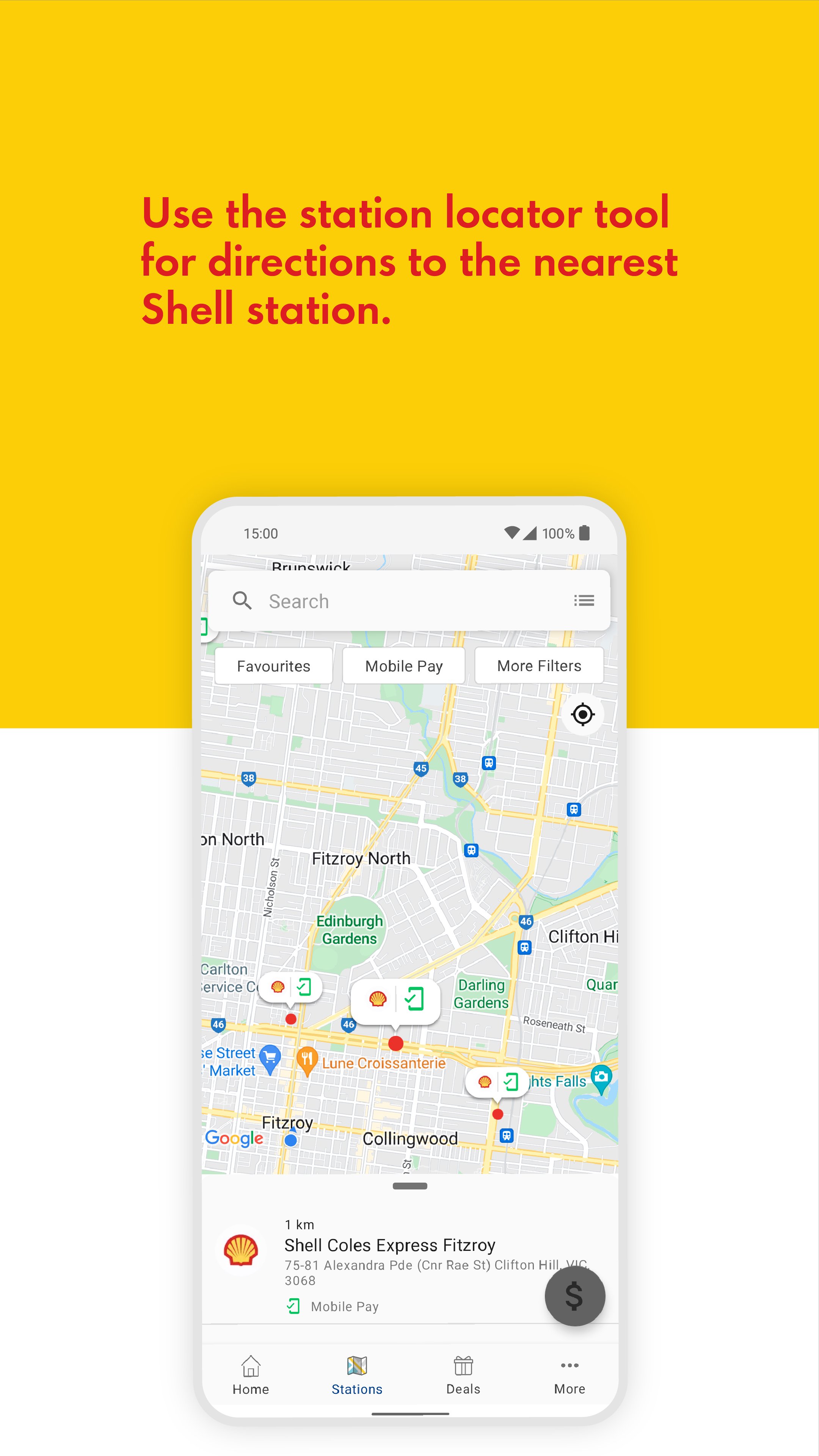
• Station locator tool gives directions to the nearest Shell station along with highlighting services available and operating hours.
• In-app transaction history allows for quick referencing
• Sales dockets are emailed for additional fleet management
Using the app for contactless payment is easy but with instructions that differ between Shell Reddy Express and Non-Shell Reddy Express.
Shell Reddy Express Service Stations
- Refuel as normal, leaving your mobile phone in your vehicle, return to your vehicle and open the app homepage.
- Ensure the correct Shell Reddy Express is selected and it accepts mobile payment.
- Tap on “Pay at Pump”.
- Follow the prompts: Select the pump number and confirm the transaction. Select which Shell Card is to be used (if more than one). If required, enter the Odometer/Order Number.
- Wait for the app to finalise the transaction.
- Close the app and drive away.
Non-Shell Reddy Express Service Stations
- Remain in your vehicle to open the app.
- Ensure the correct service station is selected and it accepts mobile payment.
- Tap on “Pay at Pump”.
- Follow the prompts: Select the pump number and fuel type. Select which Shell Card is to be used (if more than one). If required, enter the Odometer/Order Number.
- Refuel as normal, leaving the mobile phone in your vehicle. Return to the vehicle and wait for the app to finalise the
transaction.
- Close the app and drive away.
Latest Version
2.1.1Uploaded by
Suleiman Mohamed
Requires Android
Android 8.0+
Category
Free Business AppContent Rating
Everyone
Report
Flag as inappropriateLast updated on Aug 1, 2024
This release includes minor bug fixes and general improvements. Update to the latest version for the best experience.




APKPure - A multi-platform app store primarily focused on Android, providing extensive app-related content. Discover the app you want easier, faster, and safer, with quick and efficient downloads and installations.