Package Name:com.app.securekeyboard
SHA-256:8165ea0c321e86dce517f1f6671f20adf4605bcd6e0f740b5450aea42563c698
Show More

- 100% offline — no network access, no data sent anywhere
- Built with zero trackers, ads, or analytics SDKs
- Keeps every keystroke on your device, never uploaded
- Smart Shift, Caps Lock, and intelligent Enter actions
- Long-press Delete removes text faster and smarter
- Long-press vowels for accented letters
- “.com” shortcut and symbol toggle for quick typing
- Lightweight, modern design with no background services
Secure Keyboard is a next-generation, privacy-centric keyboard built for people who value control over their data. Unlike typical keyboards that rely on the cloud, analytics, or hidden network connections, Secure Keyboard works entirely offline so your keystrokes never leave your device.
No internet. No trackers. No ads. Just typing fast, secure, and private.
Why It’s Different?
- No network permissions: it’s technically incapable of sending your data anywhere.
- Zero ads or analytics: no third-party SDKs, fingerprinting, or profiling.
- On-device intelligence: everything runs locally, with no cloud dependency.
- Designed for privacy: even common leak points like clipboard sniffing and background telemetry are avoided.
(Most keyboards rely on network access to “improve” suggestions but that often means your typing history is uploaded and analyzed. Secure Keyboard simply doesn’t connect at all.)
Features:
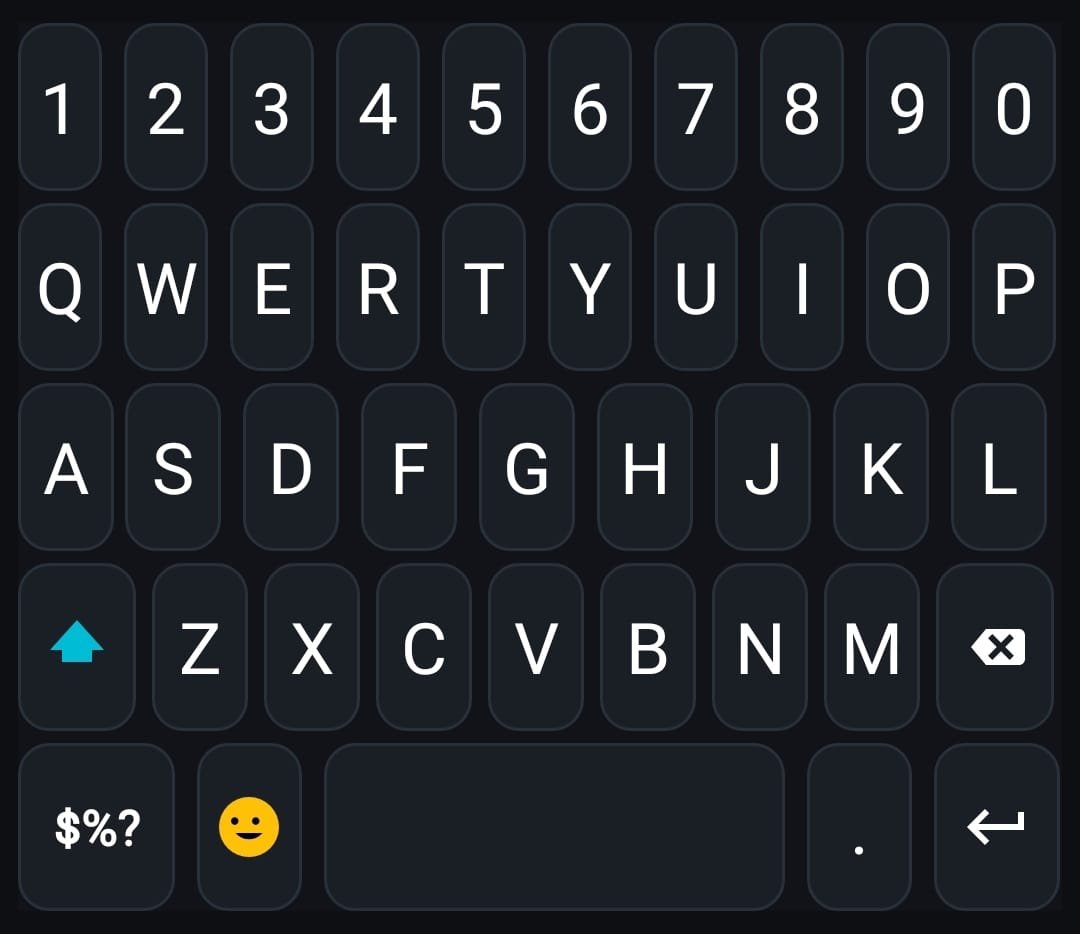
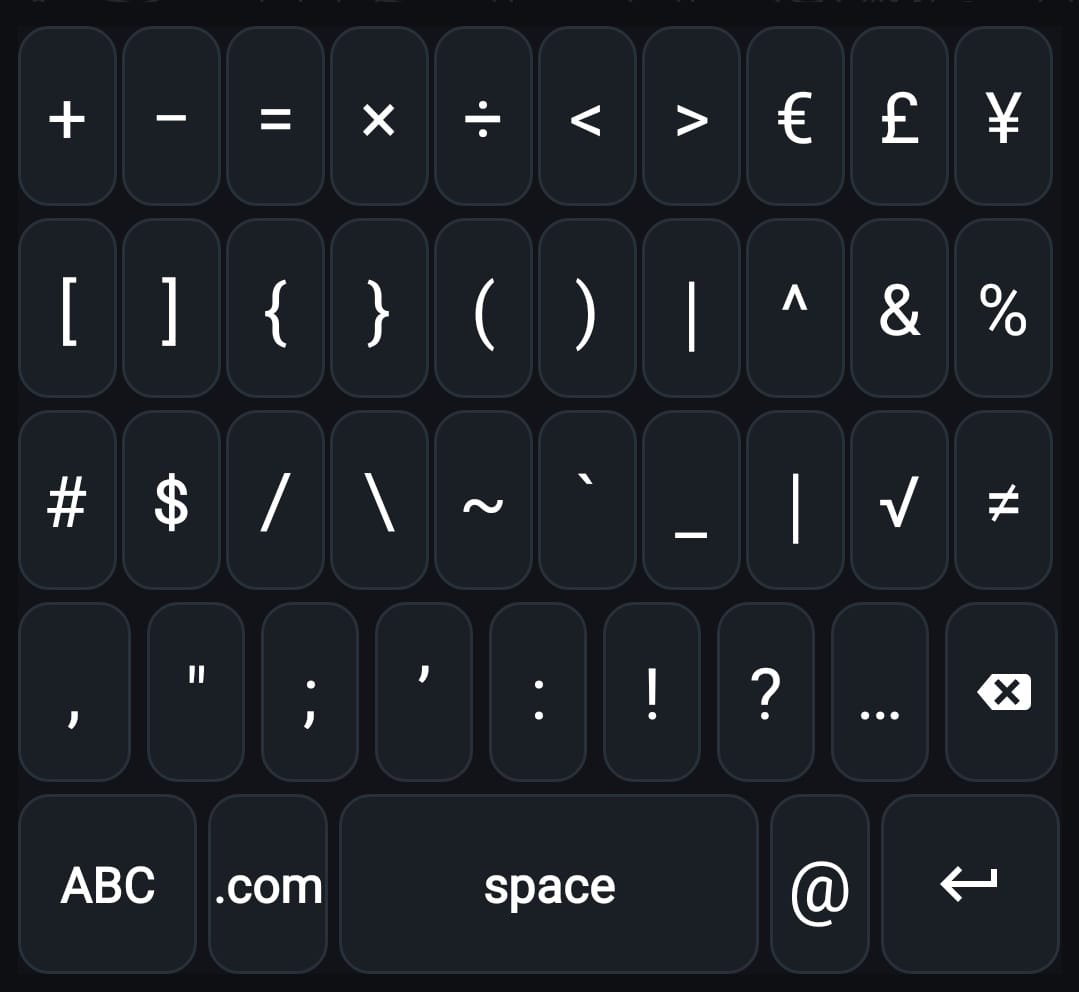
- Classic QWERTY layout with easy symbol toggle (ABC ↔ 123)
- Smart Shift: single-tap for uppercase next letter, double-tap for Caps Lock
- Smart Enter: auto-adjusts for Search, Go, Send, or Done actions
- Advanced Delete: long-press with acceleration or remove full selection instantly
- Handy “.com” shortcut for web and email use
- Modern UI: sleek dark theme, rounded keys, subtle tap feedback
Permissions & Data Safety:
- No internet, storage, contacts, or location access
- No data collection or sharing of any kind
- All keystrokes are processed locally and securely on your device
Tips for First-Time Users:
Enable the keyboard:
Settings → System → Languages & input → On-screen keyboard → Manage keyboards → Secure Keyboard
Quickly switch keyboards: tap the symbols or keyboard icon while typing.
Secure Keyboard isn’t about typing faster, it’s about typing safely.
Whether you’re entering passwords, writing private messages, or filling sensitive forms, your data stays yours, always on your device, never in the cloud.
💛 Enjoying SecureKeyboard? A 5-star review takes 10 seconds and means the world to a one man dev team.
It helps others find a keyboard that actually respects their privacy. Thank you!
Latest Version
1.0.7Uploaded by
Abdulla Alkordy
Requires Android
Android 8.0+
Category
Free Tools AppContent Rating
Everyone
Security Report
Check Now
Report
Flag as inappropriateLast updated on Apr 24, 2026
This update brings a brand new snappy delete button. Hold backspace and whole words vanish in a flash. The period (.) key now hides , ? ! behind a long-press, and every accented-letter key shows a subtle hint in the corner so you can actually spot the options at a glance and many more subtle changes.
Built solo with lots of late-night debugging. If Secure Keyboard has made your typing safer and more secure, please leave a 5-star review, it genuinely keeps a one-person dev team going. Thanks!





APKPure - A multi-platform app store primarily focused on Android, providing extensive app-related content. Discover the app you want easier, faster, and safer, with quick and efficient downloads and installations.