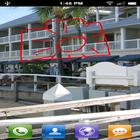
Simply use the camera button to take pictures of your screen.
Create a screenshot of your device and save to your sdcard.
You can share your screenshots easily within the app.
You can also have fun and mark things on the screenshot in the editor. Draw all over with an undo function.
This application doesn't need root.
No going to websites to download files to make this work...just a few seconds needed on PC. The app will do everything for you.
If you have root, it will be faster to load the module required to use app. Just a click of a button.
If you aren't rooted, then you will need to run a small PC program to enable the module on the device. Very easy and the app will do all the work for you. Just follow the directions. The app comes packaged with the program.
ALL YOU WILL NEED is the adb usb drivers for your device installed on PC.
You will have two options to get the program to PC. No visiting websites and clicking through navigation windows. You can transfer the file from phone to PC via wifi connection on a Windows 7 PC. Just enter your username and password (required) along with either your IP address/hostname of PC.
You can find hostname of PC by right clicking on My Computer and then Properties.
You can find IP address of computer by Start >> Run >> type "cmd" then in black window, type in ipconfig.
Still testing on different devices:
Droid X - works great rooted/unrooted
Droid Razr HD - (needs root otherwise the image shows all red)
Latest Version
1.0Uploaded by
อย่ากลัวอะไร ถ้าลมหายใจ เรายังมี
Requires Android
Android 2.2+
Category
Free Tools AppContent Rating
Unrated · Warning – content has not yet been rated. Unrated apps may potentially contain content appropriate for mature audiences only.
Report
Flag as inappropriateLast updated on Sep 27, 2015
Added the ability to shake the phone to take screenshots. Added for all phones but mainly for phones/devices missing a camera button. To enable this, just go to main app screen and click on the "Listen for shake button"
Notification will show. To disable, just click notification.
Added a secondary way to auto take screenshot if your device is having issues with properly get image. The secondary method is automatic but does require root.



APKPure - A multi-platform app store primarily focused on Android, providing extensive app-related content. Discover the app you want easier, faster, and safer, with quick and efficient downloads and installations.