Scan Date:Apr 6, 2026
Show More

Remote Desktop, Mouse, Keyboard & File Transfer
Turn your Android phone into a wireless controller for your PC or MacBook.
ScreenPad lets you remotely control your computer using Wi-Fi or USB tethering, acting as a mouse, keyboard, and touchpad — fast, simple, and free.
Control your Windows PC from your bed, sofa, or anywhere in your home with ease.
🔥 Key Features
• Remote desktop control for Windows 10 / 8 / 7 & MacOS
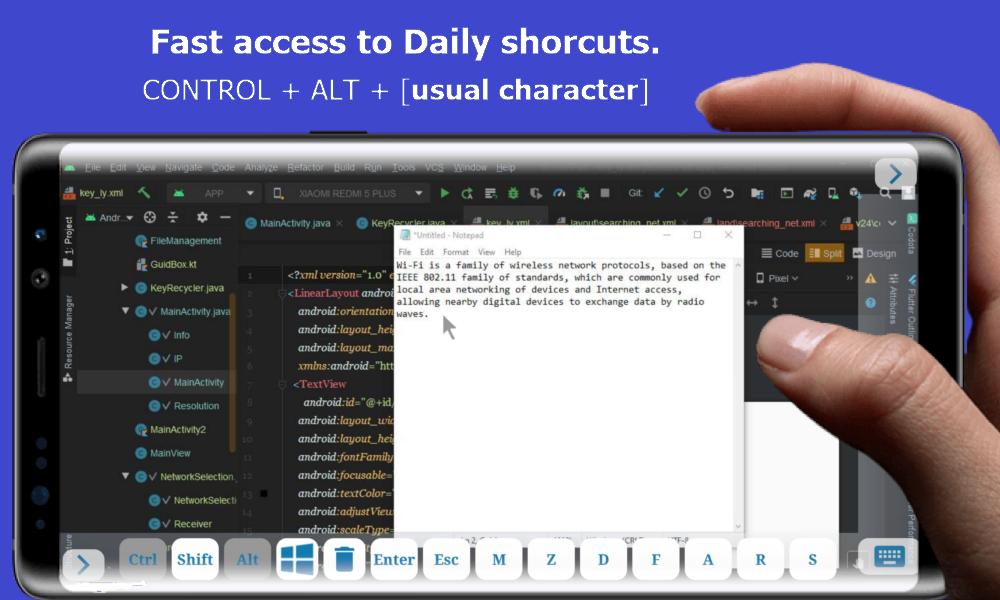
• Use your phone as a wireless mouse, keyboard & trackpad
• Screen casting & mirroring in real time
• File transfer between phone and PC
• Touch gestures – scroll, zoom, click, drag
• Quick shortcuts – copy, paste, brightness, volume
• System controls – Shutdown, Restart, Sleep, Screenshot
• 100% free – no subscription or hidden fees
⚡ Easy Setup (1 Minute)
1️⃣ Download the free Windows client
2️⃣ Run ScreenPad on your PC
3️⃣ Connect via Wi-Fi or USB tethering
4️⃣ Tap your PC name and start controlling
📱 Compatibility
• Windows 10 / 8 / 7
• Macbook
• Android phones & tablets
🌐 Windows Client & Privacy Policy:
https://screenpad.app/privacy
📩 Support:
fromamsoftwares@gmail.com
Latest Version
1.3.0Uploaded by
ธนพล พัฒนสำราญ
Requires Android
Android 6.0+
Category
Free Tools AppContent Rating
Everyone
Security Report
Report
Flag as inappropriateLast updated on Apr 6, 2026
✨ Control Windows from your Phone, Access Keyboard, Trackpad, Shortcuts.
✨ Change Logs
✔ Fixed known issues





APKPure - A multi-platform app store primarily focused on Android, providing extensive app-related content. Discover the app you want easier, faster, and safer, with quick and efficient downloads and installations.