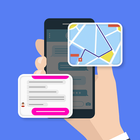
Want to use 2 apps on one screen? Want to split and enable your phone screen for multitasking?
Yes, then this Screen Splitter : Use 2 apps Quickly app is only for you.
If you want to work with Multi Window screen at the same time then you can easily do it using Split Screen Manager app. This app creates split screen shortcut on your phone screen, so you can use dual window for multitasking.
What all included in Split Screen Manager?
Firstly, Enable screen splitter service to enable to use app feature. You will get a floating Split Screen Shortcut on your screen. Tap on shortcut to use app in dual screen. You can change color of floating button, size and opacity. Enable and disable notification of Screen Splitter app. Easily enable 2 apps on one screen by long press on accessibility, back and home button. Change vibration setting or can off on long press on split screen shortcut.
Features of Split Screen Manager:
📱 Add floating button on the home screen
📱 Resize floating button and change opacity
📱 Customize the foreground color and background color of the floating button
📱 Phone vibrates on activate or deactivate the split-screen
📱 Split the screen in dual screen
📱 Simple and easy app
📱 No internet required for app
📱 Free App
.....Download this app and use dual window for multitasking.....