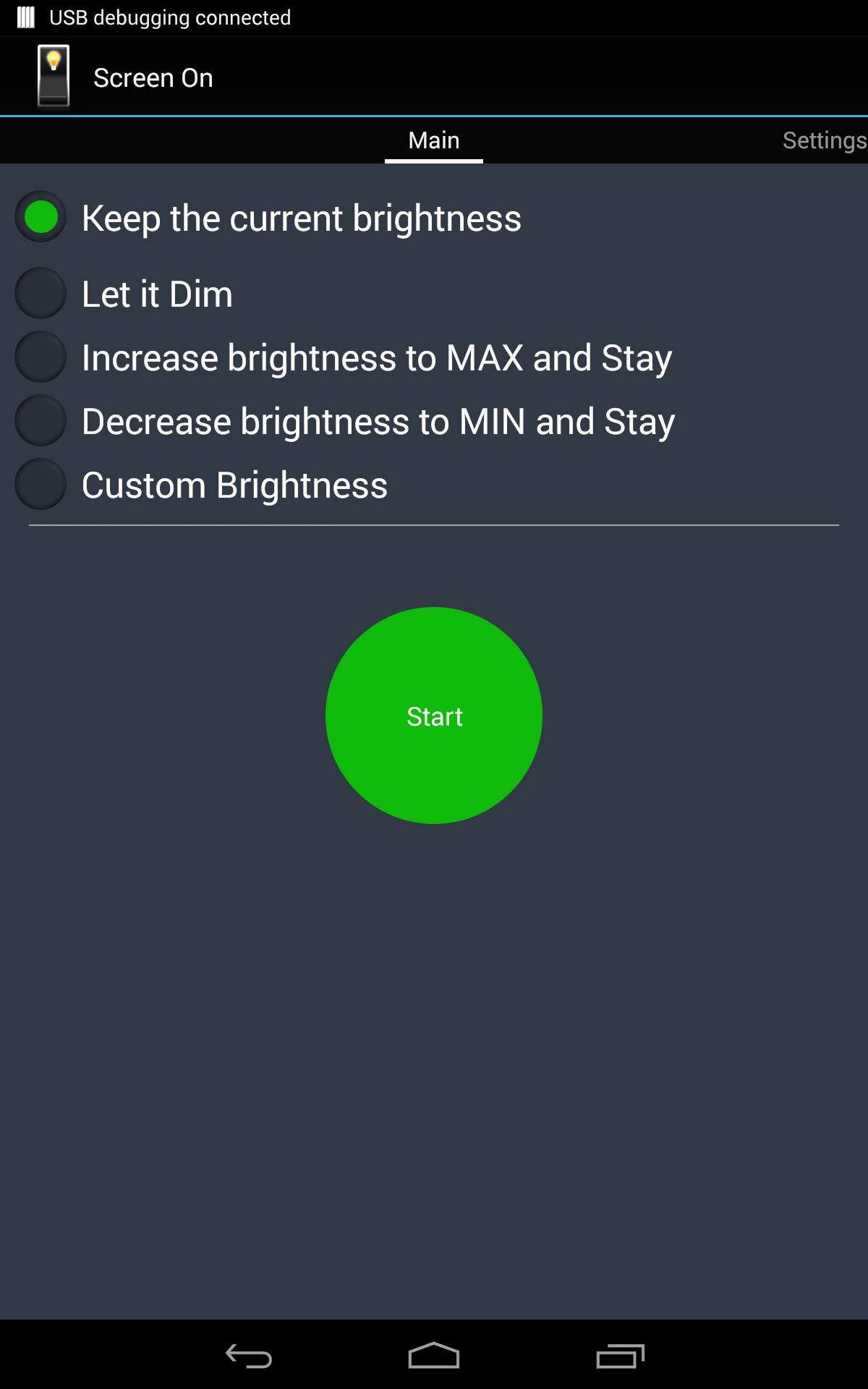
Screen on allows you to keep the screen ON with five options to adjust the brightness preventing the screen to lock and to keep the screen awake . You can set your screen timeout with these five options:
1) Keep the current brightness (Don't dim)
2) Allow to Dim
Allows the screen to dim but will not allow it to lock.
3) Increase brightness to MAX
4) Decrease brightness to MIN
5) Set the custom brightness
These useful options can be used to dim the screen or keep screen with your desired screen brightness. Allowing it to dim would enable you to reduce the screen backlight but restore to full with a simple touch.
Supports Landscape mode and Android 5.0 (Lollipop)
New Features:
1. Stop from Notification bar:
You can stop by clicking the "Stop" button in the notification, no more opening the app.
2. Always show Notification:
This option will always show the notification and allows you to START and STOP without opening the app. It currently picks up the last used option or the first option.
3. Start on Boot:
Selecting this option will automatically launch this app and apply the affect without even starting the app.
4. Start on USB:
This option will auto launch the selected option and disable immediately after disconnecting the device from USB. This is very helpful, especially for the developers.
Thank you for your valuable suggestions.Keep on your screen
As usual, NO ADS!!!
Latest Version
1.2.4Uploaded by
Eneo Duraj
Requires Android
Android 2.3.2+
Category
Free Tools AppContent Rating
Everyone
Report
Flag as inappropriateLast updated on Aug 2, 2015
What's New:
- Remembers previously selected setting
- Analyzing and debugging several bug crashes
- Readily usable on Android 5.0 (Lollipop)
Recent Updates:
- Changing to Default device font as per many requests
- Added Stop timer
- Fixed UI Bug with overlapping text





APKPure - A multi-platform app store primarily focused on Android, providing extensive app-related content. Discover the app you want easier, faster, and safer, with quick and efficient downloads and installations.