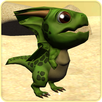
How to set the live wallpaper:
1. In the phone settings: Menu - Settings - Display (LCD) - Wallpaper - Live Wallpaper (Interactive wallpaper) - select needed, we press Install (Apply/Set)
2. or on the home screen: Long press - Wallpaper - Live Wallpaper - select needed (swipe left), we press Install (Apply/Set)
If incorrectly displays the contents of the Wallpaper:
1. Remove the Live Wallpaper
2. Reinstall the Live Wallpaper
Brief Introduction:
Notice:
> This app specially designed for Android devices. The core - Unity engine .
> Live Wallpaper available for phones with android version 4.0.3 and later.
Thank you for your continued support! Feel free to contact us if you have any problems or suggestions
E-mail: 2ezlwp@gmail.com
Latest Version
1.0Uploaded by
Brian Duarte
Requires Android
Android 4.0.3+
Category
Free Personalization AppContent Rating
Everyone
Report
Flag as inappropriateLast updated on Oct 15, 2016
Minor bug fixes and improvements. Install or update to the newest version to check it out!



APKPure - A multi-platform app store primarily focused on Android, providing extensive app-related content. Discover the app you want easier, faster, and safer, with quick and efficient downloads and installations.