
Keep your notes safe with SafeNote!
No connection is required.
*************************************************
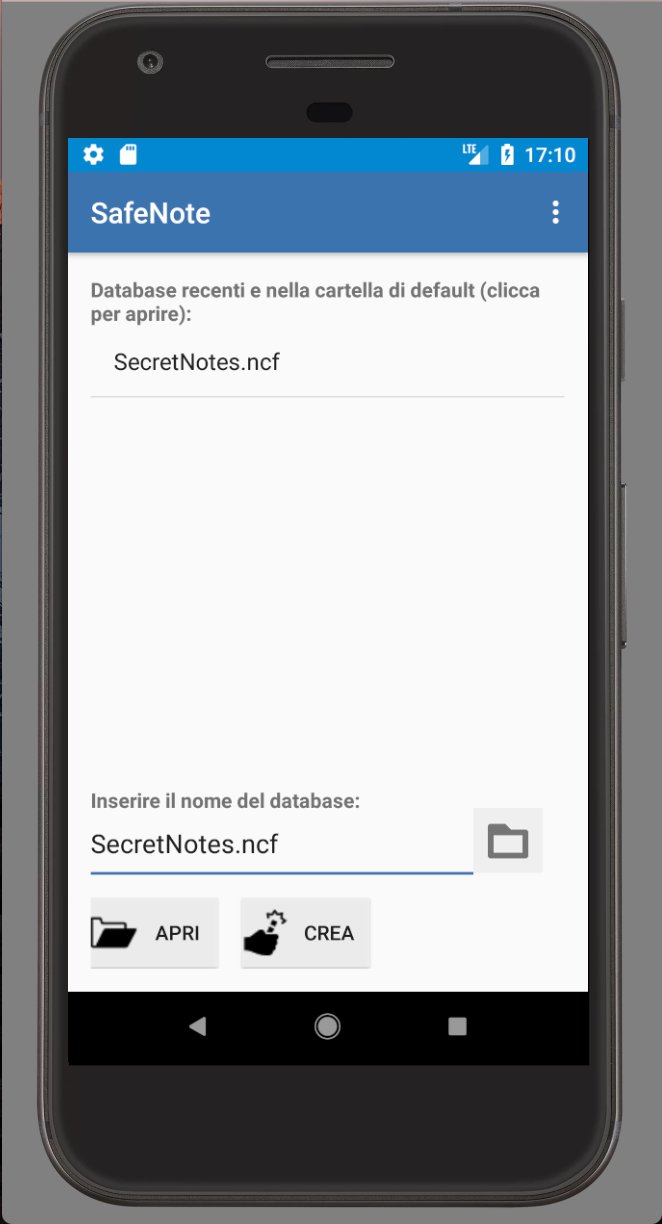
At the first start, select the database name and press the Create button.
After choosing a password, you can open the database by pressing the Open button.
*************************************************
SafeNote allows:
• Create different databases (files) encrypted with a password.
• You can insert new notes to a database by choosing for each of them: title, any tags, note text.
• Filter the list of notes by tag.
• Mark the notes as important by pressing the star icon.
• Change the display order of the list of notes in a database based on alphabetical order or date of creation.
• Change password to an existing database.
• The database is encrypted with 128-bit AES, using cipher-block chaining (CBC), PKCS5Padding and a random IV generated at each save.
For the KDF a salt random and PBKDF2WithHmacSHA1 was used.
• Automatic creation of a hidden backup database to prevent data loss in case of errors during saving (saved with the name "database name")
• Automatic closing of the database, after 5 minutes, if the user has not done so (eg exit from SafeNote with the home button) and if the application currently in use is not SafeNote. By doing so the next time you reopen the password will be required to read your notes.
• Ability to search through your own notes.
If you forget the chosen password, the notes will be inaccessible.
The default databases will be saved in the SafeNote folder located on the external memory of your phone (eg /storage/emulated/0/SafeNote)
Tell your friends about SafeNote (share the app)
Latest Version
1.03Requires Android
4.1 and up
Category
Free Tools AppContent Rating
Everyone
Report
Flag as inappropriateLast updated on Dec 14, 2017
Minor bug fixes and improvements. Install or update to the newest version to check it out!




APKPure - A multi-platform app store primarily focused on Android, providing extensive app-related content. Discover the app you want easier, faster, and safer, with quick and efficient downloads and installations.





![Text Scanner [OCR] APK](https://image.winudf.com/v2/image1/Y29tLnBlYWNlLlRleHRTY2FubmVyX2ljb25fMTU2MjQ4NTkyMl8wNDg/icon.png?w=102&fakeurl=1)









