
S Launcher suits users who want a familiar Samsung style layout without changing phones. It focuses on smooth Galaxy like visuals and straightforward personalization for everyday use. You can shape your home experience to match your habits while the interface stays responsive across typical Android devices. In addition, the design keeps familiar navigation patterns so the switch feels natural. Whether you prefer a compact setup or a fuller layout, the controls stay simple in S Launcher APK.
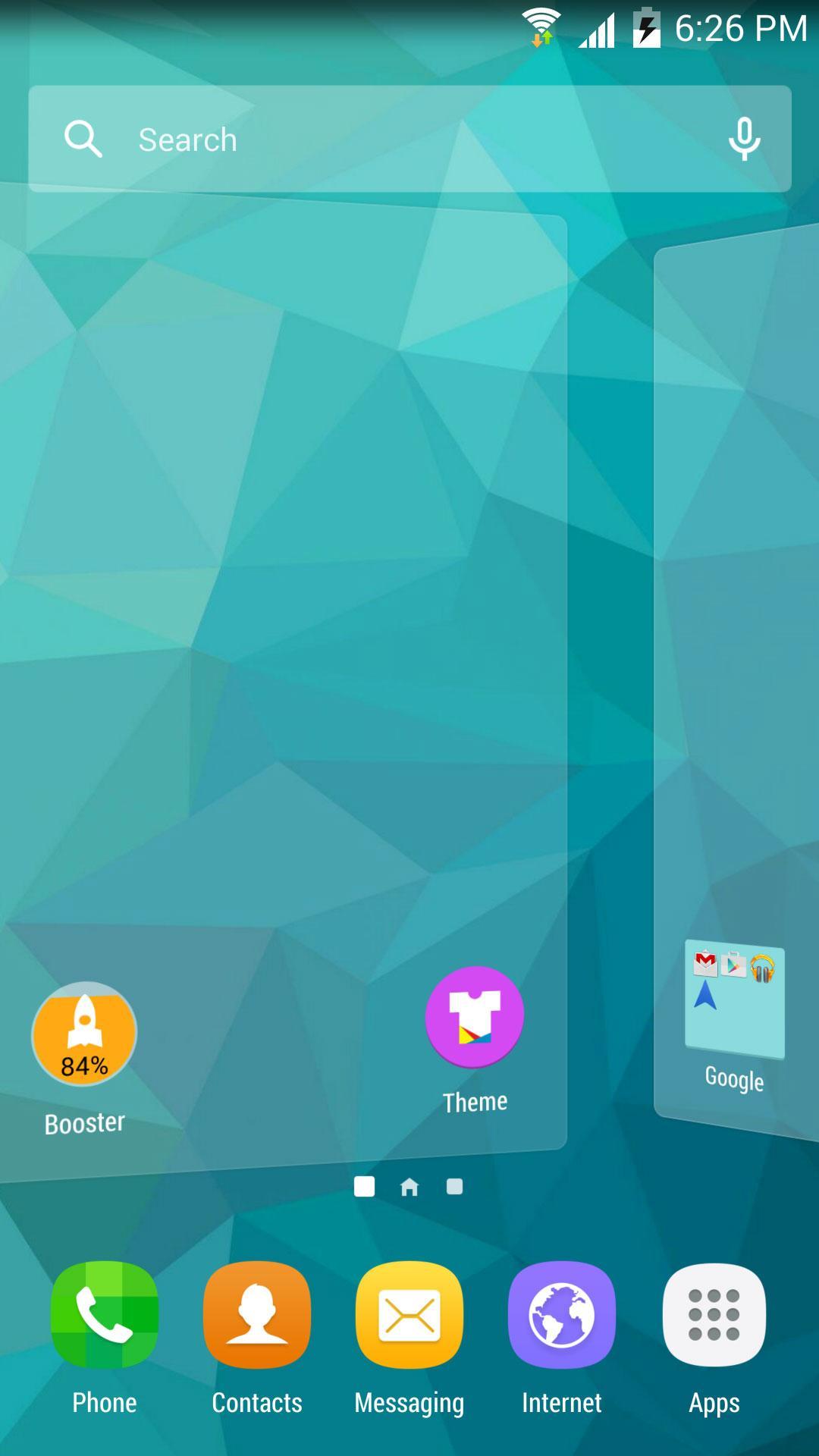
S Launcher replicates Galaxy S7 TouchWiz icons, animations, and scrolling effects to create a Samsung like layout. Visual transitions are consistent, so moving between screens feels predictable. Where supported, translucent status and navigation bars blend with wallpapers for a unified look.
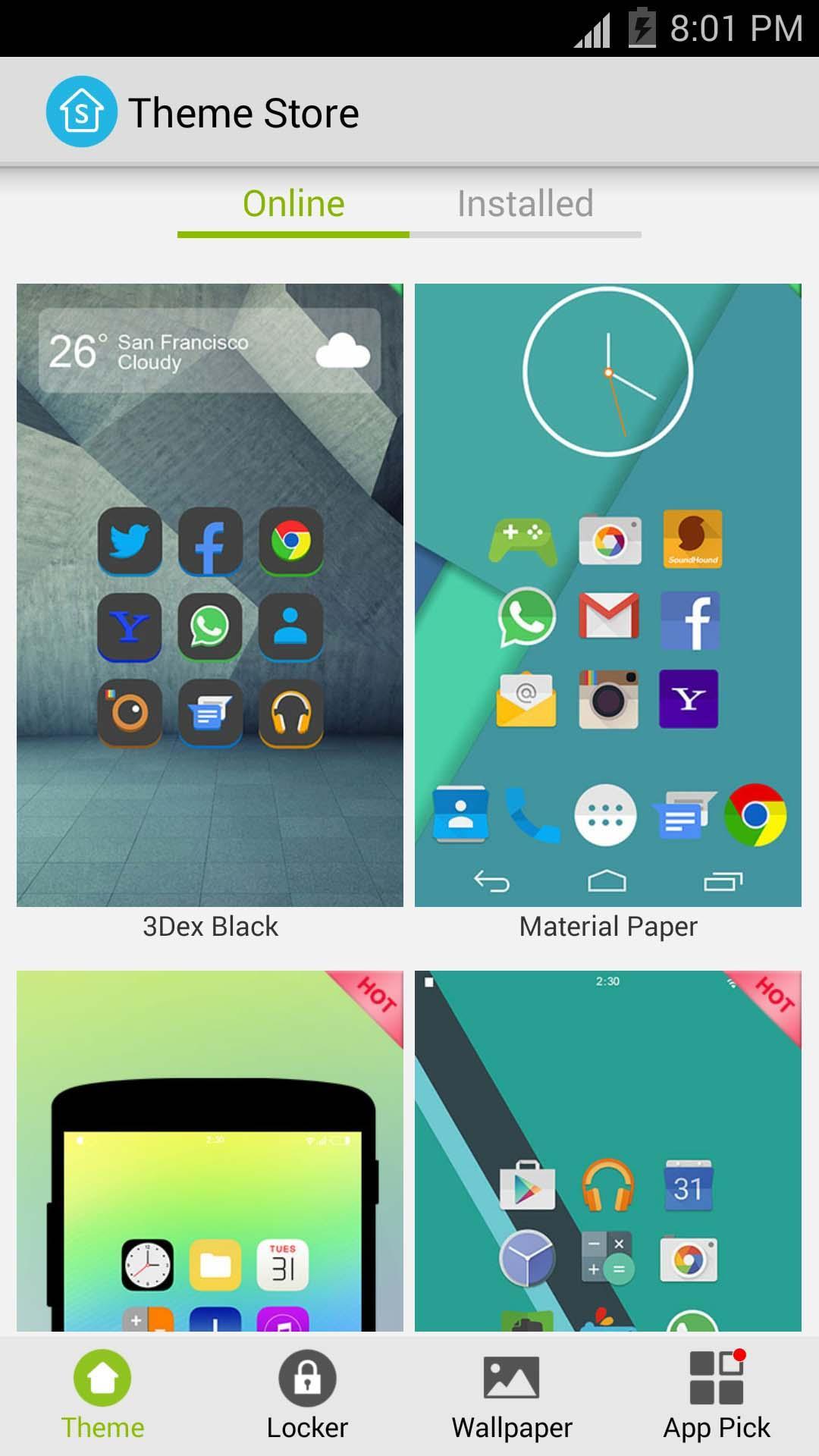
Icon packs and individual editsYou can apply thousands of icon packs that follow common formats to refresh app icons in one step. When a single app needs a different look, individual icons can be changed or labels adjusted. This approach helps align mismatched icons with the rest of your theme.
Flexible desktop, dock, drawer, and foldersS Launcher lets you change grid sizes, text size and color, and whether labels or status elements are shown. You can enable infinite scrolling and wallpaper scrolling to move through pages your way. Widgets can be resized to fit a compact grid or a wide layout, and folders help keep related apps organized.
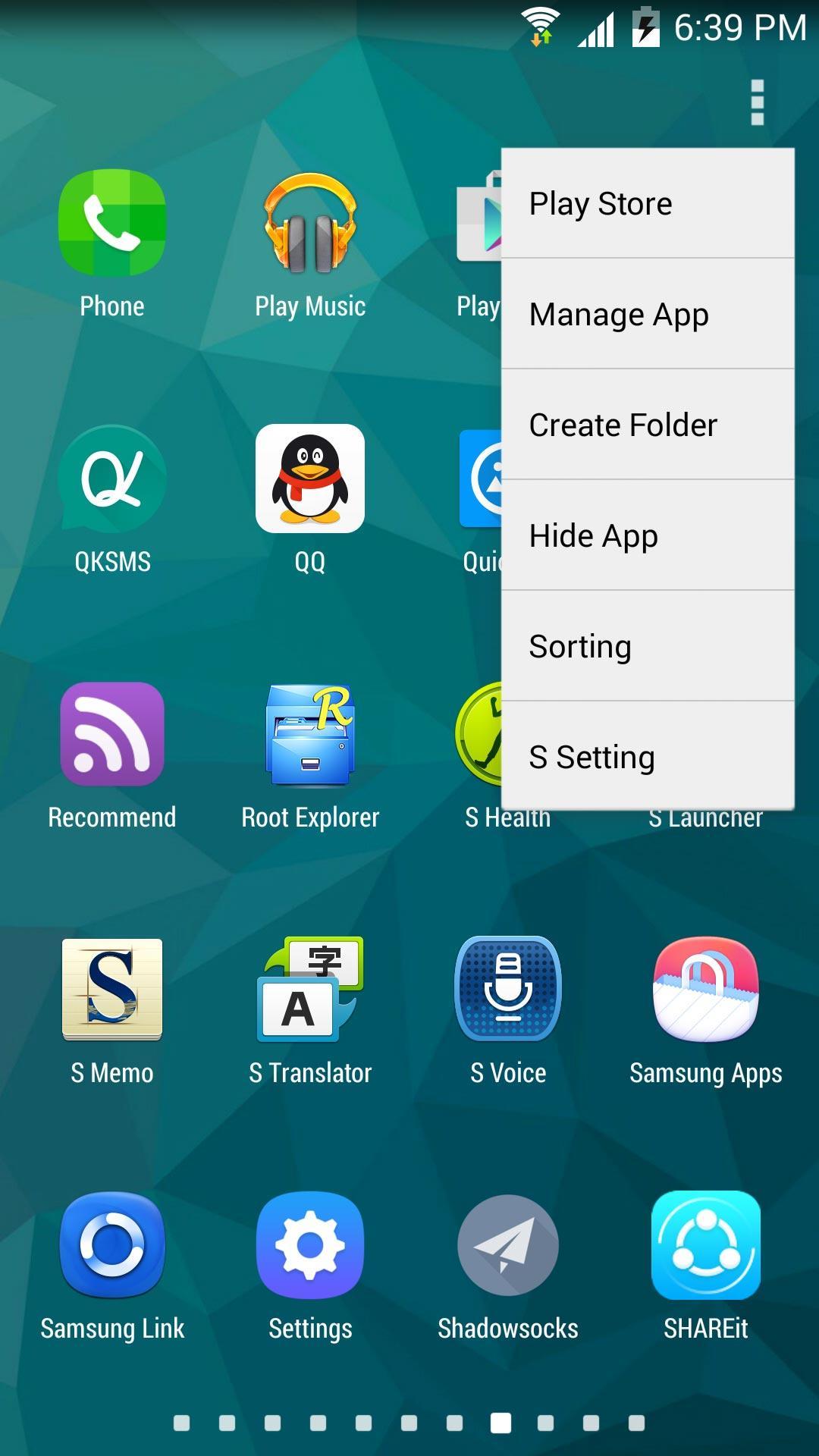
App drawer options and transparencyThe app drawer includes menu choices to manage how apps appear and open. You can pick from several sorting methods to list apps by name or by recent additions. Background transparency can be adjusted so the drawer either stands out or blends with the home screen.
Utilities and data managementA sidebar provides access to Cleaner, Torch, and favorite apps to speed up routine actions. For layout safety, backup and restore saves your setup, and import tools bring layouts from other launchers into S Launcher. This combination helps you change designs and revert when needed without losing your structure.
Samsung, Galaxy S, and TouchWiz are registered trademarks of Samsung Electronics. S Launcher is developed by KK App Team and is not affiliated with or endorsed by Samsung Electronics. Names are used only to describe style and compatibility.
If you are moving from another launcher, S Launcher supports importing layouts to reduce setup time. Many popular icon packs use common formats that work here, which helps keep your current look. Some elements may need a quick check after import, such as folder names or a few icons. Creating a backup before large changes is recommended so you can restore your previous layout if needed.
S Launcher is based on the Android Lollipop launcher and is enhanced to deliver a Galaxy S7 style experience. Certain visual effects, such as translucent system bars, depend on device capabilities and may vary. Core navigation remains familiar, so users can adjust settings without relearning basic actions.
After you download S Launcher, setup is straightforward. The steps below cover setting it as default and adjusting common settings for a daily layout.
S Launcher provides a Galaxy inspired interface with practical controls, icon pack support, and dependable backup options. For the most stable setup, consider using the S Launcher latest version when configuring your home screen.
Latest Version
4.4Uploaded by
Jairon Diaz
Requires Android
Android 4.0+
Category
Free Personalization AppContent Rating
Everyone
Report
Flag as inappropriateLast updated on Feb 20, 2017
❤ S Launcher bring you the Best & Enhanced Galaxy S7 experience !
v4.4 update(2017-2-20):
1. Optimize theme support
2. Add many new cool themes, enjoy!
3. Fix bugs
v4.3:
1. Optimize drawer recent apps
2. Optimize memory booster
v4.1:
1. Update default theme to S7 icons
v4.0:
1. Optimize a-z sidebar in drawer
2. Optimize UI details
v3.99:
1. Optimize app loading speed
❤ If you like S Launcher, please rate us and help to recommend S Launcher to your friends, thanks a lot






APKPure - A multi-platform app store primarily focused on Android, providing extensive app-related content. Discover the app you want easier, faster, and safer, with quick and efficient downloads and installations.