Package Name:com.watchfacestudio.rugged_digital
SHA-256:5f33eedd869ea23b657049b03e8b40446ede66011204faa9d633d170c4f3ae7c
Show More
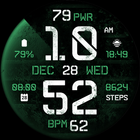
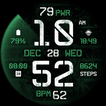
Digital, tactical & highly customizable watch face.
Powered by Watch Face Format - offering expanded customization options and useful features!
Made only for devices running Wear OS 5.0 and newer versions (API 34+)
Please install only to your watch device.
Phone companion app serves only to help direct installation to your watch device.
Buy-One-Get-One PROMOTION
https://www.enkeidesignstudio.com/bogo-promotion
FEATURES:
- Digital clock - 12h/24h
- TAP to open hidden Custom app shortcuts
- "PWR" Watch battery %
- TAP to open Battery info
- Month, Date & Weekday - Multi-language
- TAP to open Calendar
- "BPM" Heart rate (Measures automatically)
- TAP to open BPM info
- 4 Customizable short-text indicators
- Battery by default
- Sunrise/Sunset by default
- Next event by default
- Steps by default
- 2 Customizable app shortcuts
- Hidden behind "Hours" and "Minutes"
- Battery efficient & customizable AOD
- Uses just 6% - 9% active pixels
- Long-press to access Customize menu:
- Color - 25 color options
- Seconds Opacity - 6 brightness levels
- Complications
- 4 Custom indicators
- 2 Custom app shortcuts
INSTALLATION TIPS:
https://www.enkeidesignstudio.com/how-to-install
CONTACT:
info@enkeidesignstudio.com
E-mail us for any questions, issues or general feedback. We're here for you!
Customer satisfaction is our main priority, we make sure to respond to each e-mail within 24 hours.
More watch faces:
https://play.google.com/store/apps/dev?id=5744222018477253424
Website:
https://www.enkeidesignstudio.com
Social media:
https://www.facebook.com/enkei.design.studio
https://www.instagram.com/enkeidesign
Thank you for using our watch faces.
Have a great day!
Latest Version
Varies with deviceUploaded by
Erwin Roy Maloles
Requires Android
Category
Personalization AppContent Rating
Everyone
Security Report
Check Now
Report
Flag as inappropriateLast updated on Dec 18, 2022
Select only your watch device from the "INSTALL" drop-down list.
Alternatively, use our provided phone companion app to help you install the watch face, or use Play Store in a web browser.
Galaxy Watch 4/5 users - apply watch face from "Downloaded" section in Galaxy Wearable app after installation.
NOTE - If you see "Buy" button on your watch after purchasing, wait a few minutes, reopen Play Store apps or reboot & try again.
HELP/INFO: enkei.design.studio@gmail.com
Thank you!



APKPure - A multi-platform app store primarily focused on Android, providing extensive app-related content. Discover the app you want easier, faster, and safer, with quick and efficient downloads and installations.