


Используйте приложение APKPure
Историческую версию Splatoon 3 можно получить на Android
Скачайте приложение APKPure, чтобы получить последнее обновление Splatoon 3 и любого приложения на Android

 Предрегистрация
Получить APK в Telegram
Предрегистрация
Получить APK в Telegram
Splatoon 3 is a companion tool that brings your in-game stats and schedules to mobile.
Splatoon 3 supports SplatNet 3, the official companion found inside the Nintendo Switch Online app on Android. It helps when you want quick access to battle history, Salmon Run results, and upcoming stage rotations without turning on the console. You can check schedules before a session, see friends’ status, and claim exclusive rewards that carry over to your game. For users searching for Splatoon 3 APK, keep in mind the companion features live within the Nintendo Switch Online app rather than a standalone download.
Battle history and detailed stats
You can review recent matches at a glance and dig into detailed Splatoon 3 statistics on your phone. SplatNet 3 presents your wins, losses, weapon usage, and Salmon Run results in one place, so you can spot trends and make small adjustments between sessions. This saves time and keeps your progress visible even when away from the console.
Stage and rule rotations
Splatoon 3 shows current and upcoming stage schedules along with rule rotations for online multiplayer. Before you play, check what maps and modes are active and plan your loadout accordingly. This makes it easier to decide when to jump in and which strategies to prepare.
SplatNet shop and Ink Points
The SplatNet shop offers gear that is not always available in-game. You can spend Ink Points earned through play to claim items and bonuses, then pick them up later in your console game. This gives steady access to rotation-based gear without waiting at the in-game shops.
Special rewards and Splashtag banner
Linking SplatNet 3 grants exclusive rewards for Splatoon 3, including items like a Splashtag banner to personalize your profile. These extras appear in your in-game account after you connect through the Nintendo Switch Online app. It is a simple way to add a few cosmetic touches to your setup.
Friends status and home screen widgets
Within the Nintendo Switch app, you can see when friends are online and what they are playing. For faster access, add Splatoon 3 widgets to your phone’s home screen to view schedules or stats without opening the app. This keeps key information available with a quick glance.
SplatNet 3 is not a standalone download. It lives inside the Nintendo Switch Online smartphone app on Android. Open the Nintendo Switch Online app and choose Splatoon 3 to enter the SplatNet 3 section. Availability of the app and certain features may vary by region.
Features in SplatNet 3 require an active Nintendo Switch Online membership. A Nintendo Account and a linked Splatoon 3 save on your console are needed to sync stats, claim SplatNet shop gear, and receive special rewards. Without membership, companion features will not function as described.
To make the most of Splatoon 3 latest version, use the companion inside the Nintendo Switch Online app on your Android phone. The steps below outline how to reach SplatNet 3 and start tracking your activity between play sessions.
Install the Nintendo Switch Online app on your Android device and sign in with your Nintendo Account.
Open the app, scroll to Compatible Games, and select Splatoon 3 to enter the SplatNet 3 companion.
Link your account and connect your console profile if prompted, then confirm your game data appears in SplatNet 3.
Check the tabs to view battle history, Salmon Run results, and upcoming stages with rule rotations before your next match.
Visit the SplatNet shop to spend Ink Points on gear and add a home screen widget for quick stats or schedule views.
SplatNet 3 keeps Splatoon 3 stats, schedules, and rewards within easy reach on mobile. Access the companion inside the Nintendo Switch Online app to plan matches and manage gear between sessions. Before you download Splatoon 3 content for mobile use, remember that an active Nintendo Switch Online membership is required for full functionality.


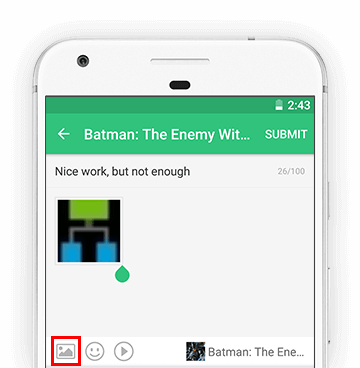
Note: Adding images to post feature is only available for APKPure AppStore App. APKPure can support the following image types: GIF, JPEG, PNG, WebP, etc.

APKPure - Мультиплатформенный магазин приложений, в основном ориентированный на Android, предоставляющий обширный контент, связанный с приложениями. Находите нужные приложения проще, быстрее и безопаснее, с быстрой и эффективной загрузкой и установкой.

