The RSE REMOTE App allows you to remotely control the RSE using your smartphone. (RSE: Motrex's Rear Seat Entertainment)
*RSE REMOTE must be needed RSE hardware device.
Use the RSE REMOTE App to connect the RSE to your smartphone to conveniently operate the USB, DVD, and Audio features from the front passenger seat.
RSE REMOTE App is used to control the following.
1. RSE Power
2. RSE Audio
3. RSE DVD Player
4. RSE USB MEDIA Player
5. RSE HDMI Settings
6. RSE AV-In Settings
Setting up the RSE REMOTE App
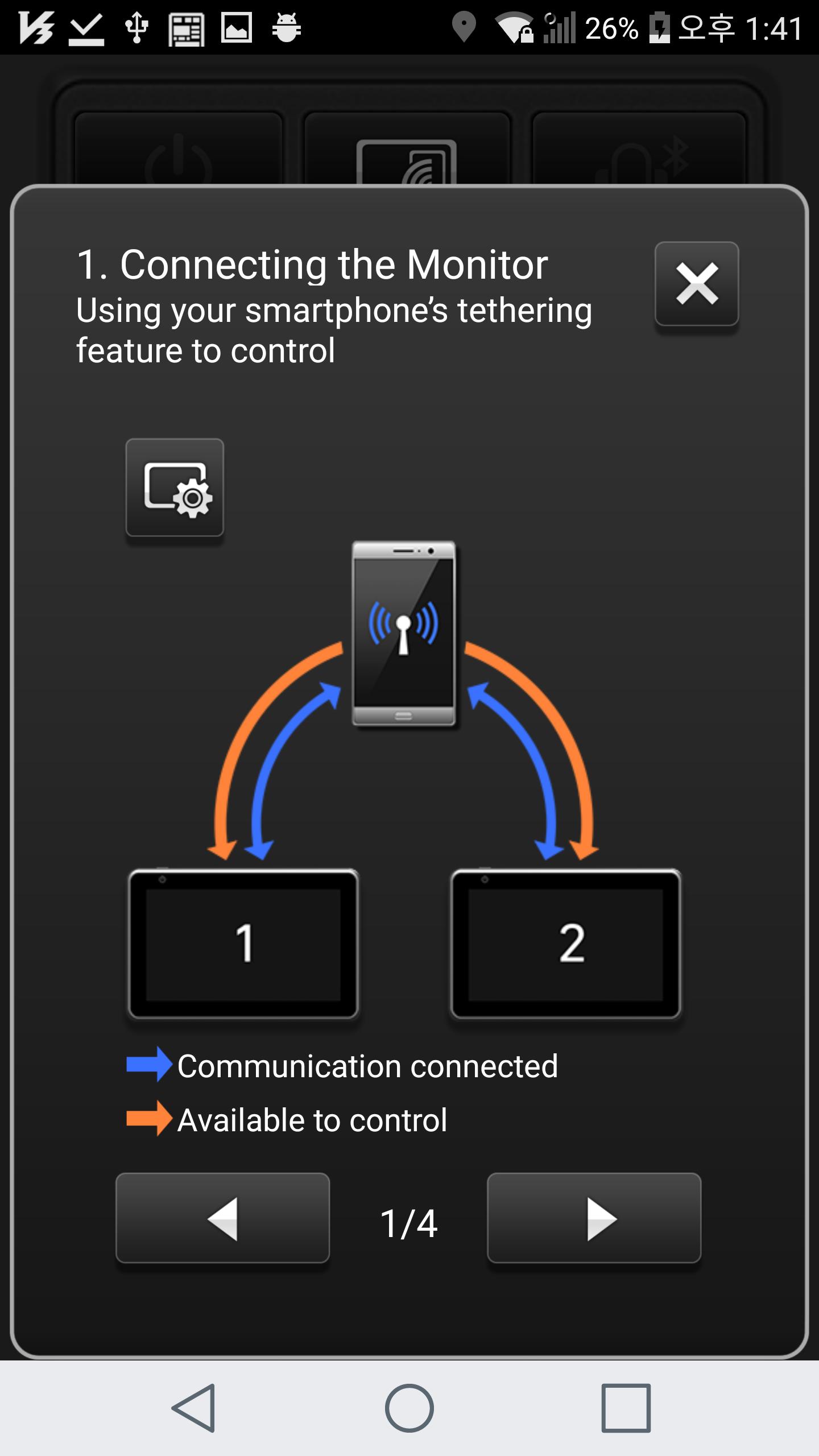
Connect the RSE with your smartphone using the smartphone Hotspot or Wi-Fi.
1. Turn on the smartphone Hotspot.
2. After connecting the RSE with your smartphone, use the Search feature from the RSE REMOTE App features to conduct a search.
3. When seat setup is displayed in the RSE (displayed only once), select L/R according to seat position and press Search once more.
4. RSEs available for connection are shown with white L/R buttons while already-connected RSEs are shown in orange.
Latest Version
Ver. 1.7Uploaded by
Maicon Andrade
Requires Android
Android 4.3+
Category
Free Auto & Vehicles AppContent Rating
Everyone
Report
Flag as inappropriateLast updated on Jun 4, 2023
Improve RSE connection.
Change SDK version to 32.





APKPure - A multi-platform app store primarily focused on Android, providing extensive app-related content. Discover the app you want easier, faster, and safer, with quick and efficient downloads and installations.