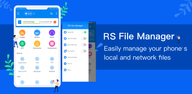
RS File Manager helps when storage feels cluttered or files are scattered across phone, SD card, and network locations. It brings your folders into one place so you can browse, sort, and keep things tidy with less effort. The layout is simple to scan on a phone screen, and gestures make everyday actions quick. RS File Manager APK supports recent Android versions and common storage types, so you can switch between local and remote folders without jumping between apps.
Storage overview and large file finder
RS File Manager gives you a clear view of storage use. Disk analysis highlights large files, recent items, and folder sizes so you can decide what to keep or remove. Categories group media and documents for quick checks. This helps free space without digging through every folder.
Local, cloud, and network access
Once you understand your storage, you can connect to files wherever they are. Browse local memory, SD cards, and USB OTG. RS File Manager also connects to cloud drives and network shares with support for protocols like FTP, SFTP, FTPS, WebDAV, and SMB. Access from a computer on the same network is available, which makes moving folders between phone and PC straightforward.
Essential tools for daily file work
With access set up, you can handle daily tasks quickly. Use multiple select to cut, copy, move, create, delete, or rename items. Search finds files fast. Compress and extract Zip, Rar, and 7zip. Thumbnails help preview media. You can also view APK packages as Zip and share through Bluetooth or email. Bookmarks keep go to folders handy.
Encryption and advanced controls
Protect sensitive content with 128 bit file encryption. Favorites keep frequent folders close at hand. For advanced users on rooted devices, a root explorer is included. Once you download RS File Manager, you can apply these controls to specific files or directories as needed.
RS File Manager brings storage from local, network, and cloud locations into one place with tools for analysis, transfer, and protection. It suits users who handle many documents, media, or downloads on Android and need reliable control. Install the RS File Manager latest version to get the newest compatibility and improvements.
Latest Version
2.3.1.3Uploaded by
Ricardo Soares
Requires Android
Android 9.0+
Category
Free Productivity AppContent Rating
Everyone
Report
Flag as inappropriateLast updated on Sep 27, 2026
1. Optimize performance
2. Fix bugs



APKPure - A multi-platform app store primarily focused on Android, providing extensive app-related content. Discover the app you want easier, faster, and safer, with quick and efficient downloads and installations.