

ReVanced Manager provides a solution for users who want to customize the functionality of their favorite applications. It continues the work of the Vanced project by offering a tool to apply patches that can add features or change how an app behaves. For example, you can use it to introduce new capabilities to media apps or remove elements you find unnecessary. The entire process is managed within the app, guiding you from start to finish without needing a computer. To get started, you can download ReVanced Manager and begin exploring its modification tools.
On-Device Patching
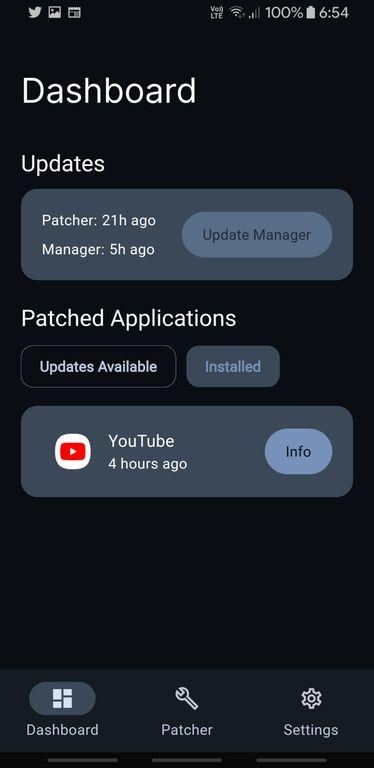
One of the main functions of ReVanced Manager is its ability to patch applications directly on your Android phone. This eliminates the need for a PC or complex development tools, making the modification process accessible to more users. You can manage the entire workflow, from selecting a target app to applying changes, all within a single interface on your device.
Modular Patch Selection
The application offers a high degree of control through its modular patch system. Instead of applying a fixed set of changes, you can pick and choose exactly which modifications you want to implement. This allows for personalized customization, such as enabling background playback in a media app, blocking sponsored segments, or removing advertisements, based on your specific preferences.
End-to-End App Management
ReVanced Manager is designed to simplify what can otherwise be a technical process. It handles all the necessary steps for you, starting with helping you select the correct original APK file for the app you wish to modify. From there, it manages the patching process, builds the new modified version, and assists with its installation, creating a streamlined experience from beginning to end.
Open-Source and Community-Driven
As an open-source project, the application is built on transparency and collaboration. Its code is publicly available, and it benefits from contributions from a global community of developers and users. This community-driven approach helps ensure the project remains up-to-date and responsive to user needs, carrying on the spirit of the original Vanced initiative.
It is important to understand that ReVanced Manager operates on a strict do-it-yourself (DIY) model. The tool itself does not contain or distribute any pre-patched applications. Instead, it provides the framework for you to modify apps yourself. Users are responsible for obtaining the original, unmodified APK file of the application they intend to patch from a reliable source.
This approach places you in full control of the modification process, ensuring you know exactly what changes are being made to your apps. Because the tool is designed for a wide range of applications and versions, compatibility can vary. The ReVanced Manager APK helps you apply patches, but success often depends on using the correct version of the target app.
Since ReVanced Manager is a community-driven project, official support and information are primarily found in its community channels. If you encounter issues or have questions about which apps and versions are supported, the official GitHub page is the central hub for development and detailed documentation. Additionally, the project's subreddit is an active resource where you can find guides, ask for help, and share experiences with other users.
To begin customizing your apps, you will first need to download the ReVanced Manager latest version and have the original APK file of the app you want to modify ready on your device. The manager will then guide you through the following steps to create a patched version.
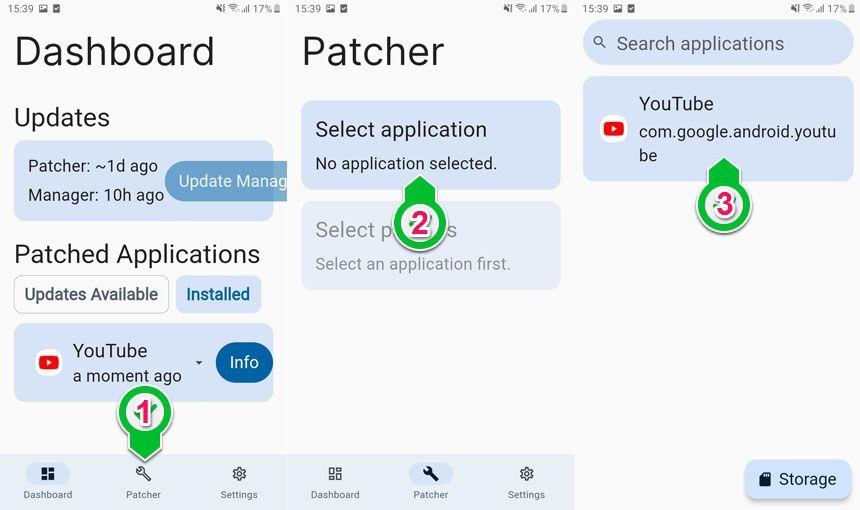
Open the manager and navigate to the "Patcher" tab. You will see a list of suggested patches available for different applications.
Tap "Select an application" and choose the app you wish to modify from the list of installed apps or by selecting an APK file from your device's storage.
Once you have selected an app, the manager will show you a list of available patches. You can tap on each patch to learn what it does.
Select the specific patches you want to apply by checking the boxes next to them. This allows you to tailor the modifications to your exact needs.
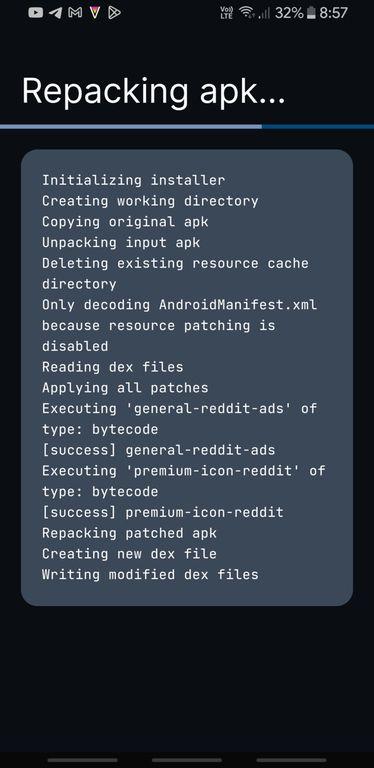
After choosing your patches, tap the "Patch" button. The manager will begin the process of building the new, modified APK file. Once it's finished, you can install it.
ReVanced Manager offers a powerful yet user-friendly way to take control of your app experience by applying custom modifications. It gives you the tools to add desired features and remove unwanted ones, all from your Android device. If you are ready to explore these capabilities, just download ReVanced Manager APK latest version from APKPure.
Latest Version
2.7.0-dev.9Uploaded by
ReVancedTeam
Requires Android
Android 8.0+
Available on
ReVanced Manager
Category
Free Tools AppReport
Flag as inappropriateLast updated on Jul 20, 2026
This release includes minor bug fixes and general improvements. Update to the latest version for the best experience.




APKPure - A multi-platform app store primarily focused on Android, providing extensive app-related content. Discover the app you want easier, faster, and safer, with quick and efficient downloads and installations.