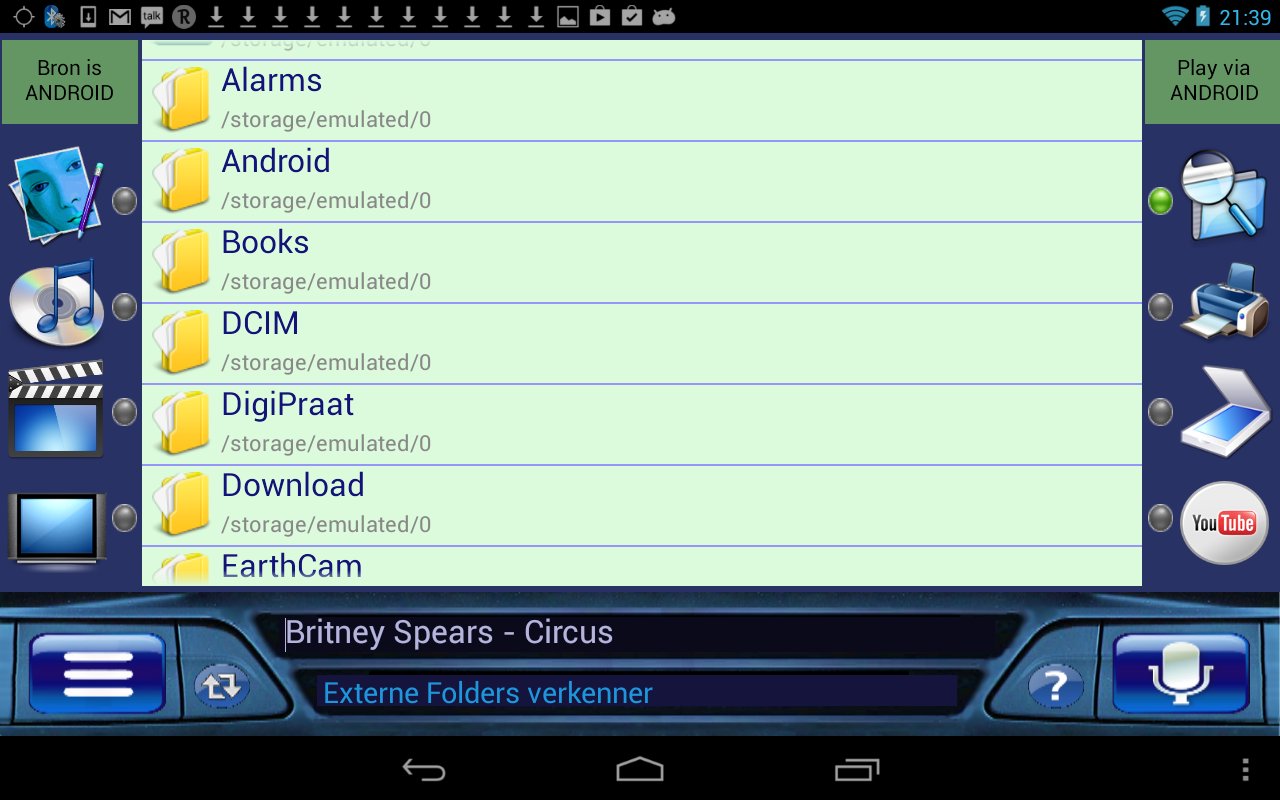
With this revolutionary "Remote Media" (R&M) app you can search, play and view media files on both your Android and on your Windows PC! In order to do so, a simple but powerful server is used that bridges both devices by means of your home WiFi network. Setting up this server is extremely simple because no ports need to be set, nor IP numbers have to be entered and also no Firewall changes need to be made.
The required server software is called " Arti Server" and can be downloaded and installed on your Windows PC via this link :
http://www.dsh2000.com/SETUP_ArtiServer1.exe
You can select images, music and video files on from your Android or from your Windows computer to play/show, regardless of whether the files are on your Android or on your PC ! Similarly, you can also view several TV and radio stations on your Android or PC as well as search and play view Youtube videos.
A great application of R&M is to connect your Windows PC to your HiFi and/or television set. You can then use your Android from anywhere in the house to instruct your PC to play media on this equipment!
If you purchase our "Print and Scan" you can also print images, texts etc. via a printer connected to your PC ( both from your Android and the PC).
Furthermore, R&M may also be controlled by means of voice commands. It uses Google's speech recognition.
R&M also has a built-in folders and files explorer as well as a built-in web browser. There is also a menu available from which most of the features of R & M can be started.
The basic version of R&M is free. However, in this version the number of files that can be selected is limited. In order to release the full potential of R&M, we recommend that you purchase the (in-app) upgrade. To do so, follow the "in-app upgrade" link at the bottom of the Menu.
We hope you enjoy and use this software .
DSH electronics
Leidschendam, The Netherlands
www.dsh2000.com
info@dsh2000.com .
Latest Version
2.10Uploaded by
Yzn Az
Requires Android
Android 1.6+
Category
Free Video Players & Editors AppContent Rating
Everyone
Report
Flag as inappropriateLast updated on Mar 26, 2016
Version 1.5:
Forward, backward, pause and play buttons added.
Version 1.4:
The ability to locally and remotely listen to radio stations added!
Version 1.3:
Some UI improvements.


APKPure - A multi-platform app store primarily focused on Android, providing extensive app-related content. Discover the app you want easier, faster, and safer, with quick and efficient downloads and installations.