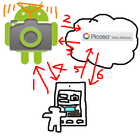
*You need another device in which "remote camera" installed.
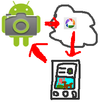
You can shoot with another device's camera and view the picture taken remotely.
How to use
1. Install "remote camera" into another device and keep running the "remote camera" app.
2. Run this app
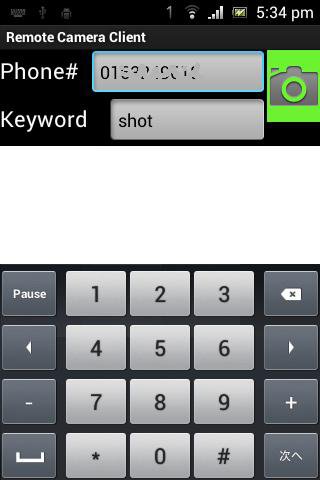
3. Fill [phone#] field with phone number of the device "remote camera" is running.
4. Fill [keyword] field with the keyword specified in "remote camera" app.
5. Click green camera icon, and wait for a while. It takes few minutes.
6. The picture taken will be shown.
Latest Version
1.1Uploaded by
Dudu Verrückt
Requires Android
Android 2.1+
Category
Free Photography AppContent Rating
Everyone
Report
Flag as inappropriateLast updated on Nov 12, 2015
Minor bug fixes and improvements. Install or update to the newest version to check it out!




APKPure - A multi-platform app store primarily focused on Android, providing extensive app-related content. Discover the app you want easier, faster, and safer, with quick and efficient downloads and installations.