Package Name:com.tribalfs.realtimefps
SHA-256:e404a37a30c177b7eb8a41287f275f69e367e33410ce755049fe2d75b3151638
Show More


Real-time Display FPS Meter helps you observe how smooth your screen animations look across apps and the system UI. It reads the display frames per second from Android’s Choreographer for system-level accuracy, and it focuses on the refresh rate your screen is outputting. It does not show GPU or in-game FPS counters. This clarity is useful for verifying 60 Hz, 90 Hz, or 120 Hz behavior and for comparing display modes without opening developer tools. Get the Real-time Display FPS Meter APK on APKPure to monitor display performance with simple controls that fit daily use.
System-level display FPS
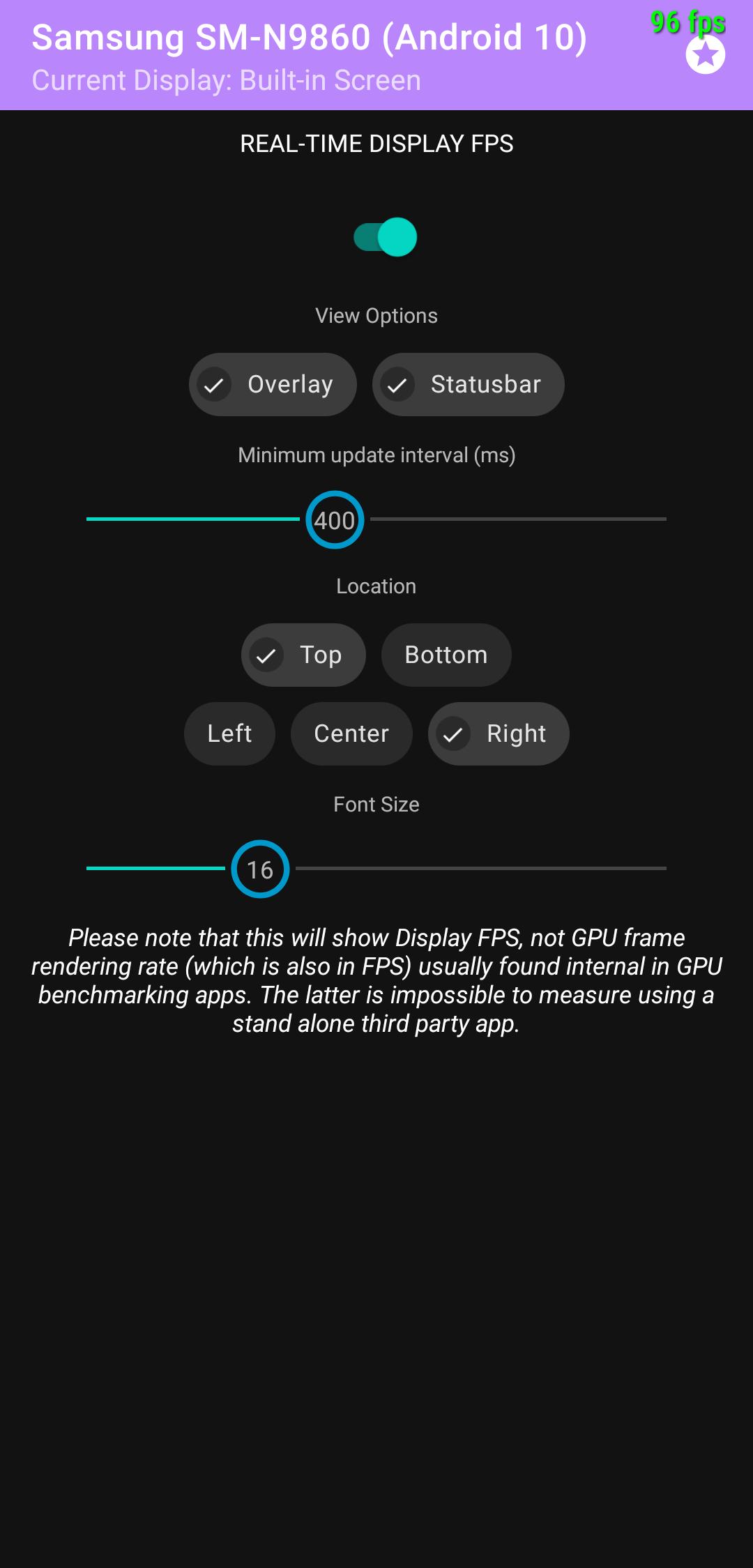
Real-time Display FPS Meter reports screen refresh FPS from Android’s Choreographer for consistent results across the system. It measures what the display renders. It does not read GPU or game engine FPS, which avoids app-specific variations.
Customizable on-screen overlay
You can place the floating FPS overlay anywhere so it stays visible without blocking controls. In addition, you can adjust size and color to match different apps and backgrounds for easy reading in any scene.
Status bar FPS indicator
If you prefer a cleaner screen, switch to status bar mode to see live FPS without an overlay. Therefore you keep full-screen content uncluttered while still tracking refresh behavior in real time.
Quick Settings tile control
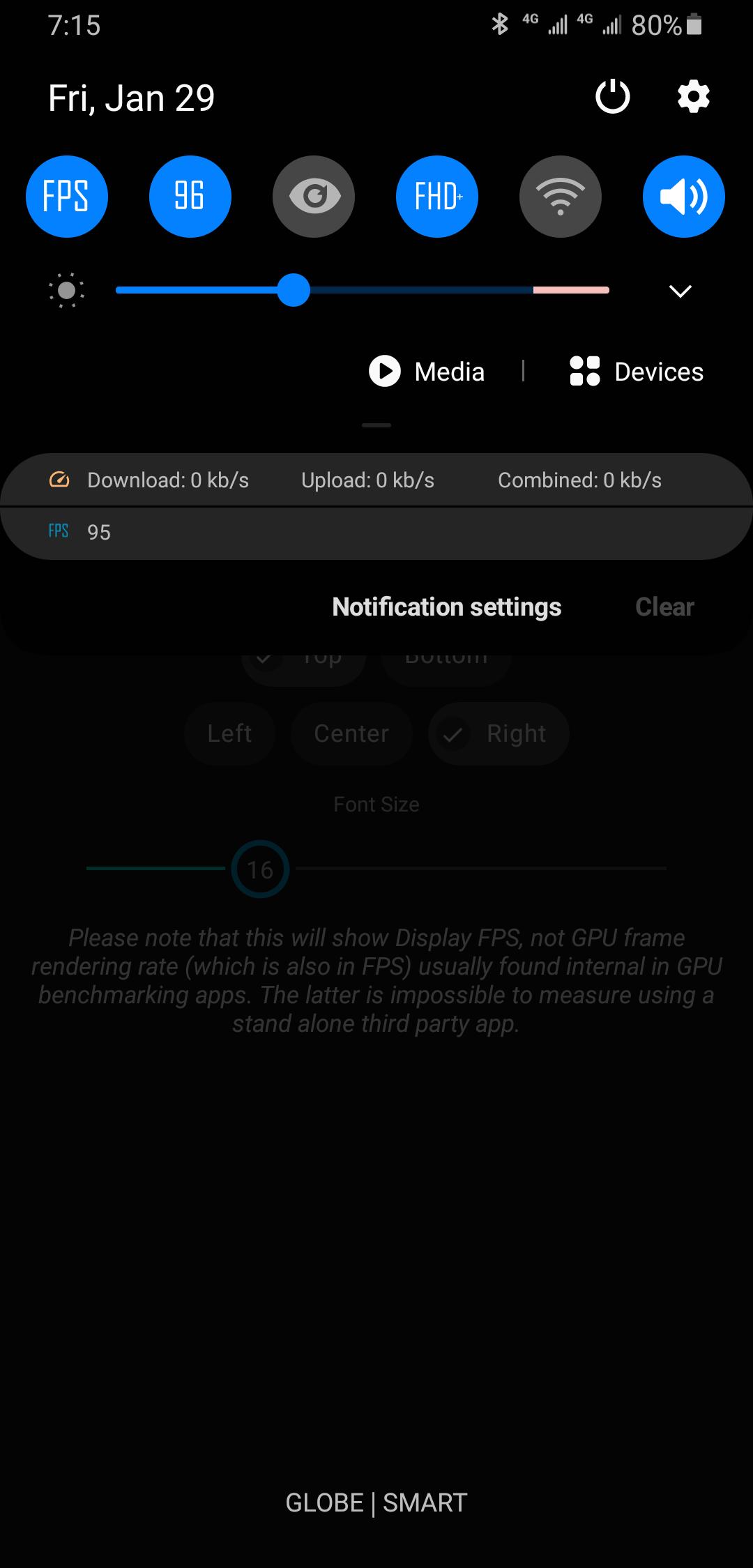
Use the Quick Settings tile to toggle the meter from any screen. Moreover, one tap enables or disables the readout, which makes it practical to check FPS during short tests and turn it off when finished.
Works across apps and home screen
The meter runs on top of any app and the launcher so you can watch animations, scrolling, and transitions. As a result, you can validate refresh rate switches and confirm whether apps stick to 60, 90, or 120 Hz.
Designed for everyday checks
Real-time Display FPS Meter predates the Developer Options FPS tool on newer Android versions and adds quicker access. In addition, it removes the need to dig into settings each time you want to test a screen behavior.
When Real-time Display FPS Meter helps
What Real-time Display FPS Meter does not measure
How it differs from developer overlays
Real-time Display FPS Meter centers on a quick, movable readout that you can toggle from Quick Settings. In contrast, developer overlays often require navigating deep settings. Therefore this app suits fast checks during regular use.
Setup takes a minute and you only do it once. After that, you can toggle the display FPS meter on demand. Follow these steps to start tracking your screen refresh rate.
Real-time Display FPS Meter provides a clear readout of your screen’s display FPS for quick refresh checks across apps and the system UI. Get the latest Real-time Display FPS Meter APK on APKPure and keep the meter handy with the Quick Settings tile. For updates, download Real-time Display FPS Meter again here to install the Real-time Display FPS Meter APK latest version.
How do I see live FPS on my phone with Real-time Display FPS Meter?
Open the app, grant the overlay permission, and enable the meter using the Quick Settings tile. Real-time Display FPS Meter then shows the display FPS on top of any app or in the status bar, so you can confirm 60 Hz, 90 Hz, or 120 Hz in real time.
Can Real-time Display FPS Meter show BGMI FPS?
No, Real-time Display FPS Meter does not show BGMI or any game’s internal FPS. The app reports system display FPS from Android’s Choreographer, which reflects what the screen renders, not the game engine’s GPU frames.
Why does the number differ from an in-game FPS counter?
The app reads display FPS while a game’s counter shows GPU or engine FPS. Therefore Real-time Display FPS Meter may report 60 Hz when a game renders higher internally but the display or system caps output at a lower refresh rate.
How can I show live FPS without blocking on-screen controls?
Switch to the status bar mode in Real-time Display FPS Meter so you can watch the FPS in the top bar while keeping full-screen apps unobstructed. You can also reposition and resize the overlay if you prefer the floating view.
Where can I download or update Real-time Display FPS Meter APK?
Download Real-time Display FPS Meter on APKPure to install or update quickly. You can get the Real-time Display FPS Meter APK latest version from this page and keep the meter ready for display refresh checks at any time.
Latest Version
1.0Uploaded by
Văn Phương
Requires Android
Android 8.0+
Category
Free Tools AppContent Rating
Everyone
Security Report
Check Now
Report
Flag as inappropriateLast updated on Feb 4, 2021
Initial release



APKPure - A multi-platform app store primarily focused on Android, providing extensive app-related content. Discover the app you want easier, faster, and safer, with quick and efficient downloads and installations.