Scan Date:May 21, 2026
Show More

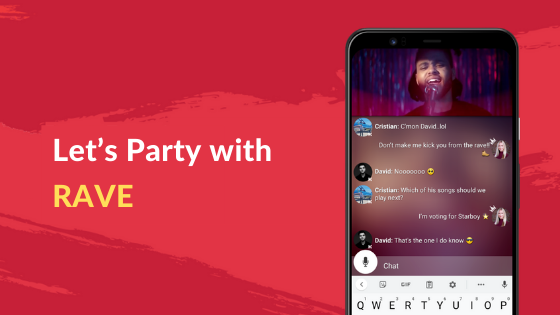
Rave helps you watch in sync with friends and groups when you cannot meet in person. It creates a shared viewing room and keeps playback aligned so everyone sees the same moment at the same time. Whether you plan a weekly show, a movie night, or a quick clip, setup remains straightforward across sessions. For users who prefer direct installation methods, some choose to find the Rave APK to begin quickly, then invite friends to join and watch together.
Synchronized streaming across services
Rave streams content together from popular platforms, including Netflix, YouTube, Disney+, Amazon Prime Video, and HBO Max. Playback stays synced so every viewer experiences scenes and reactions simultaneously. You choose what to watch, and Rave keeps everyone aligned from start to finish.
Built-in text and voice chat
You can talk while you watch using text messages or voice chat inside the app. This keeps reactions and conversations flowing without switching between apps. It also helps groups coordinate pauses, picks, and next episodes in one place.
Share music and personal videos
Rave lets you listen to music together and share your own videos in a watch party using Google Drive. This works well for personal clips, highlights, or home movies that you want to view as a group. Friends can join from anywhere and follow along in sync.
Cross-device viewing and control
Rave supports phones and computers, including Android, iPhone, Windows, and Mac. You can also join from Android TV and compatible VR devices. If you prefer typing on your phone, you can control chat and playback from the handset while watching on a larger screen.
Create private or shared watch parties
You can start a private session for close friends or open a shared room to meet new people who enjoy the same shows and videos. Inviting others is simple with a link, and groups can browse trending clips or plan a series together. Rave Watch Party sessions make coordination quick for casual hangouts and scheduled events.
For paid streaming services such as Netflix and similar platforms, each viewer needs to sign in with their own active subscription. Rave syncs playback for the group but does not provide access to subscription content on its own. If a friend cannot view a title, they may need a valid account or a service that offers the same content in their region.
Availability and catalogs can vary by country and by provider. Some services or titles might not appear in your area due to regional policies. Rave is available on mobile and desktop platforms, and the Rave app Android version supports phones and Android TV. Many users prefer to join from a phone and use it as a remote to avoid typing long passwords on a TV.
Rave is free to use, with optional in-app offerings available. If you prefer package files, some users search for Rave app download APK when installing on devices that allow it. Choose the option that fits your device and proceed to create or join a session after setup.
To get started, download Rave on your Android phone and open the app. The flow is simple and focuses on creating a watch room, connecting a service, and inviting friends to join.
Rave brings group viewing and live chat into one place so you can watch shows, movies, and videos in sync. To stay current, look for the Rave latest version and start a private or shared room that fits your plan.
If you need official details or support, use the links below.
Latest Version
8.2.44Uploaded by
حسين أسماعيل
Requires Android
Android 6.0+
Category
Free Entertainment AppContent Rating
Teen
Security Report
Report
Flag as inappropriateLast updated on May 21, 2026
Thanks for using Rave! This update brings bug fixes and other improvements.



APKPure - A multi-platform app store primarily focused on Android, providing extensive app-related content. Discover the app you want easier, faster, and safer, with quick and efficient downloads and installations.