
It is so difficult to find the often used apps from the 6-12 home screens. Quick Launcher help you solve this problem.
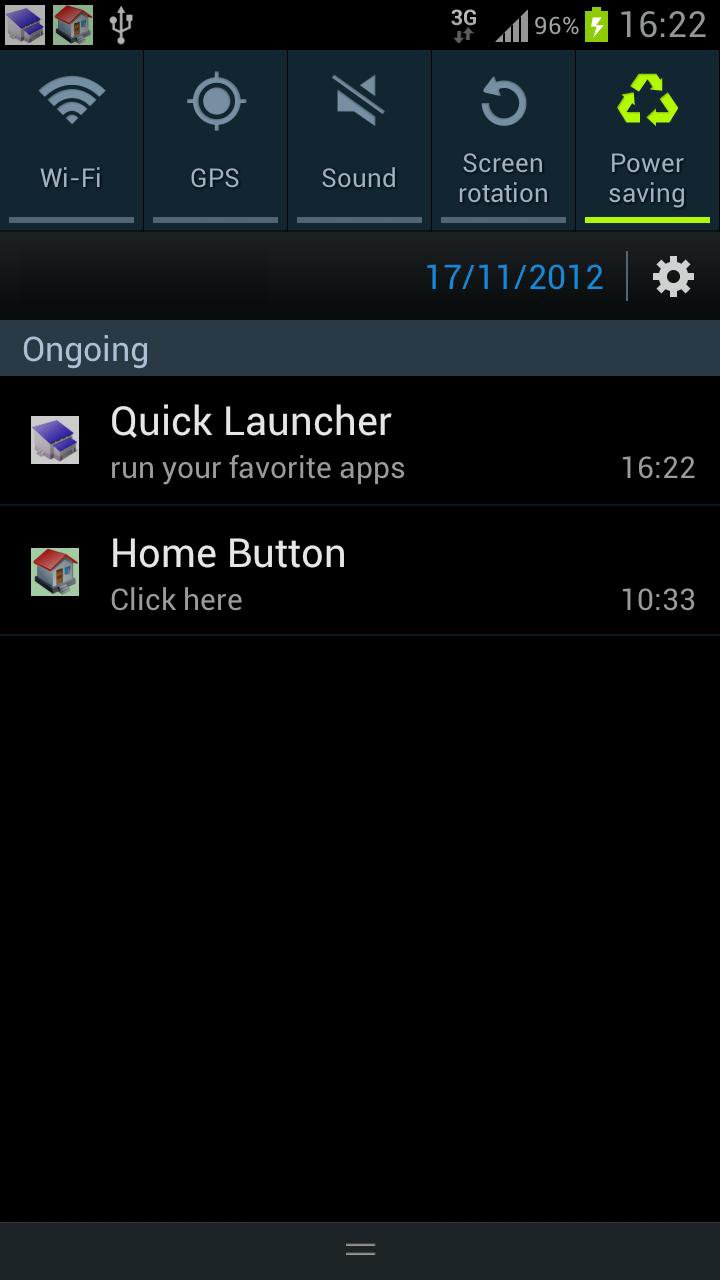
You can custom the often used apps to the favorite list, such as gmail, facebook, Line, or whatsapp. And slide it from the status bar to launch the app. Very easy to add and remove the app on the list.
Q&A:
* How to add the apps to the favorite list?
Please select the favorite or the most often used apps, and click Add to my favorite list.
* How to run the favorite apps?
Slide the status bar, and click Quick Lanuncher item. Click the app you want to execute.
* How to remove the apps from the Quick Launcher?
Step1: slide the status bar, and click Quick Lanuncher item.
Step2: click Manage apps.
Step3: click the app you want to remove.
Please note: it doesn't uninstall the clicked app, it just remove from the Quick Launcher list.
* How to hide Quick Launcher on the status bar?
Step1: slide the status bar, and click Quick Lanuncher item.
Step2: click the menu button on your phone, and click Hide the icon on the status bar.
* Will Quick Launcher drain the battery all the time?
No. It only runs as you open it from the status bar. As you don't run it, it is only a notification on the status bar, like other SMS app.
Any suggestion? please contact us at mobile.app.us@gmail.com Thank you very much.
Thanks designcontest for providing the free icon http://www.designcontest.com/
Latest Version
1.2Uploaded by
Are Fiyy
Requires Android
Android 2.1+
Category
Free Productivity AppContent Rating
Everyone
Report
Flag as inappropriateLast updated on Aug 16, 2015
**** Top 10 app in the Productivity category ****
* Fix the bugs for displaying more apps.
* Support Android 2.1
* Support Korea & Spanish language.
* Run automatically when the user reboot the phone.





APKPure - A multi-platform app store primarily focused on Android, providing extensive app-related content. Discover the app you want easier, faster, and safer, with quick and efficient downloads and installations.