
PTx Tool -potato graphics GFX helps battle royale players who use low-end Android phones and struggle with stutter or frame drops. It focuses on practical visual tuning so your device can handle matches more consistently. With simple controls and clear presets, the app aims to balance image clarity and performance without complex setup. As a result, users can adjust graphics according to device limits and gameplay needs. For easy installation and updates, search for PTx Tool -potato graphics GFX APK when preparing your device.
PTx Tool -potato graphics GFX includes tailored profiles for 2GB, 3GB, and 4GB RAM phones. These presets help stabilize gameplay on “potato” hardware by lowering demanding settings in a controlled way. You can pick a preset that matches your phone, then adjust further if needed.
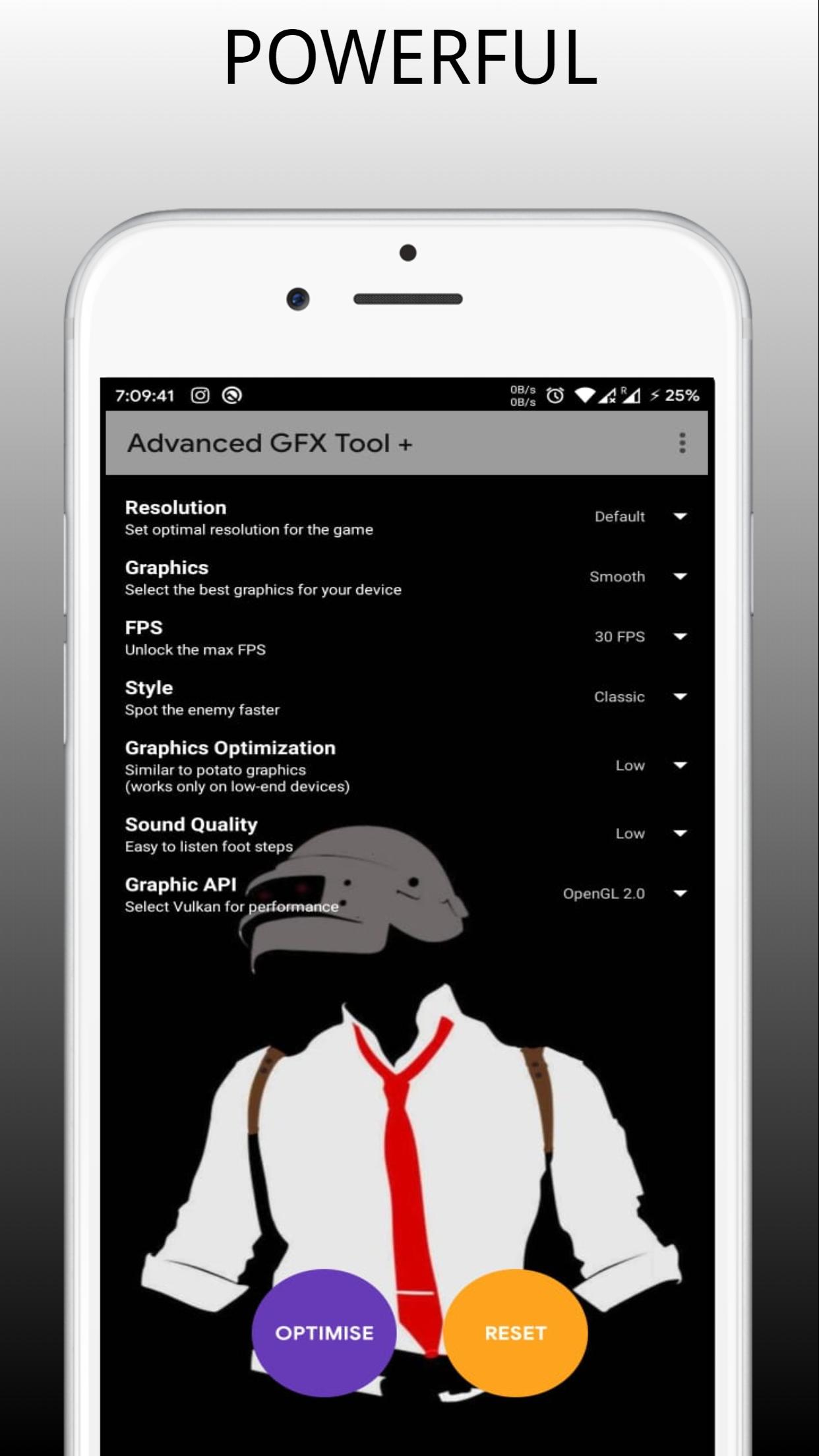
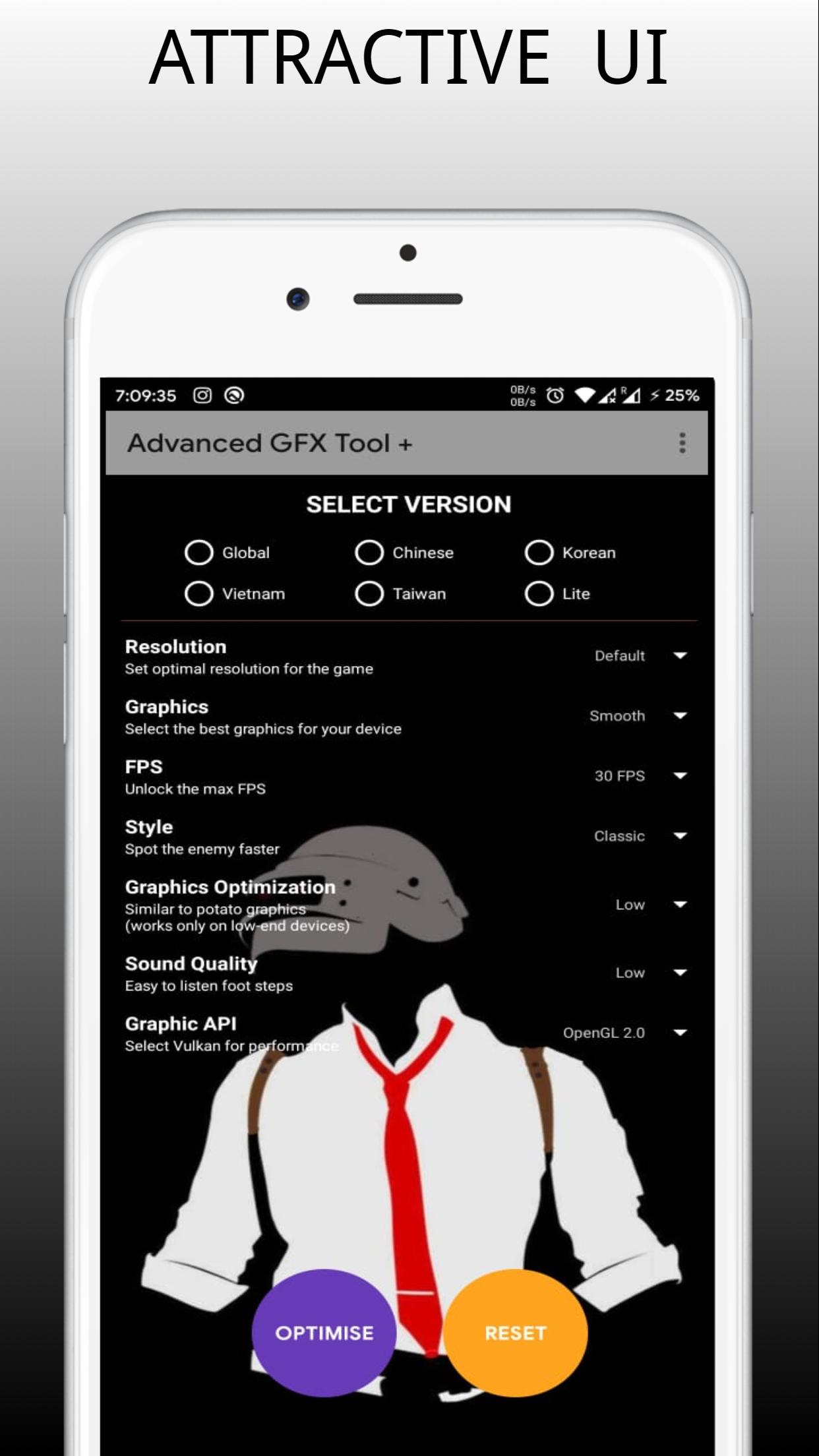
Resolution controlYou can set the in-game resolution to suit your device’s limits. Lower resolutions ease GPU load and often smooth out frames during intense fights. Higher resolutions remain available if your phone can handle the extra detail, so it is easy to find the best balance.
HDR and quality unlocksWhere supported, the app can unlock HDR graphics and higher quality levels. This gives compatible users more visual detail without digging through hidden options. If your device does not support HDR, you can stick with standard quality for a steadier experience.
Max FPS unlockPTx Tool -potato graphics GFX can remove default frame rate caps so your device reaches its highest FPS capability. This helps players who want smoother motion during aiming and movement. After enabling the frame rate option, monitor stability and roll back if your phone shows signs of overheating or throttling.
Deep graphics tweaks and stutter reductionFor finer control, you can toggle shadows and select anti-aliasing levels such as x2 or x4. These choices help smooth edges and reduce jagged lines while keeping resource usage in check. An extreme performance mode is available for users who want minimal effects to cut stutter from heavy graphics settings.
This is an unofficial optimization tool for PUBG Mobile. Use at your own risk, as the app may change or reset in-game settings such as sensitivity and graphics. It does not fix ping or network latency and only focuses on graphics and performance. PTx Tool -potato graphics GFX is designed for Android devices and does not support iOS.
Supported PUBG Mobile versions include:
PTx Tool -potato graphics GFX is not affiliated with PUBG Corporation, KRAFTON, or any official publisher. PUBG and PUBG Mobile are trademarks or registered trademarks of their respective owners. All game names and marks are used for reference only.
Start with a clean graphics setup if your device recently lagged or stuttered. For stability and new features, consider the PTx Tool -potato graphics GFX latest version before tuning. Then follow these steps on your Android phone.
PTx Tool -potato graphics GFX offers practical controls for smoother matches on low-end phones. To begin optimizing on Android, download PTx Tool -potato graphics GFX and tune visuals to match your device’s capabilities.
Latest Version
6.6Uploaded by
Isaac Soares
Requires Android
Android 4.1+
Category
Free Tools AppContent Rating
Everyone
Report
Flag as inappropriateLast updated on Nov 21, 2021
Added support for 1.7.
More features coming Soon


APKPure - A multi-platform app store primarily focused on Android, providing extensive app-related content. Discover the app you want easier, faster, and safer, with quick and efficient downloads and installations.









![GFX Tool for New State [BETA] APK](https://image.winudf.com/v2/image1/Y29tLmFwcHVvLmdmeG5ld3N0YXRlX2ljb25fMTYzNzg0MDgxMF8wMDE/icon.png?w=102&fakeurl=1)







