Scan Date:Apr 22, 2026
Show More

Protake suits users who need precise control when filming on a phone. Whether you are vlogging, shooting a commercial, or planning a short, the app keeps settings clear. Users who plan to download Protake can expect a familiar camera layout, on screen readouts, and helpful framing. It reduces guesswork for exposure and focus and keeps files organized for later work. These tools support quick shoots and planned productions on the same device.
Two shooting modes
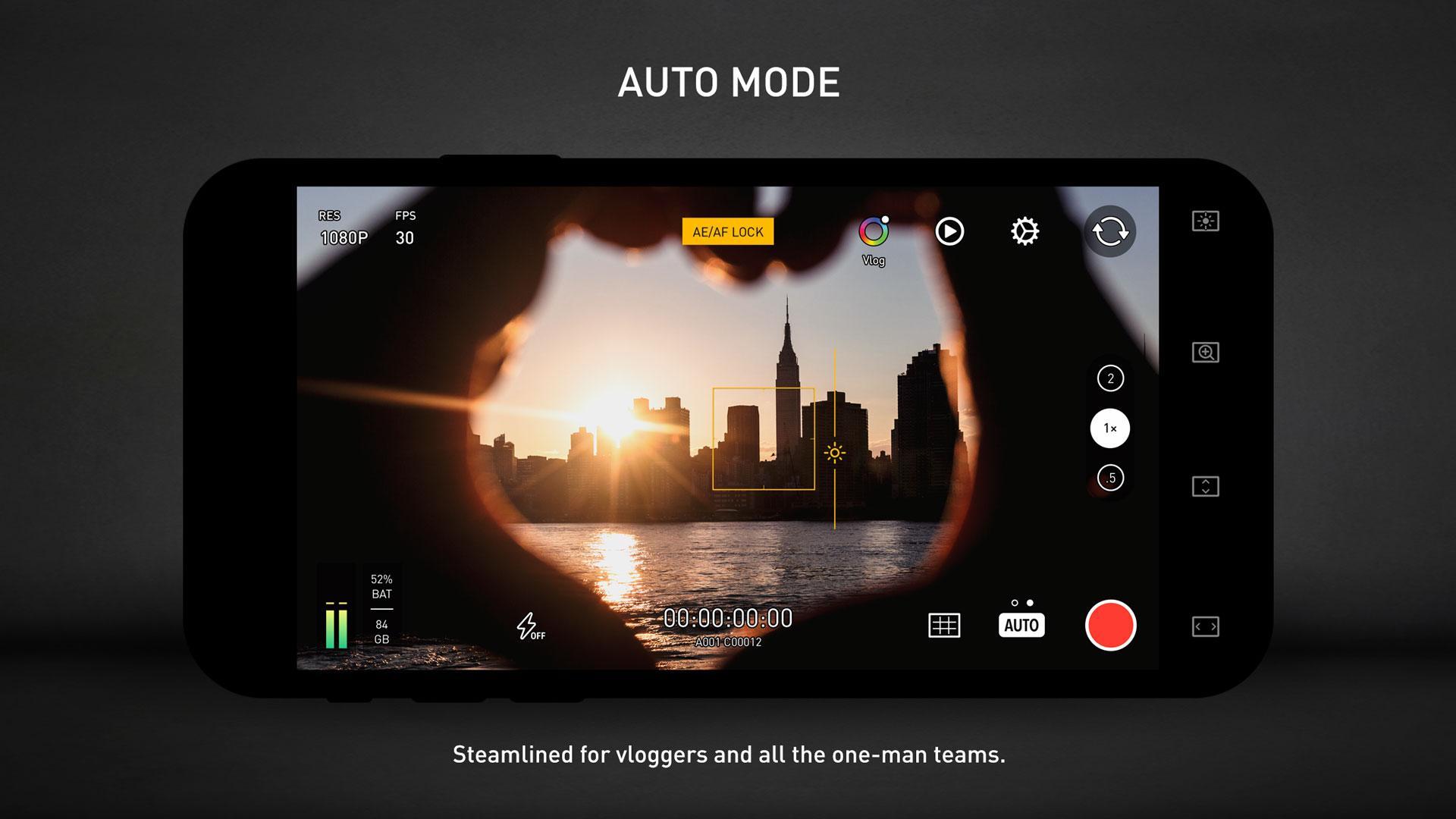
AUTO mode prioritizes single hand use for vloggers with cinematic looks and composition helpers. PRO mode is designed for filmmakers, placing camera information and controls in a tidy layout so the setting you need stays visible. Protake APK keeps key options accessible while recording to limit time spent in menus.
Color options
LOG uses a gamma curve matched to ALEXA Log C on supported phones, giving footage suitable for grading workflows. Cinematic looks include neutral styles, film emulations inspired by classic Kodak and Fuji stocks, movie influenced presets, and ALEXA looks.
Monitoring and assistants
Data and metadata control
Frame Rate Normalization delivers constant frame rates such as 24, 25, 30, 60, and 120 fps. File naming follows a standard structure with camera unit, reel number, clip count, and suffix for easier management. Metadata logs device model, ISO, shutter angle, white balance, lens, connected accessories, and location in each file.
Protake focuses on clear controls, helpful monitoring, and consistent files for mobile filmmaking. To use the newest improvements and format support, install the Protake latest version. Set your mode, verify your monitoring tools, then begin recording.
Latest Version
3.0.21Uploaded by
Nelson Alexis
Requires Android
Android 6.0+
Category
Free Photography AppContent Rating
Everyone
Security Report
Report
Flag as inappropriateLast updated on Apr 22, 2026
Multiple bug fixes.



APKPure - A multi-platform app store primarily focused on Android, providing extensive app-related content. Discover the app you want easier, faster, and safer, with quick and efficient downloads and installations.