Scan Date:Apr 16, 2025
Show More

*** Version 4.3 includes minor bug fixes only and Android SDK update
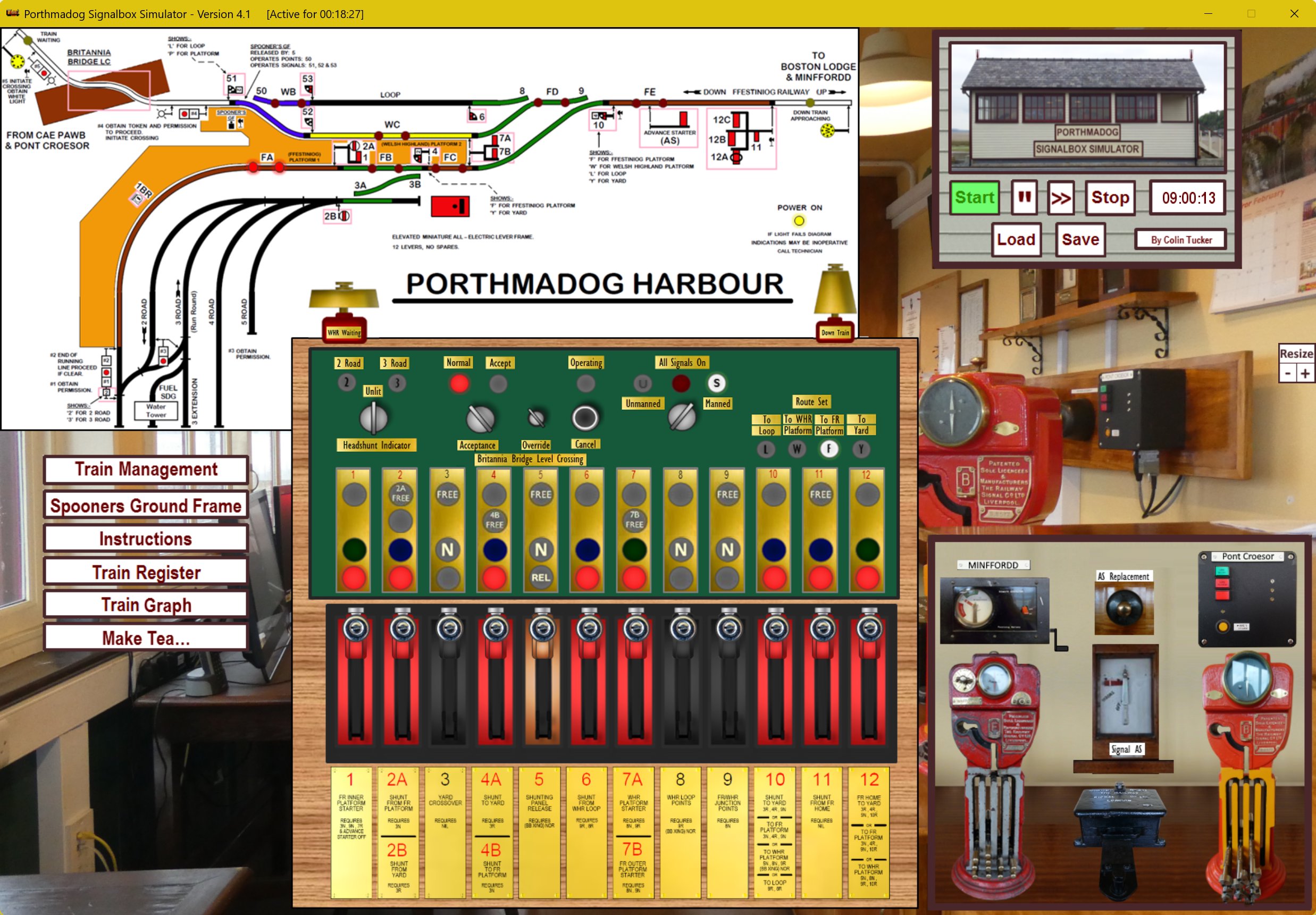
This is a Simulator for the Porthmadog Harbour Station (FR & WHR) Signalbox. It's intended to be a detailed enough simulation to enable train crews and operating staff to become familiar with the working of the Box, even if they seldom use the real thing. This is NOT an official product from the Ffestiniog & Welsh Highland Railways, so please don't bother them with queries about it.
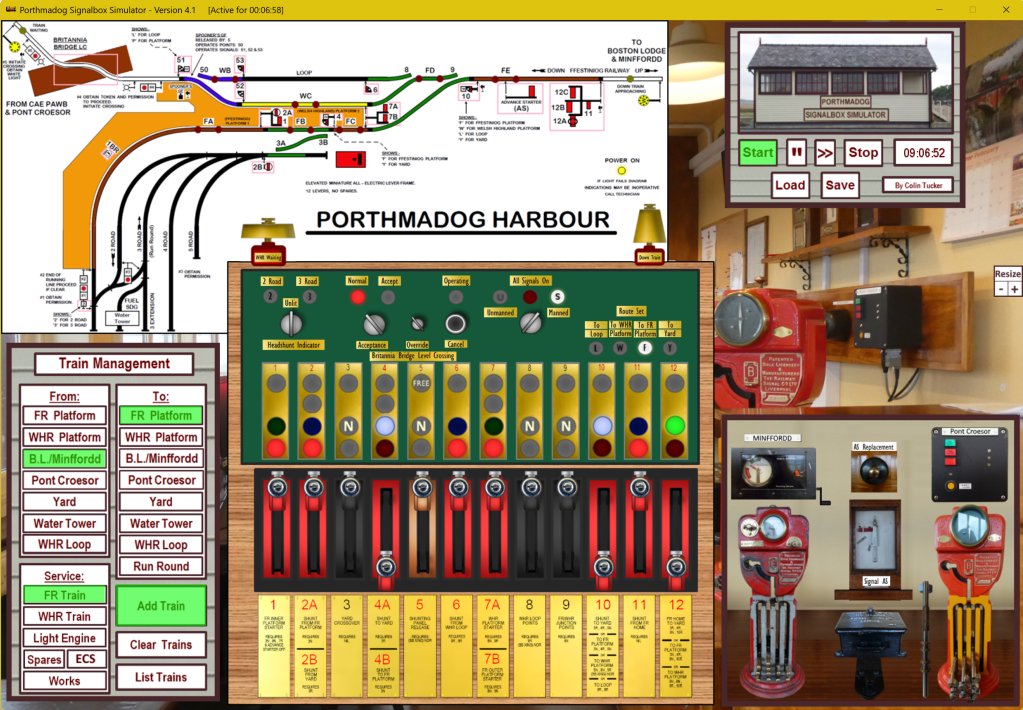
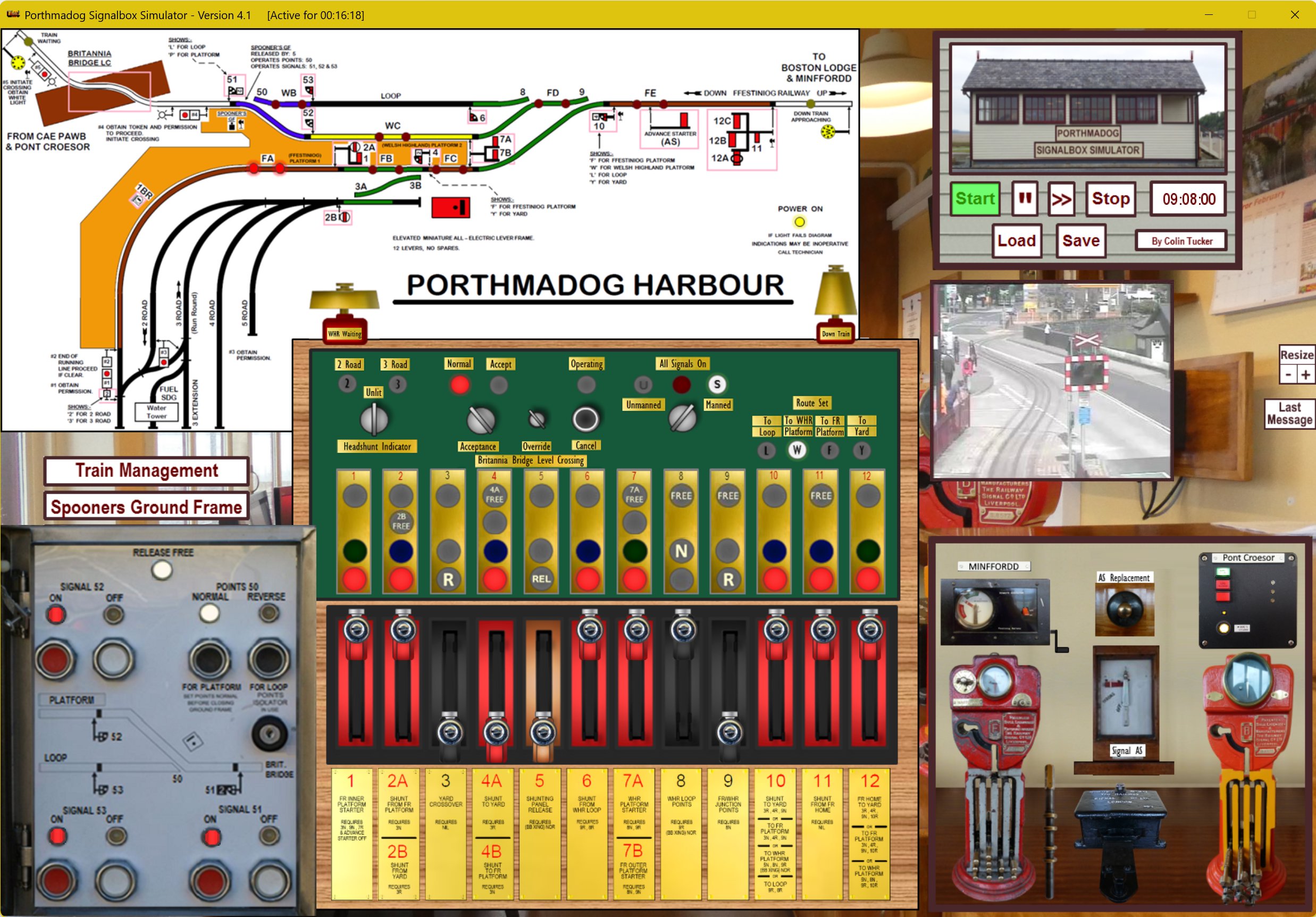
Everything is touch-screen-driven. The things you can ‘tap’ are:
- Start, Stop, Fast Forward (x4) and Pause buttons.
- The Switches for Manned/Unmanned Operation, Britannia Bridge Crossing Acceptance and the Road 2/3 Headshunt Indicator.
- The Bridge Crossing Override key (works like a switch) and the Bridge Crossing Cancel button.
- The Levers. These will (mostly) just move to the fully Reversed (down) or fully Normal (up) positions following a single tap - though some may get stuck part-way if the interlocking or approach locking stops them.
-Lever pulls text - these are the descriptions below the Levers and can be made larger for easier reading by tapping on them.
- The Bells.
- The Pink Boxes that have been added to the ‘Porthmadog Harbour’ diagram. These will bring-up a photo of the associated Signal(s) and Crossing, showing the current indications. These will typically be displayed for 15 seconds - and will change if the Signal indication changes.
- The FR and WHR Remote Operator winding handle/btton, Token Instruments, Advance Starter Drawer Lock and Replacement Plunger, (and tokens when out of the Instruments). These allow a limited simulation of the electric token system.
- An Instructions button - to give a brief version of the instructions.
- A Spooners Ground Frame button. Although this can be displayed and opened (by tapping on the latch) at any time, it will only have active controls if the Release Lever (Lever 5) is reversed in Manned mode.
- A Train Management Button - for creating trains/engines to arrive, move within the station or depart.
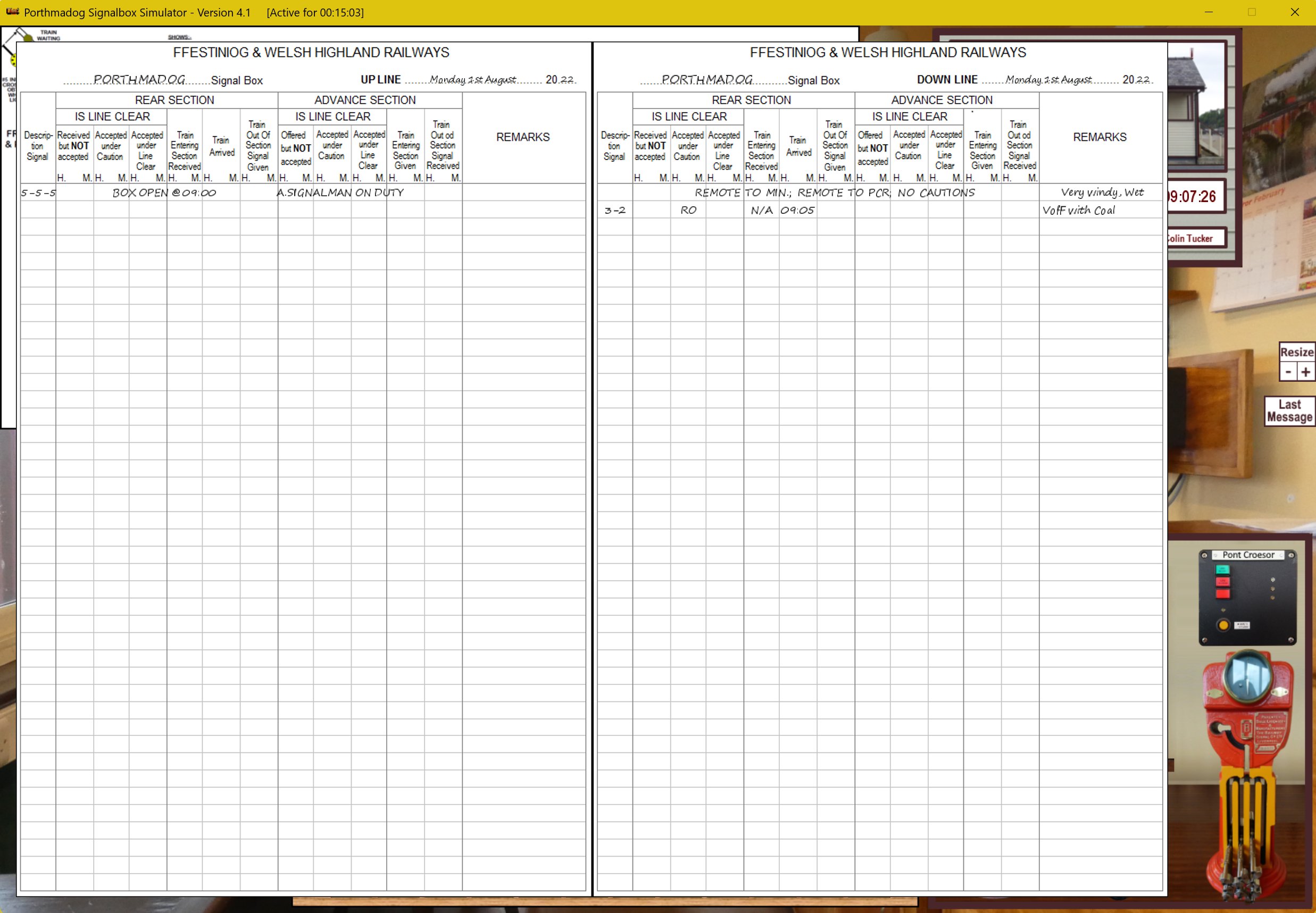
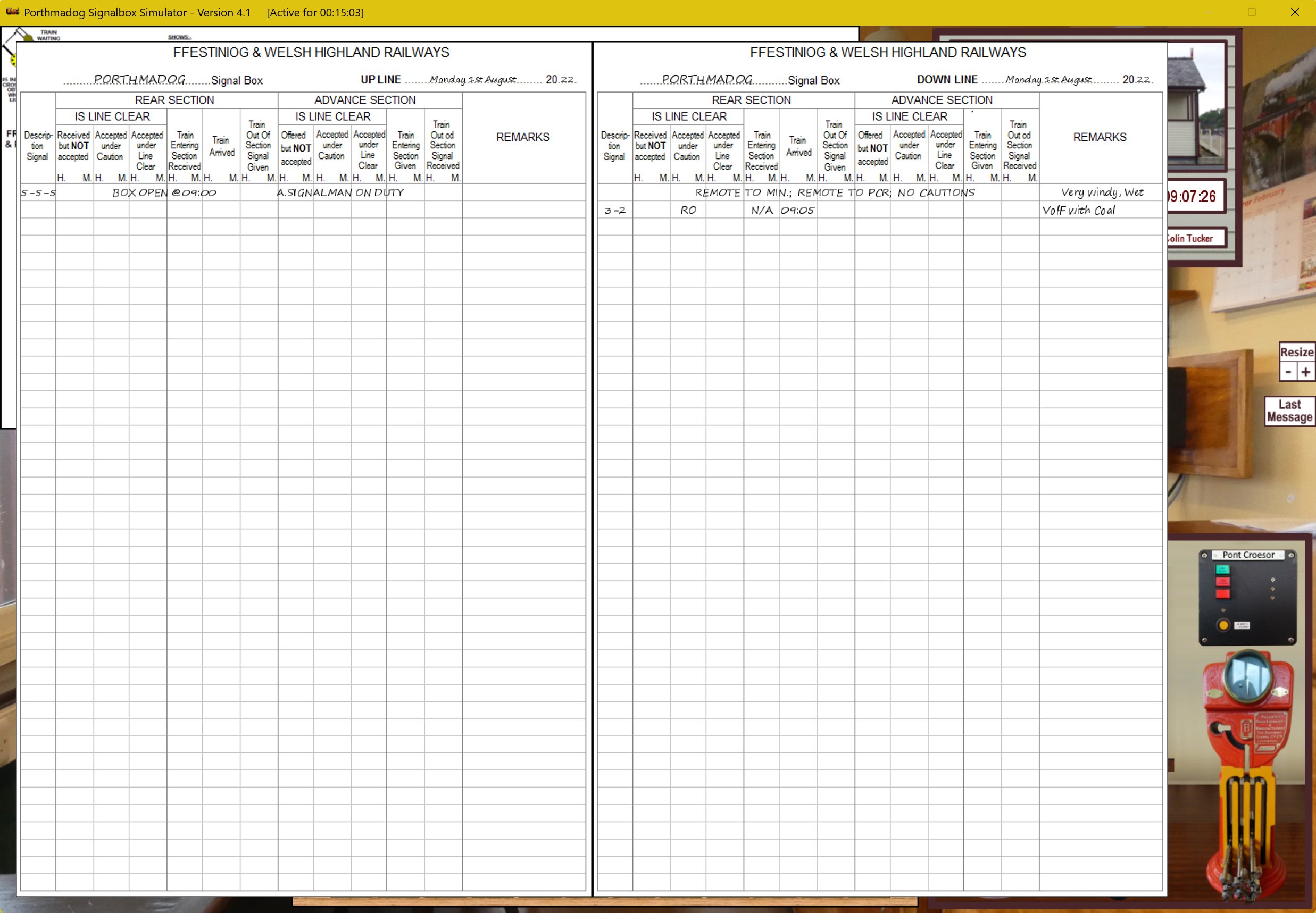
- A Train Register Button to display a record of your Train Movements in a format similar to that used in the Box.
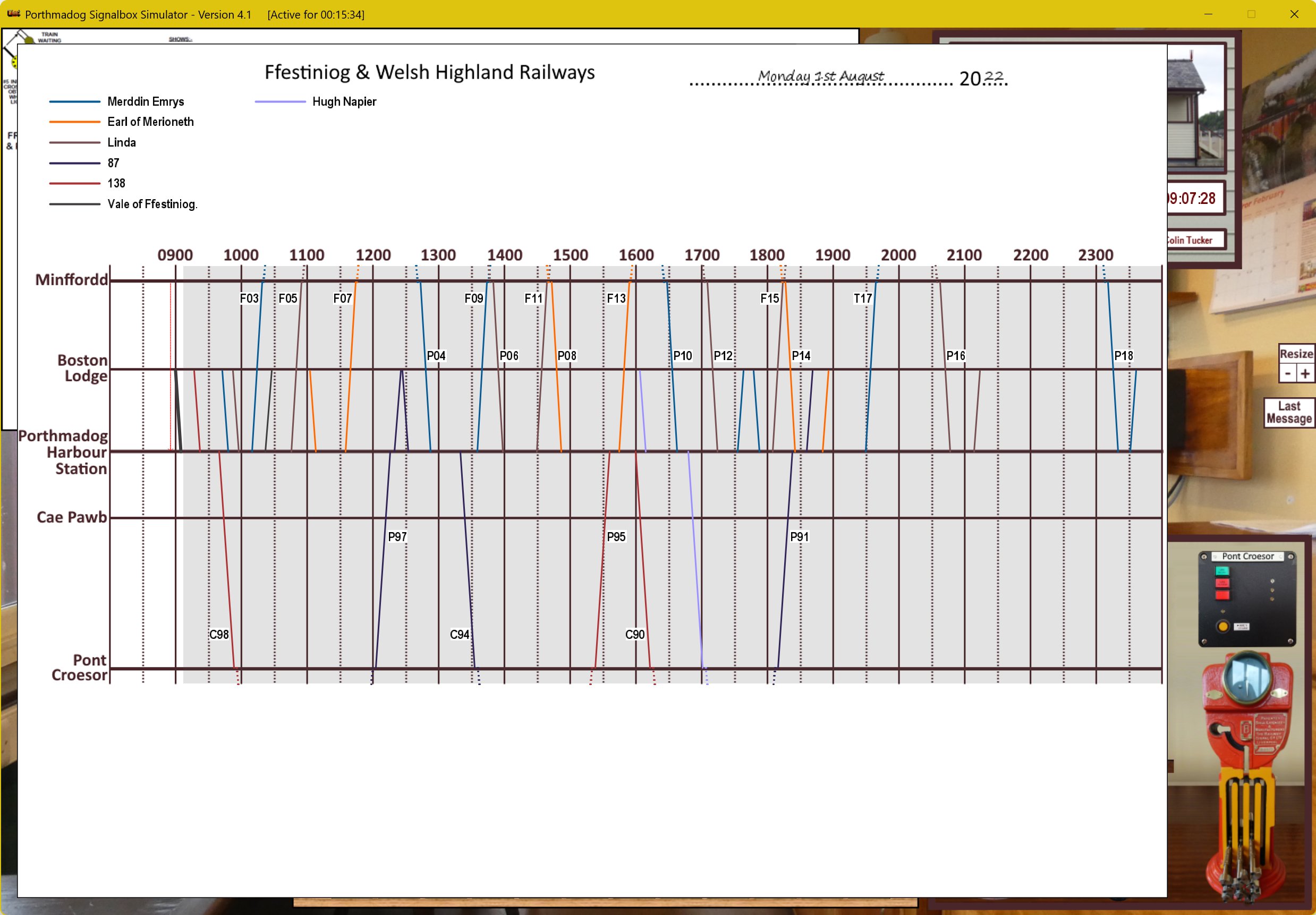
- A Train Graph Button to display a record of your Train Movements and/or planned moves for the 'Full Day in the Box' scenario.
- A button for Making Tea. Obviously.
What else do I need to know?
- Red Levers control Signals; Black Levers control Points.
- The Brown Lever is a Release Lever for the Spooners Ground Frame panel.
- Levers can only be moved if there is an associated ‘Free’ Indication. The Frees arise from the various layers of interlocking between the levers, points and signals. An exception is that any Signal Lever can be moved from the fully Reversed Position in order to replace a Signal to Danger.
- A good summary of the requirements for moving each lever is shown in the ‘Lever Pulls’ text at the bottom of the screen - but this doesn’t cover everything.
- Track Circuits Lights on the ‘Porthmadog Harbour’ diagram show you when a portion of track is occupied. Be careful how you read the diagram; the Track Circuit Lights apply to all of the adjacent track with the same colour as the piece that the lights appear on.
- The two bells have different tones. The left bell is a Train Waiting bell from the WHR Britannia Bridge crossing. The right bell rings for the treadle beyond the Home Signal (Signals 12/11).
- Remember that you cannot see many of the signal indications from the real signal box, so use of the Pink boxes in the simulator is considered cheating….
Detailed instructions can be downloaded from:
https://www.dropbox.com/scl/fi/pucx9vwovaik2s70tq7c2/Detailed-Instructions-for-Porthmadog-Signalbox-Simulator-Version-4.3.doc?rlkey=b6mwv9m18zrabeyhl7nte2az0&st=17frt84a&dl=0
Windows64 version is also available:
https://www.dropbox.com/scl/fi/30soxafp50c1bzhry3enf/PortSim4.3.zip?rlkey=rc9txi3j2wvvjwgy1ofsa4paw&st=os9hkj24&dl=0
Latest Version
4.3AUploaded by
Shevon Gludd
Requires Android
Android 4.2+
Category
Free Simulation GameContent Rating
Everyone
Security Report
Report
Flag as inappropriateLast updated on Jul 25, 2024
Minor bug fixes for Britannia Bridge operation and update to Android SDK35.




APKPure - A multi-platform app store primarily focused on Android, providing extensive app-related content. Discover the app you want easier, faster, and safer, with quick and efficient downloads and installations.