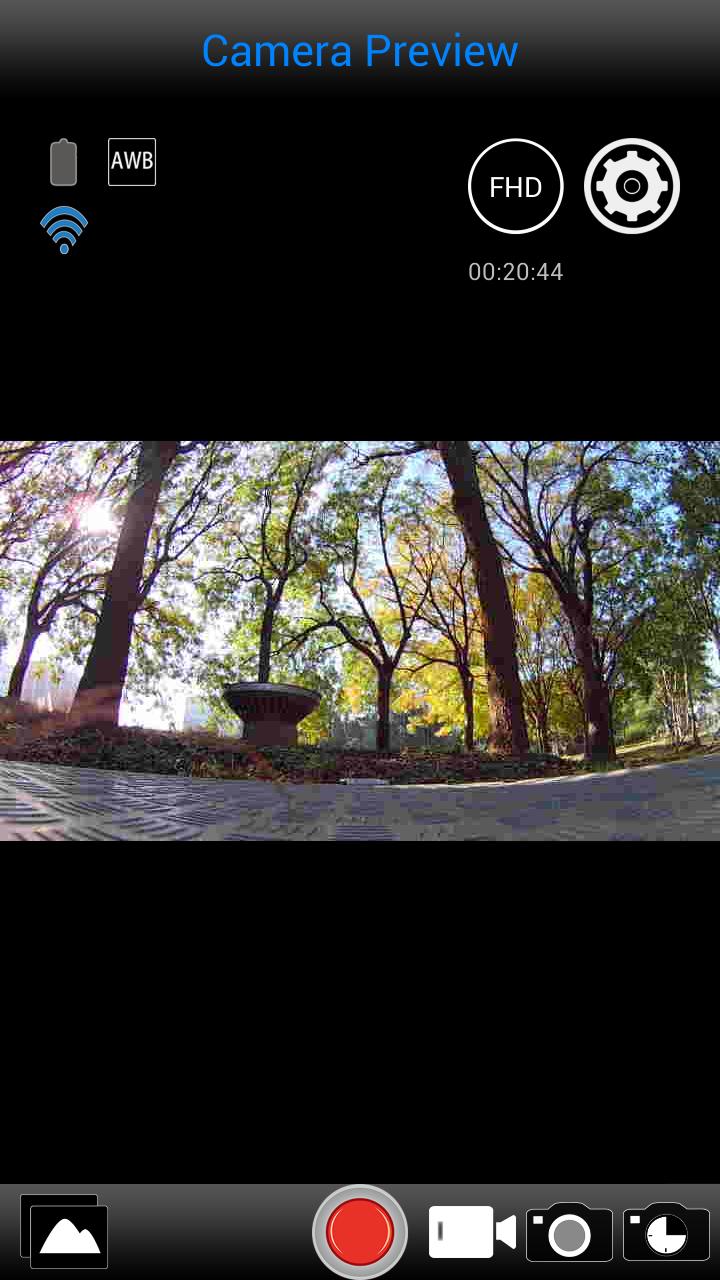
VuPoint Solutions "Poki Cam" app operates with "Poki Cam" Camera. Use the app to adjust the settings for your camera, start and stop recordings, take still photos and it even allows you to see the live preview on your screen. Easy download options lets you to save your captures to your mobile devices.
Connection Procedure:
1. Turn ON the Wi-Fi setting on your mobile device and your Camera.
2. Search for "Poki Cam" and connect.
3. After connection is established, launch the "Poki Cam" app.
Features:
1. Live Streaming feature
2. Trigger control to take video or photos
3. Burst shot
4. Video quality settings
5. Image size settings
6. White-balance settings
7. Format microSD card
8. Video and Photo preview and playback
9. Automatic time correction when connection is established with mobile device
10. Time-lapse feature
Latest Version
R1.3.21.5Uploaded by
Raooni Barbosa
Requires Android
Android 4.1+
Category
Free Video Players & Editors AppContent Rating
Everyone
Report
Flag as inappropriateLast updated on Jul 2, 2017
Update sdk for android 7.0




APKPure - A multi-platform app store primarily focused on Android, providing extensive app-related content. Discover the app you want easier, faster, and safer, with quick and efficient downloads and installations.